

Creating a Fund Holder (Legal Entity Organization)
- 11 Jul 2025
- 1 Minute to read
- Print
- DarkLight
Creating a Fund Holder (Legal Entity Organization)
- Updated on 11 Jul 2025
- 1 Minute to read
- Print
- DarkLight
Article summary
Did you find this summary helpful?
Thank you for your feedback!
Supporting Organizations (SO) are setup in the FoundationHub as Fund Holder Grantees.
The setup process is same as a Grantee. Click on Menu > Create New > Grantee and complete the Grantee details.
To make the Grantee a Fund Holder, first ensure that you select ‘Organization’ on the Entity Type field and perform the steps below:
Entering Contact Info:
External ID field is used to enter a unique identifier assigned to the contact, by an external system or a third party.
For an Entity Type: Organization, you can enter the following details: Category, Organization Name, Doing Business As, Short Name, Email, Phone Type and Phone.
.png)
Entering Address Info:
Address Type lets you choose the appropriate type of address.
Address 1 field is used to enter the main address of the contact, whereas the additional Address 2, 3, and 4 fields allow you to enter any text that does not fit in the Address 1 field. City, State, Zip and Country fields are required.
.png)
Finalizing the process: After completing all the required fields, proceed as follows, click on “Save and Open Contact”: This option saves the Grantee's information and opens their contact profile.

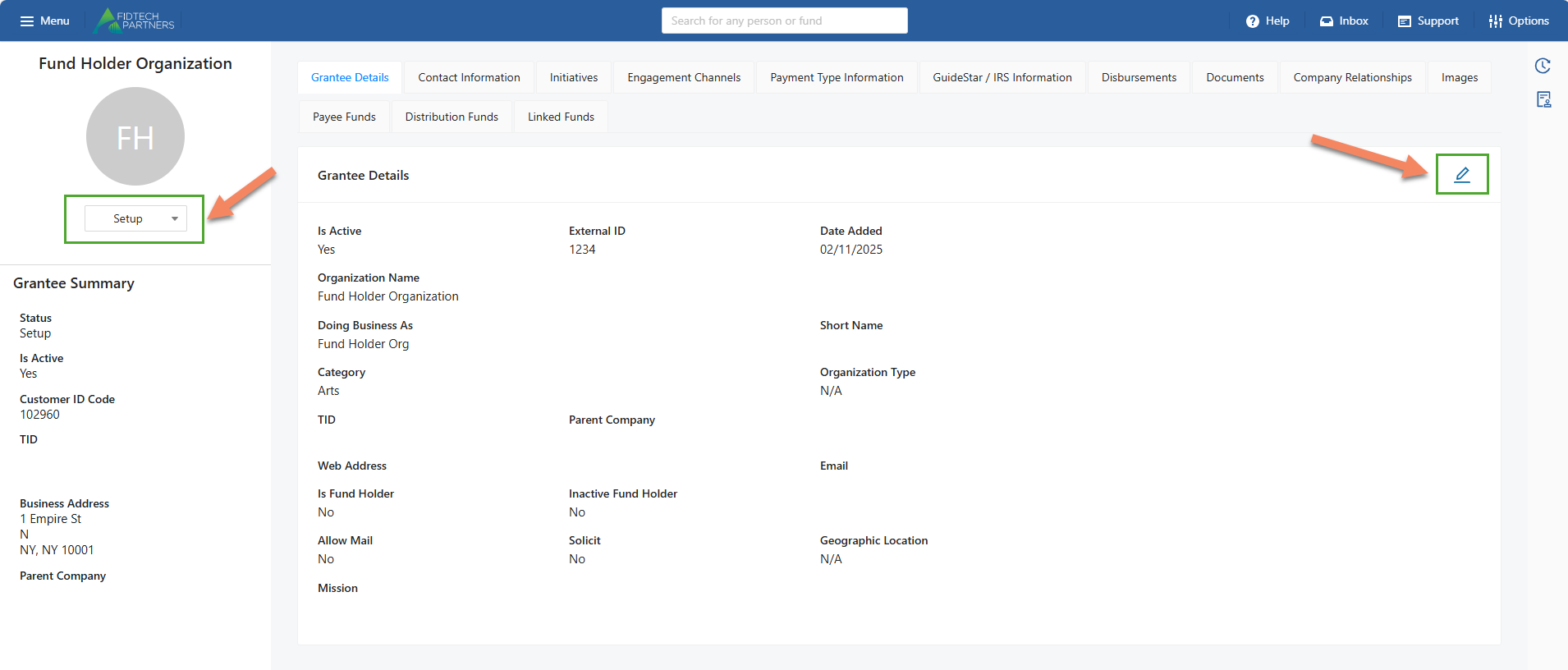
Click on the Edit button on the Grantee Details tab and enable the Is Fund Holder button.
Note: This needs to be done while the Grantee is in its initial Setup status and cannot be done afterwards.
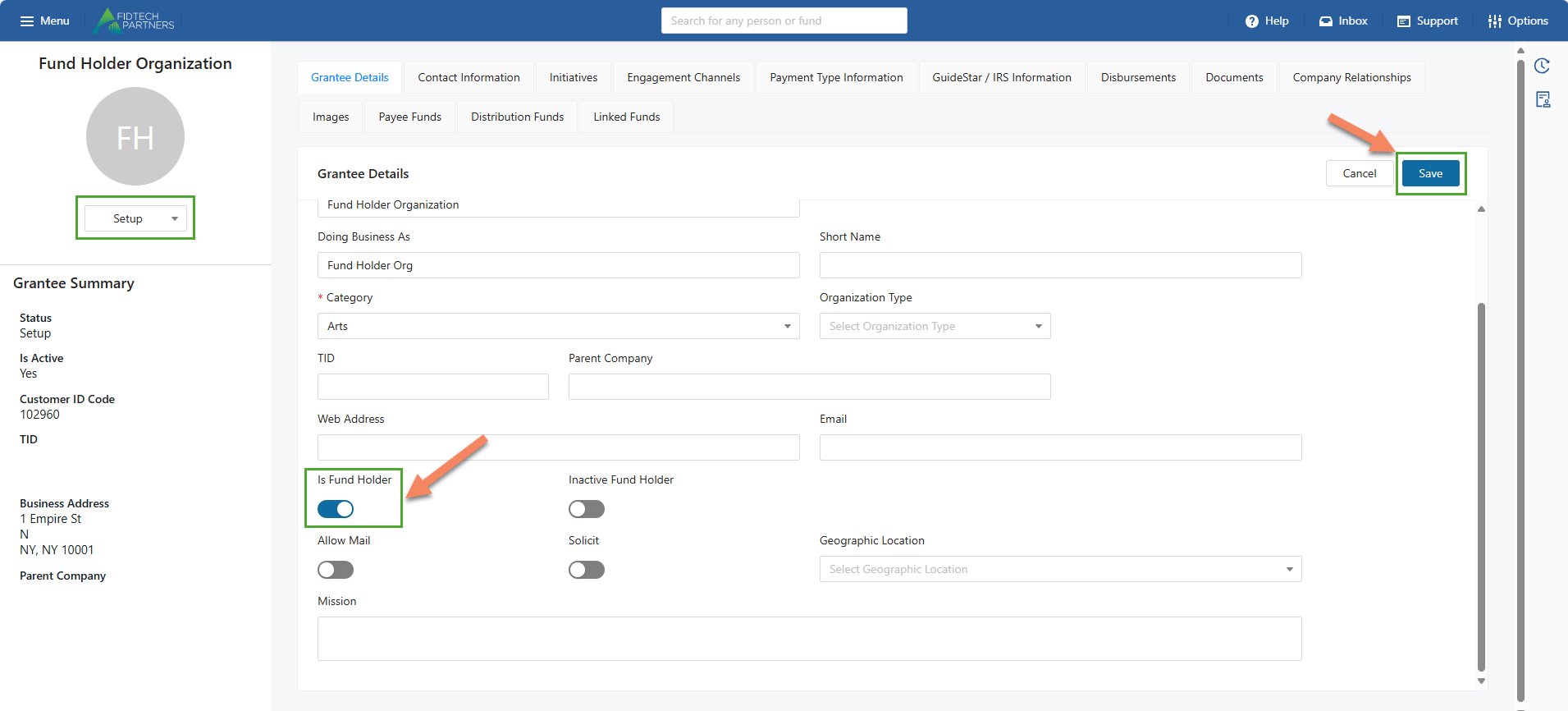
Click on the “Save” button.
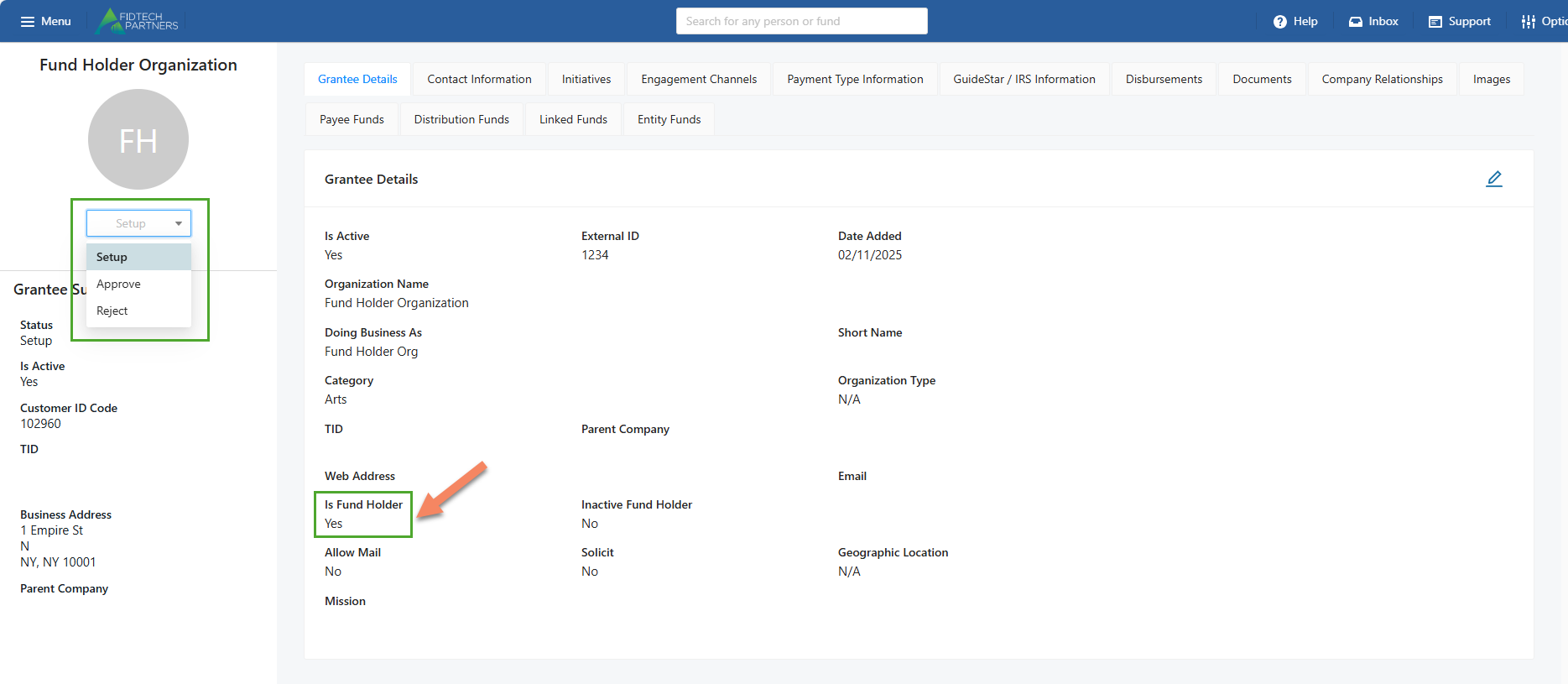
After ensuring that the Is Fund Holder field indicates Yes, click on the status dropdown and ‘Approve’ the Grantee as a Fund Holder.
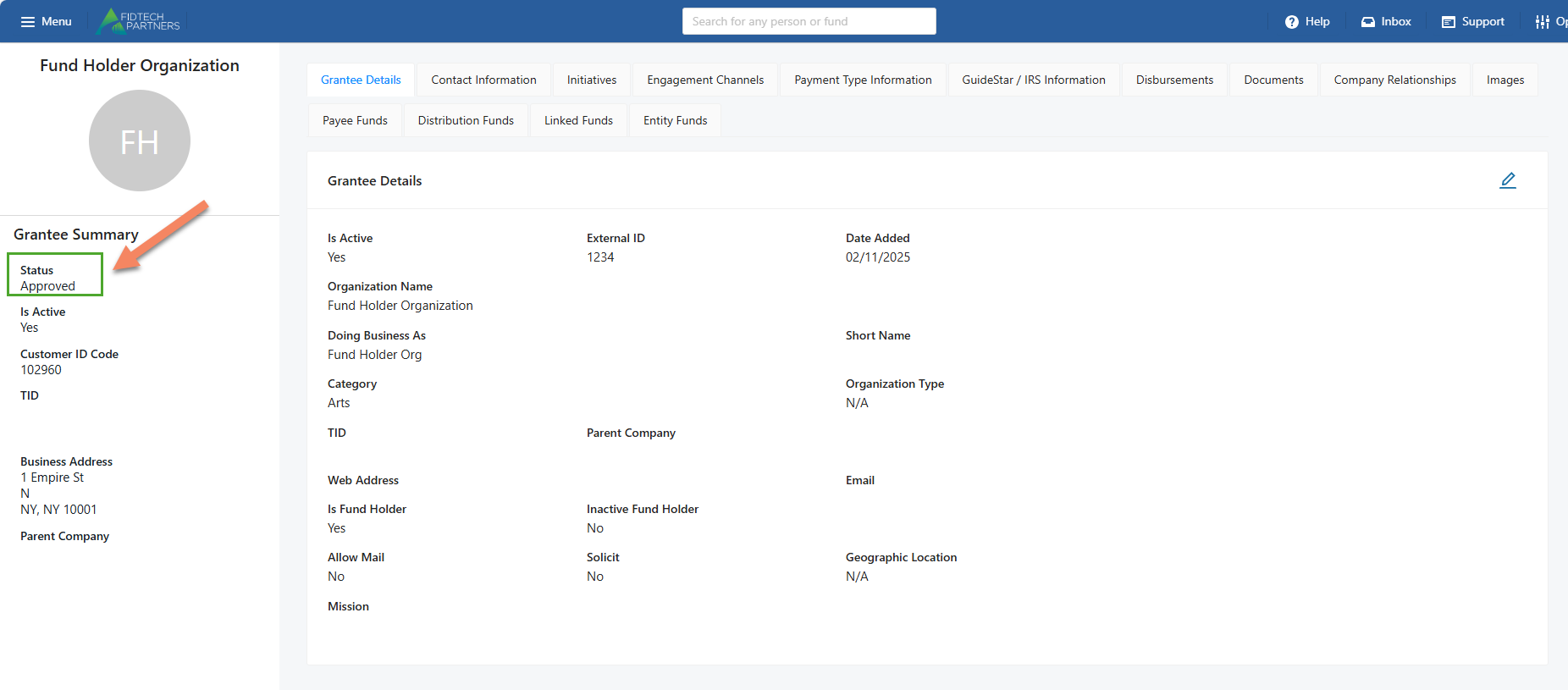
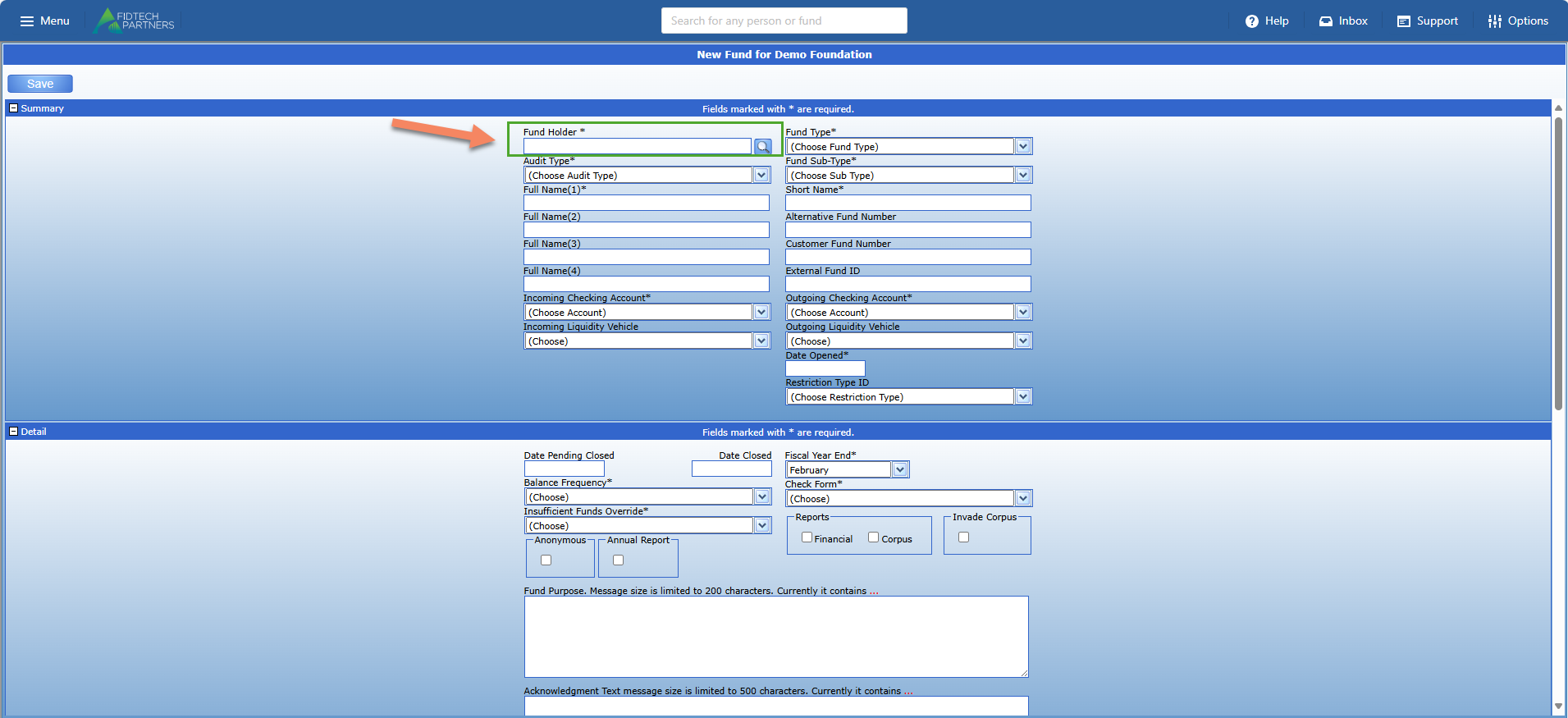
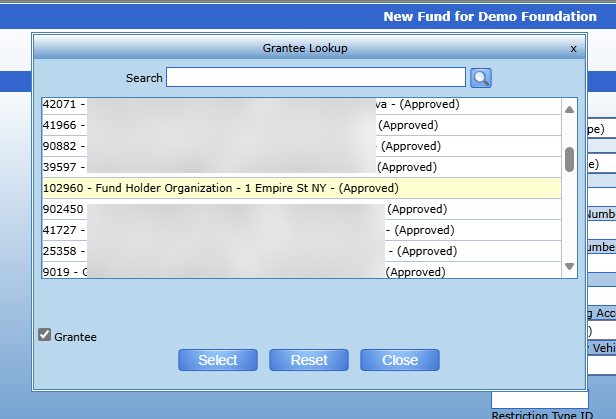
Only after setting up a Grantee as a Fund Holder using the above processes, you will be able to add it as a Fund Holder when creating new Funds.
Was this article helpful?