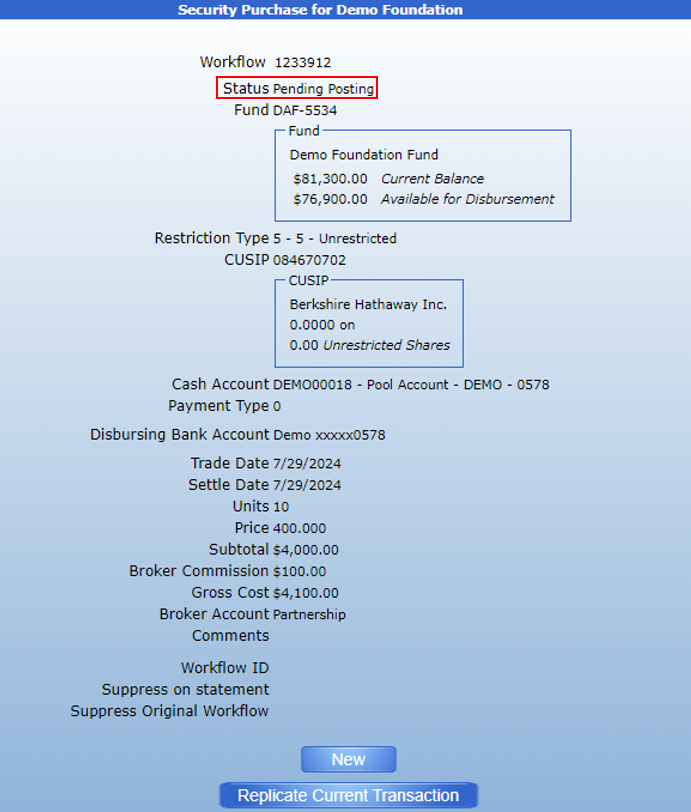
Purchasing a Security
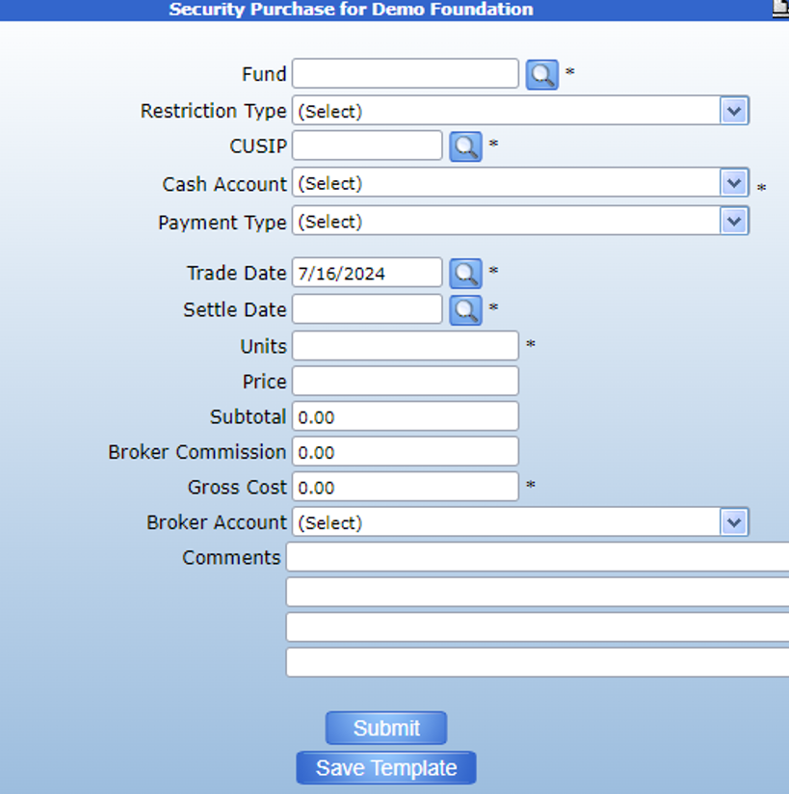
A security purchase form is used to book the purchase of a market security using a fund’s cash, so the book value of a fund does not change. This is different to a receipt – securities, which is used to book the donation of a market security and is accompanied by an increase in a fund’s book value.
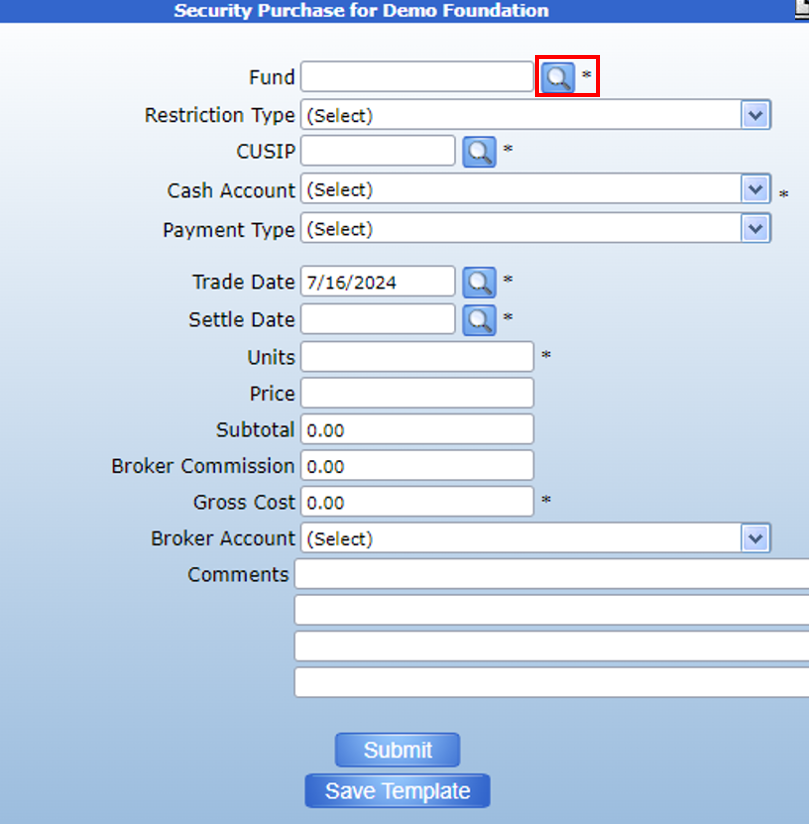
To enter a security purchase, first use the search icon to find the fund who made the purchase.
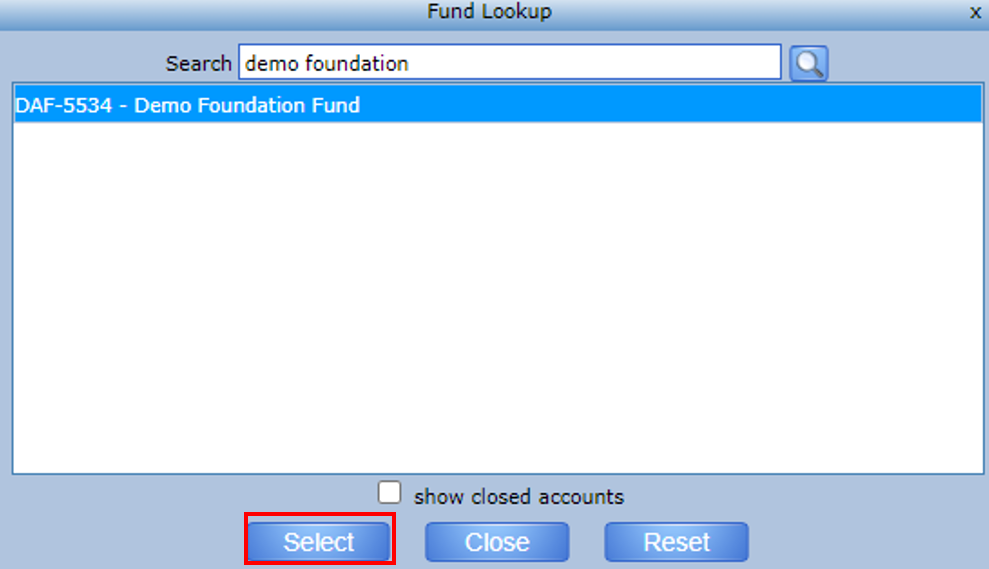
This will pull up a list of funds. Use the search bar to find the desired fund. Then, click to highlight the fund and click Select.
This will attach the fund to the transaction form and will display the fund’s current balance. Please note that the value of the purchase must be less than or equal to the fund’s current balance. The cash account field will also default to the account attached to the fund but can be changed using the dropdown menu.
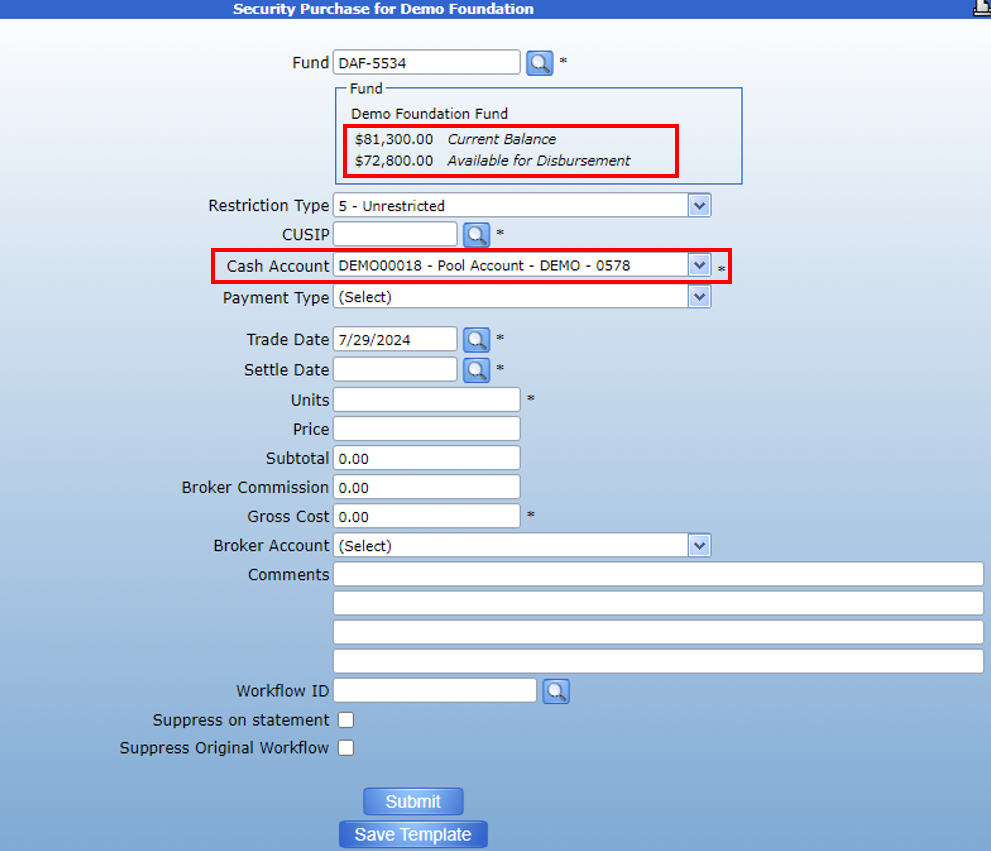
Then, use the search icon next to the CUSIP field to select the security that the fund purchased.
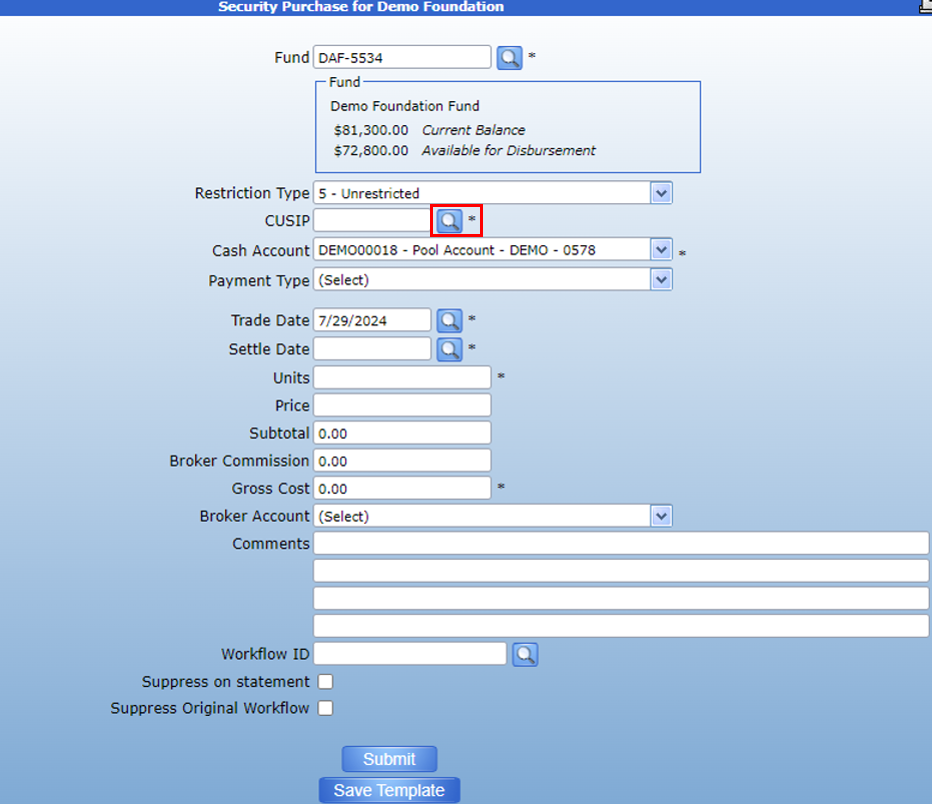
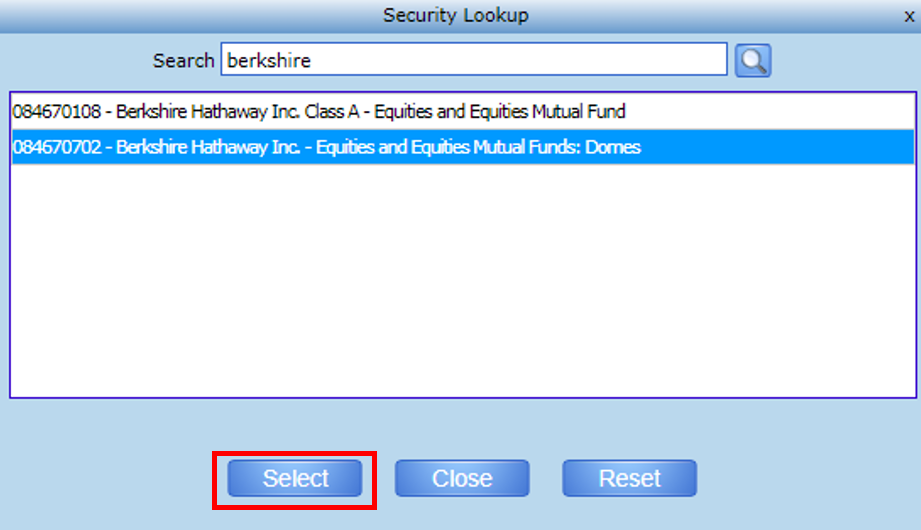
The search will pull up a list of all CUSIPs recognized by your foundation. If you cannot find the security in the list, please contact your support representative.
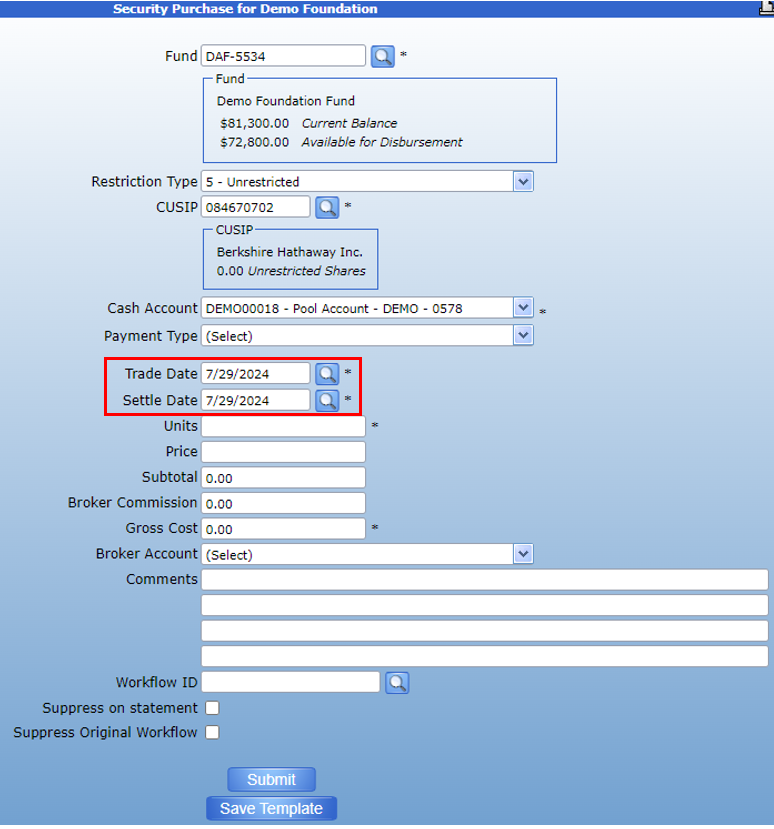
Once you have entered the CUSIP, enter the Trade and Settle dates. These will default to today’s date but can be changed as necessary.
Then, enter the Units and Price of the security purchased. For unitary CUSIPs, enter 1.00 as the price. The form will populate with Units* Price in the Subtotal field.
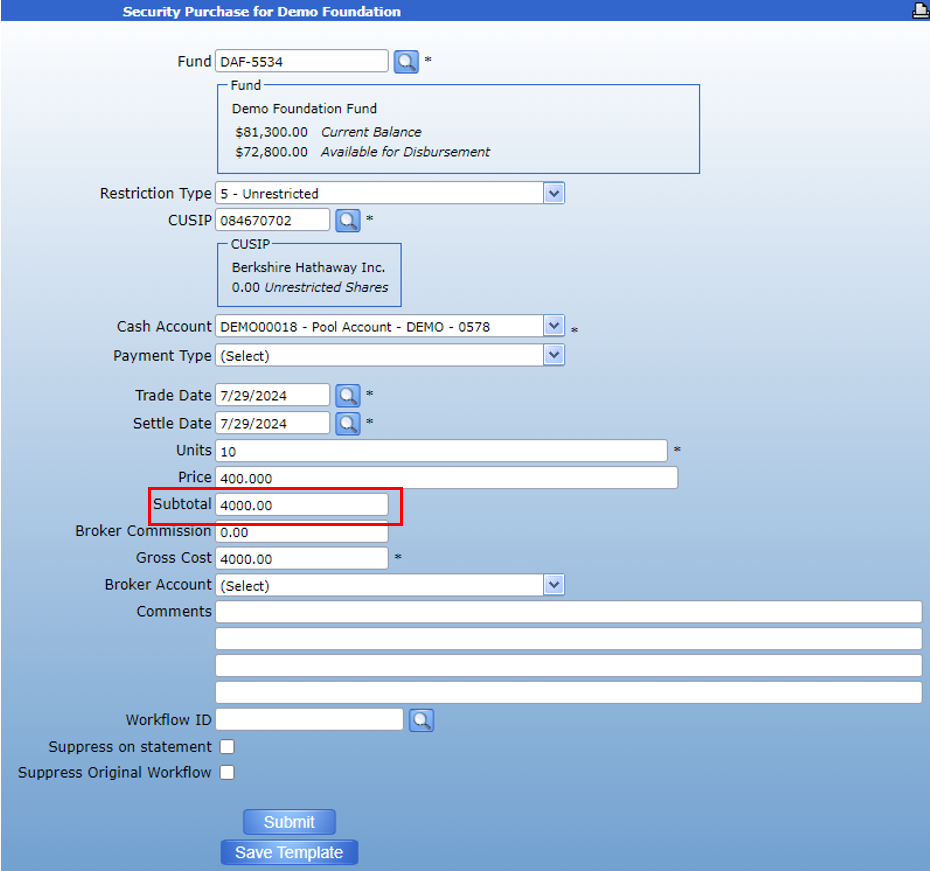
Enter the Broker Commission and the form will populate the Gross Cost.
Then, select the Broker Account using the dropdown, enter comments as necessary, and submit.
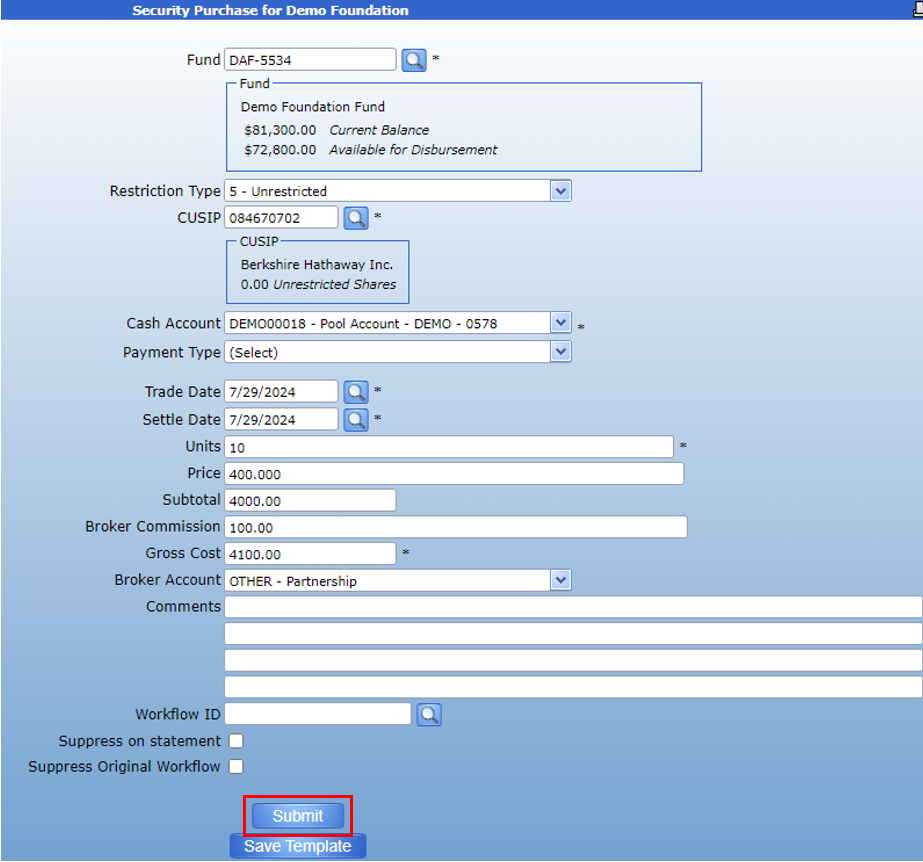
This will forward the Security Purchase for approval. Oncethe transaction has been fully approved, you can view the purchase in theSecurity Purchase workflow report.