

New - Statement Frequencies
- 27 Aug 2025
- 1 Minute to read
- Print
- DarkLight
New - Statement Frequencies
- Updated on 27 Aug 2025
- 1 Minute to read
- Print
- DarkLight
Article summary
Did you find this summary helpful?
Thank you for your feedback!
Statement Frequency determines how often the statements are generated (Monthly, Quarterly, Semi-Annual, Annual).
Accounting Period defines the exact Start dates and End dates for each frequency. It must be created before statements can be run for that period.
Example:
For a Quarterly frequency, an accounting period could be January 1 – March 31.
For an Annual frequency, an accounting period could be January 1 – December 31.
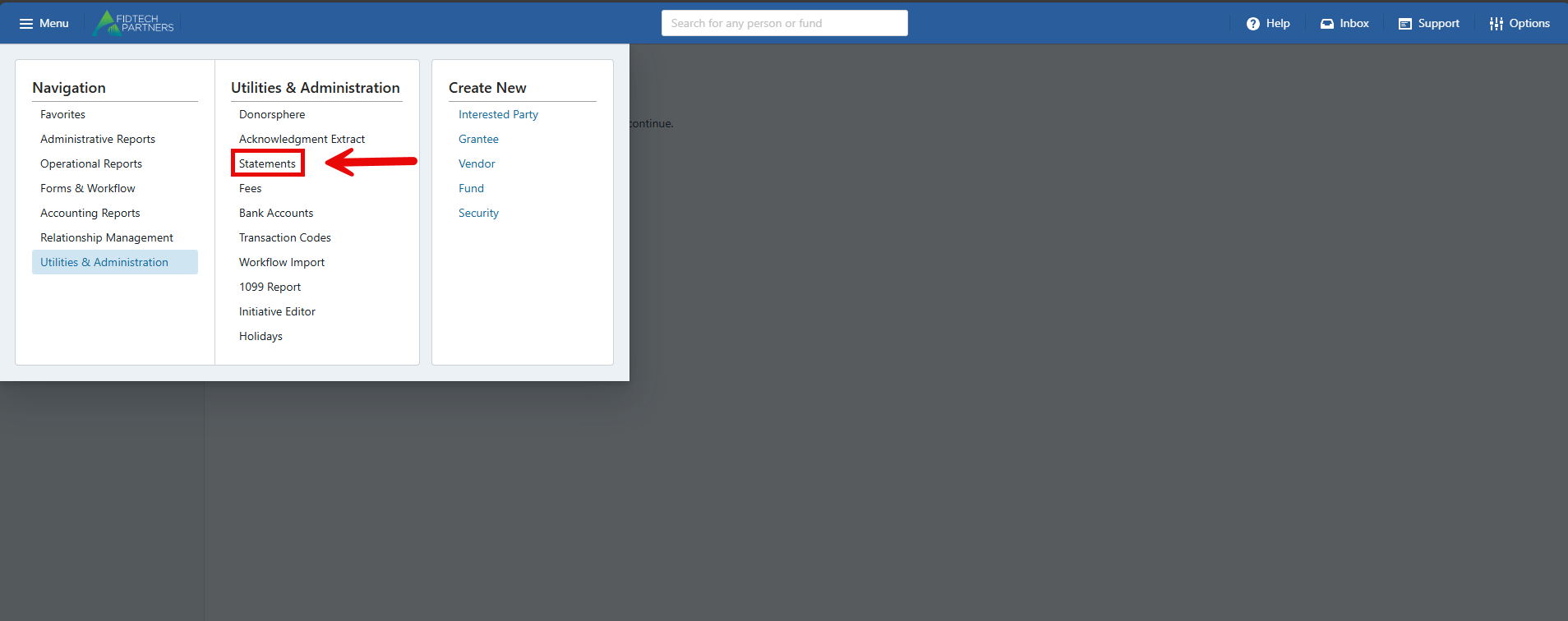
From the Menu, select Utilities & Administration, then select Statements.
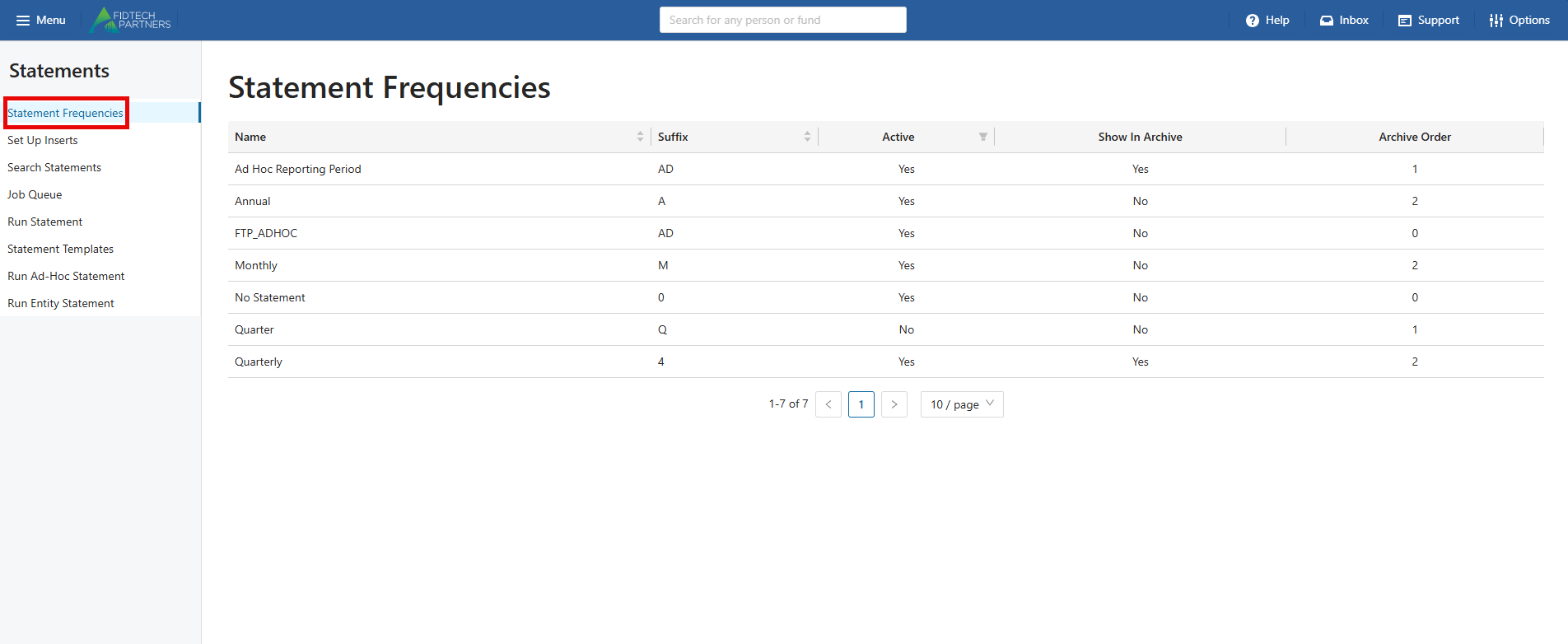
Select Statement Frequencies, and a list of reporting periods will appear.
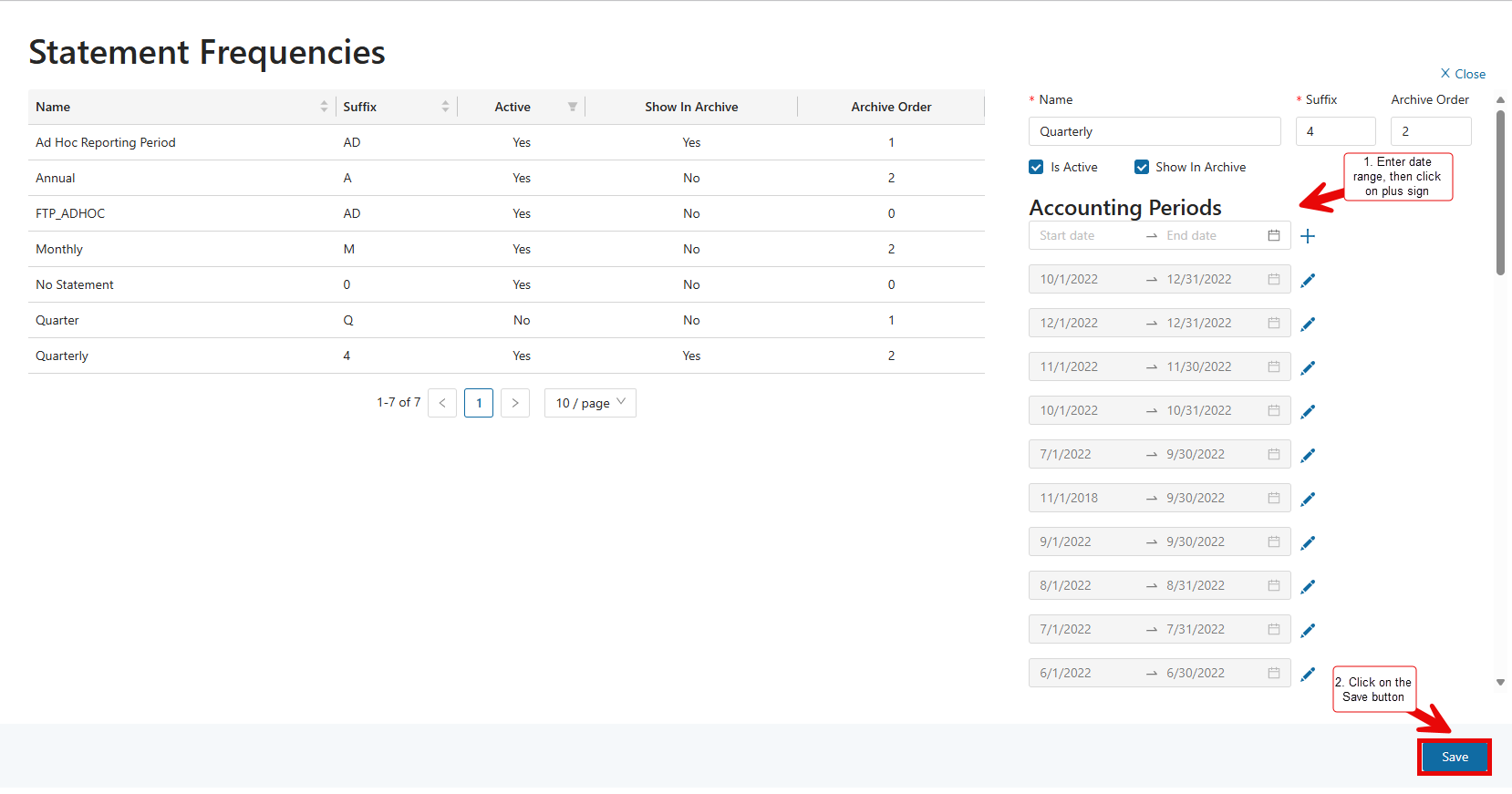
To create a new Accounting Period, first click on the desired reporting period. Enter a Start Date and End Date, then click on the plus sign. After the Accounting period is created, click on the Save button.
Was this article helpful?