

New - Set Up Inserts
- 25 Aug 2025
- 1 Minute to read
- Print
- DarkLight
New - Set Up Inserts
- Updated on 25 Aug 2025
- 1 Minute to read
- Print
- DarkLight
Article summary
Did you find this summary helpful?
Thank you for your feedback!
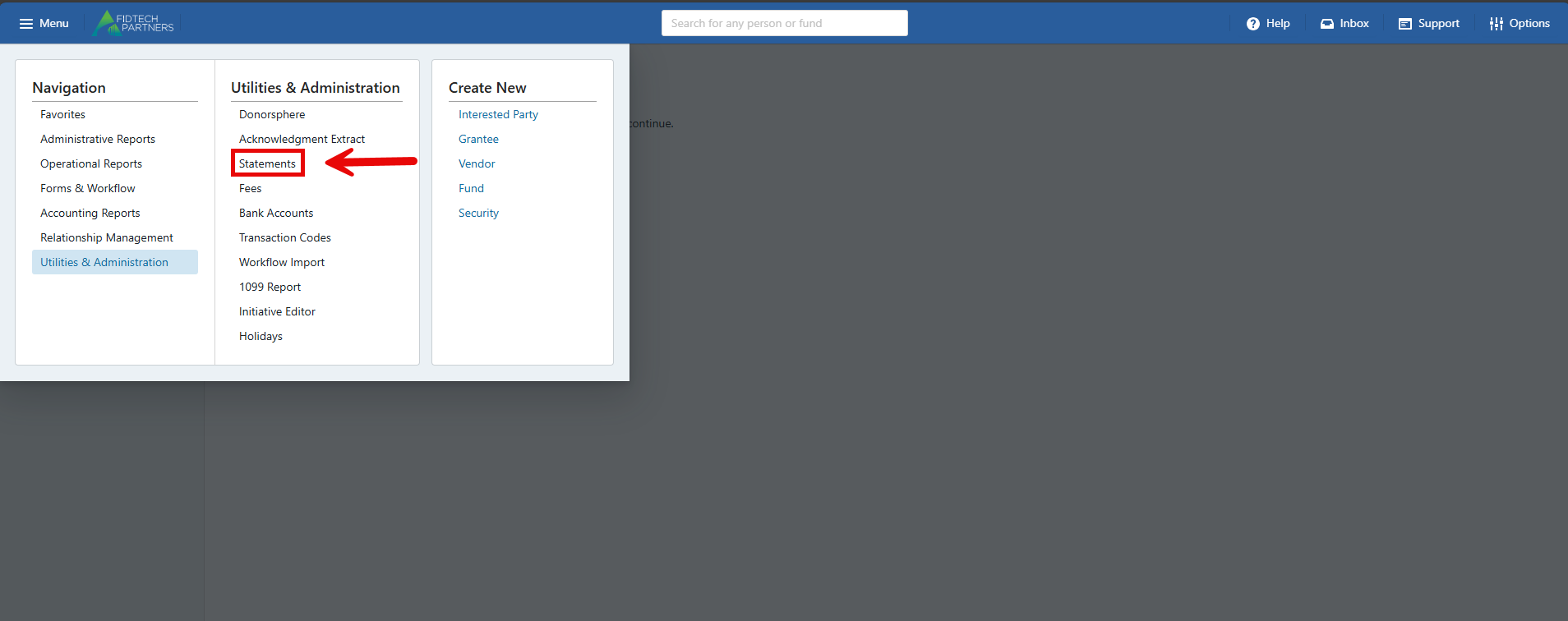
From the Menu, click Utilities & Administration, then click Statements.
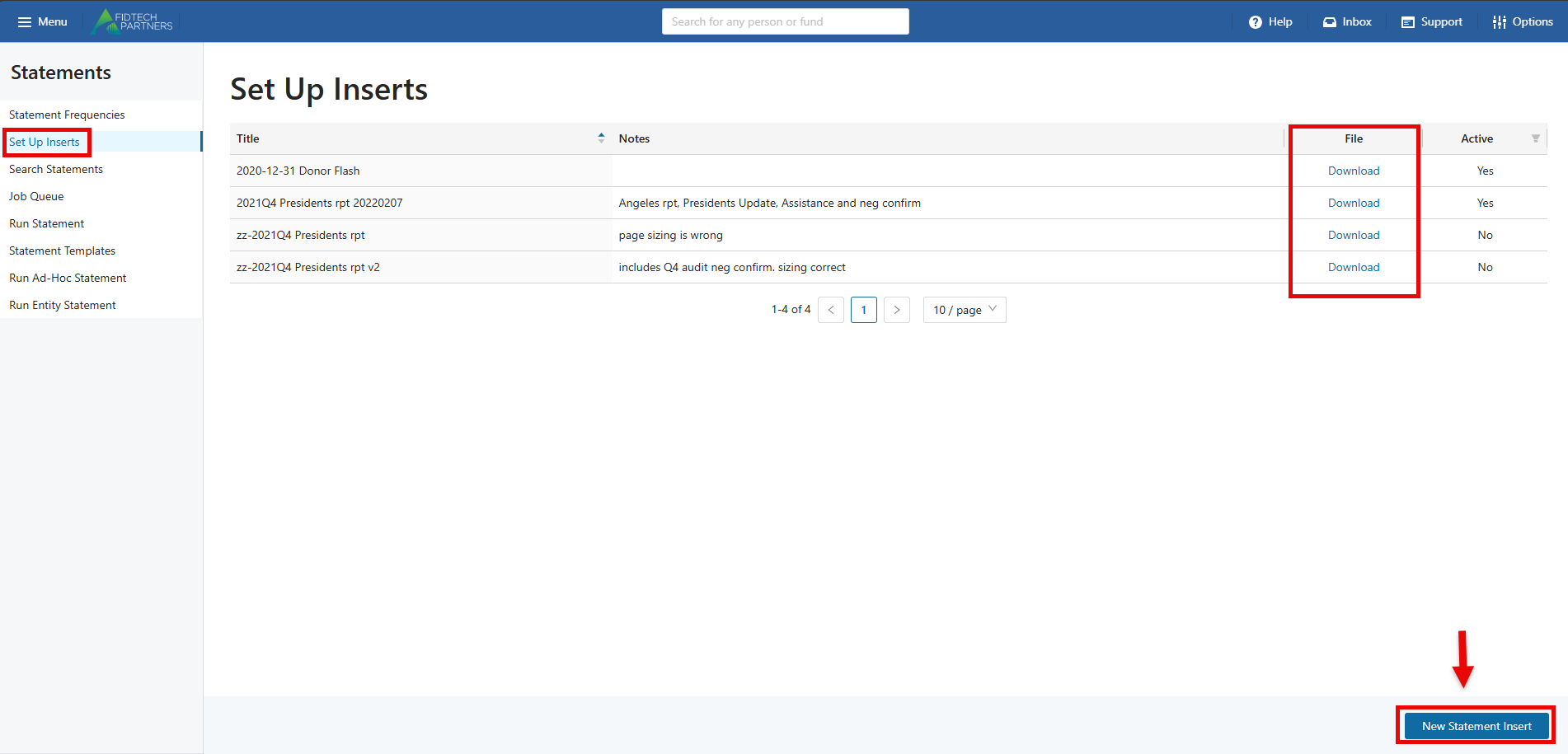
Select Set Up Inserts, and a list of Statement Inserts will appear. The files can be downloaded by clicking on “Download”.
To create a new insert, click on the New Statement Insert button.
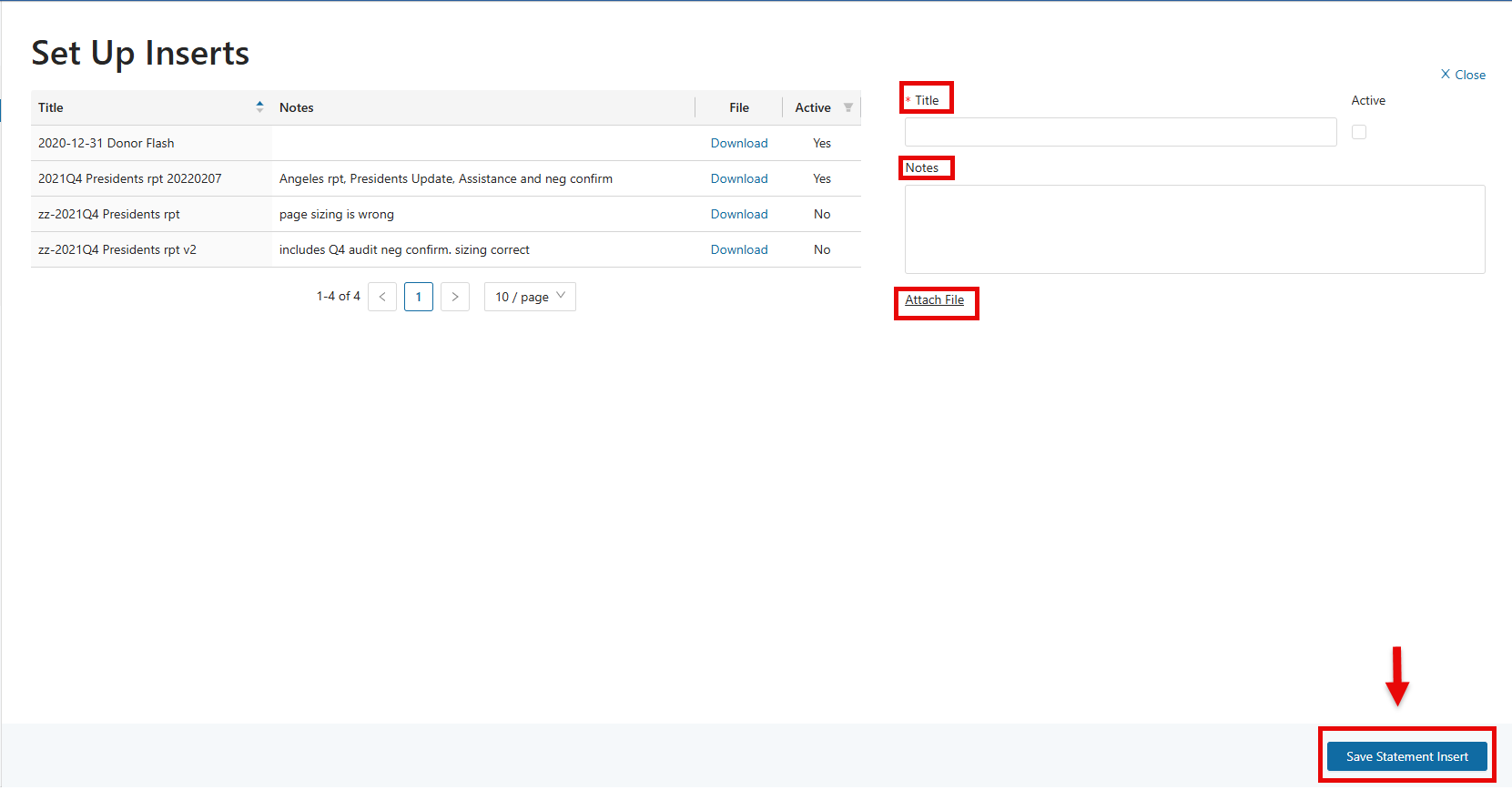
Enter the Title of the insert and add relevant notes to the Notes section. Click on “Attach File” to attach a file.
Once the information is entered, click on the “Save Statement Insert” button.
Was this article helpful?