

New - Set Up Statement Types
- 25 Aug 2025
- 1 Minute to read
- Print
- DarkLight
New - Set Up Statement Types
- Updated on 25 Aug 2025
- 1 Minute to read
- Print
- DarkLight
Article summary
Did you find this summary helpful?
Thank you for your feedback!
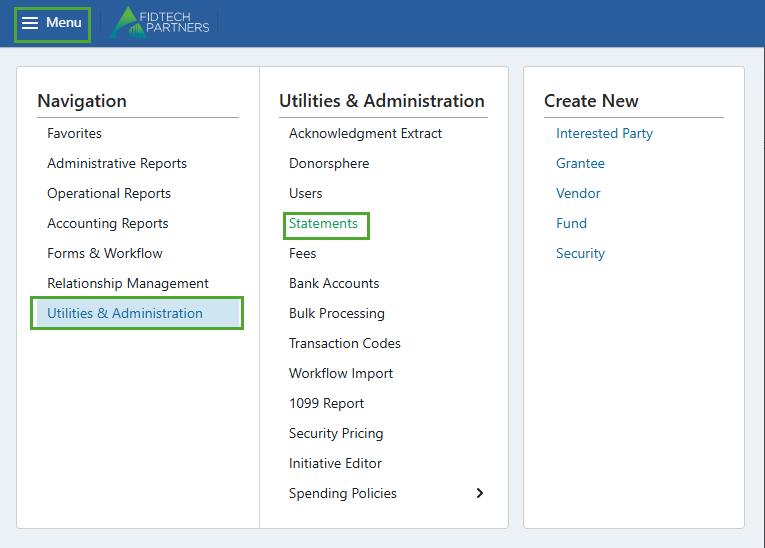
From the Menu, click on Utilities & Administration, then click on Statements.
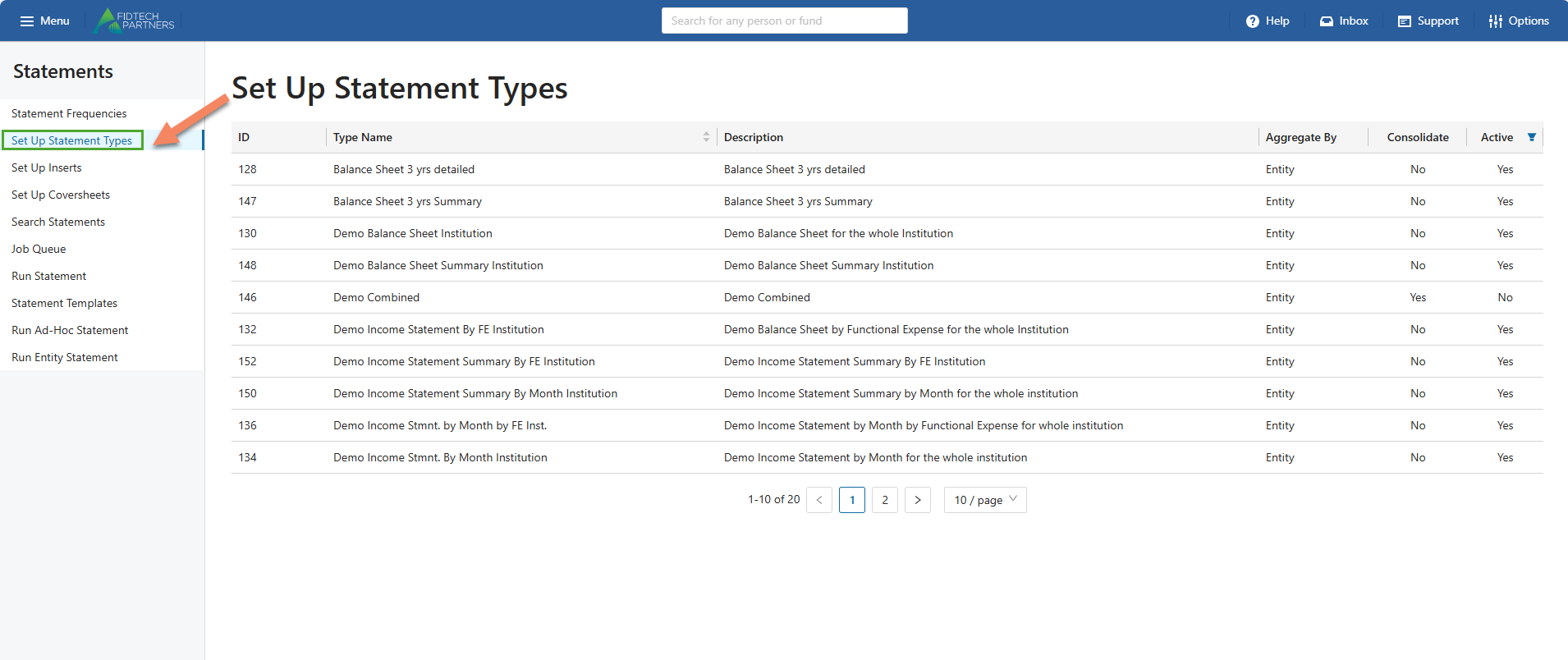
Click on the Set Up Statement Types page, and a list of statement types will appear. These statement types are set up during your institution’s onboarding process with FidTech Partners. To add a statement type, contact FidTech’s Client Services.
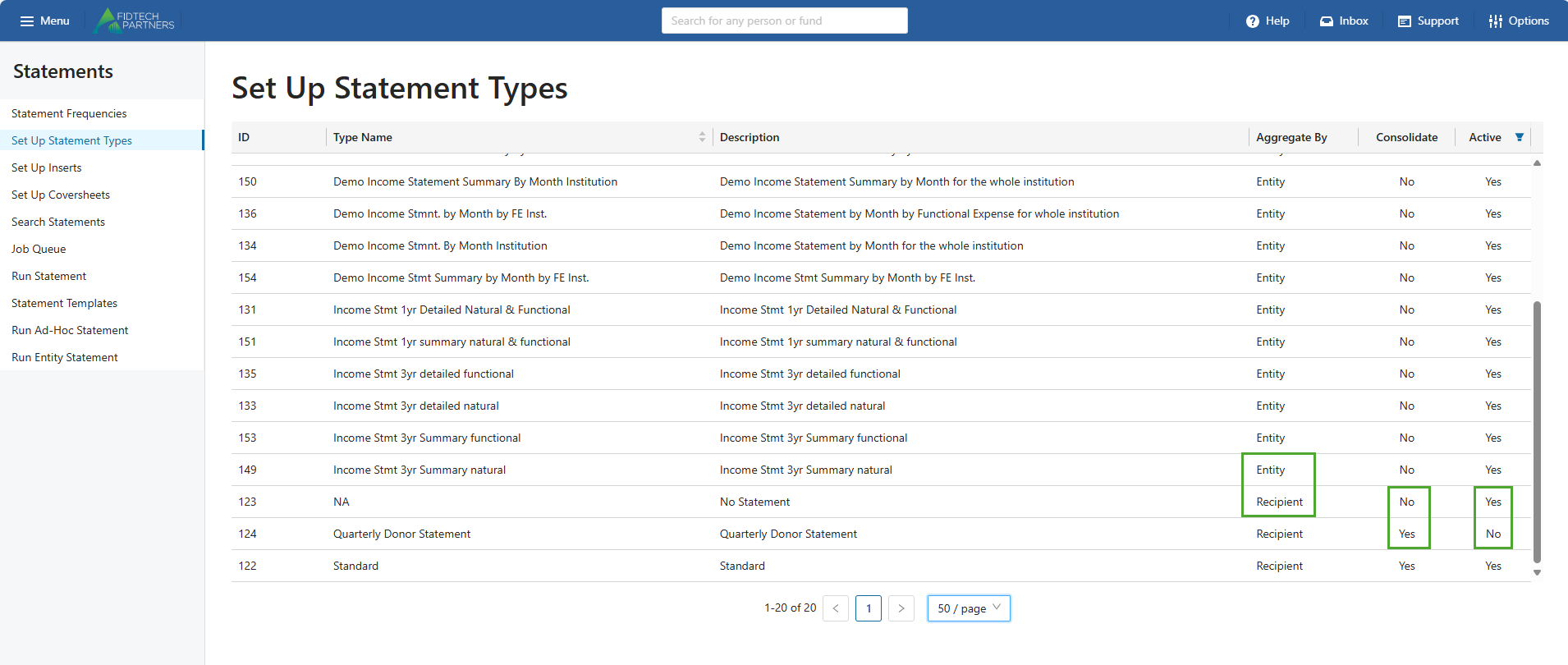
The options for Aggregate By are Recipient and Entity. Recipients can be linked to an Interested Party whereas Entities cannot be linked.
Statement Types can also be Consolidated/Unconsolidated and be made Active/Inactive.
Was this article helpful?