

New - Entity Statement
- 25 Aug 2025
- 1 Minute to read
- Print
- DarkLight
New - Entity Statement
- Updated on 25 Aug 2025
- 1 Minute to read
- Print
- DarkLight
Article summary
Did you find this summary helpful?
Thank you for your feedback!
Note: Only certain clients use Entity Statements. Contact FidTech Partner’s Client Services to set up Entity Statements.
Follow these steps to generate statements by Entity:
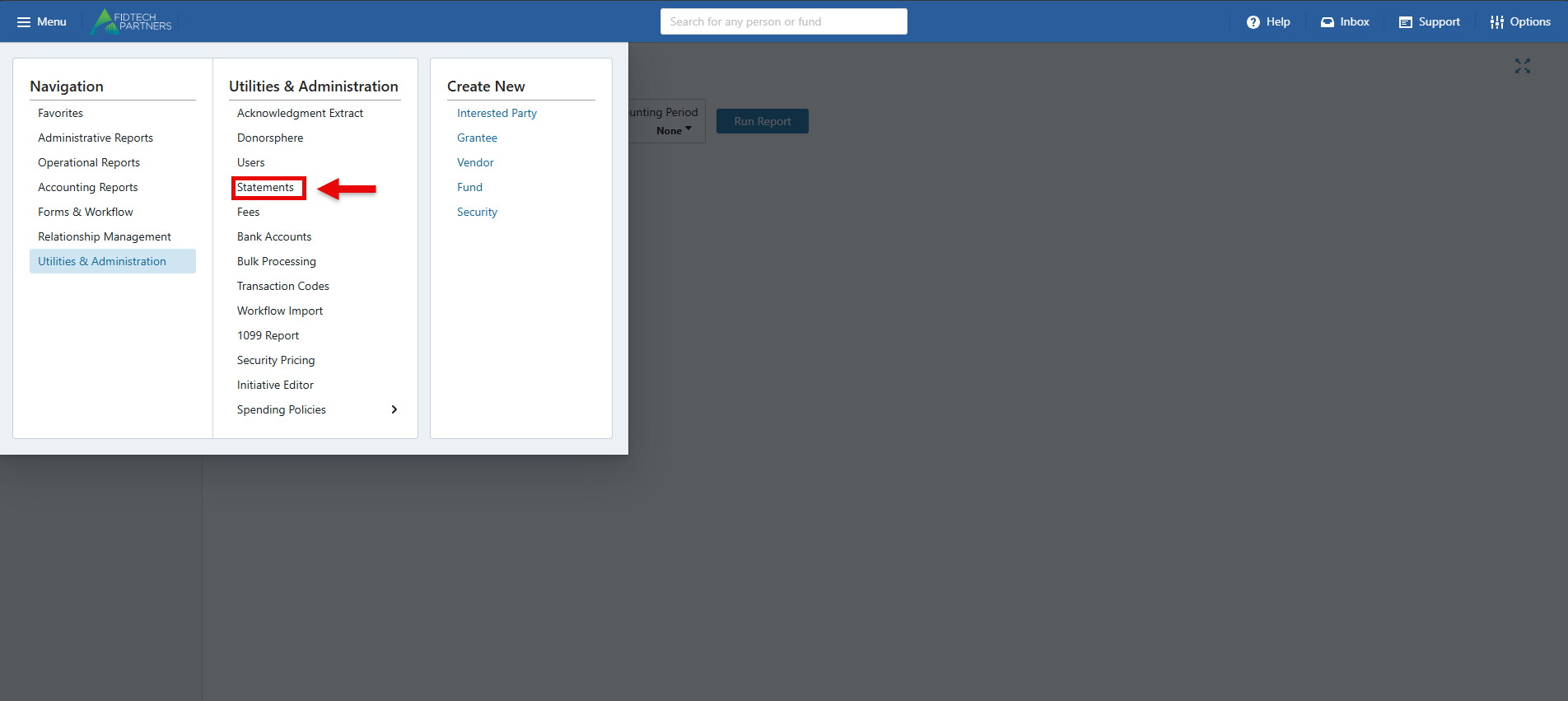
Go to Utilities in the Menu and click on Statements.
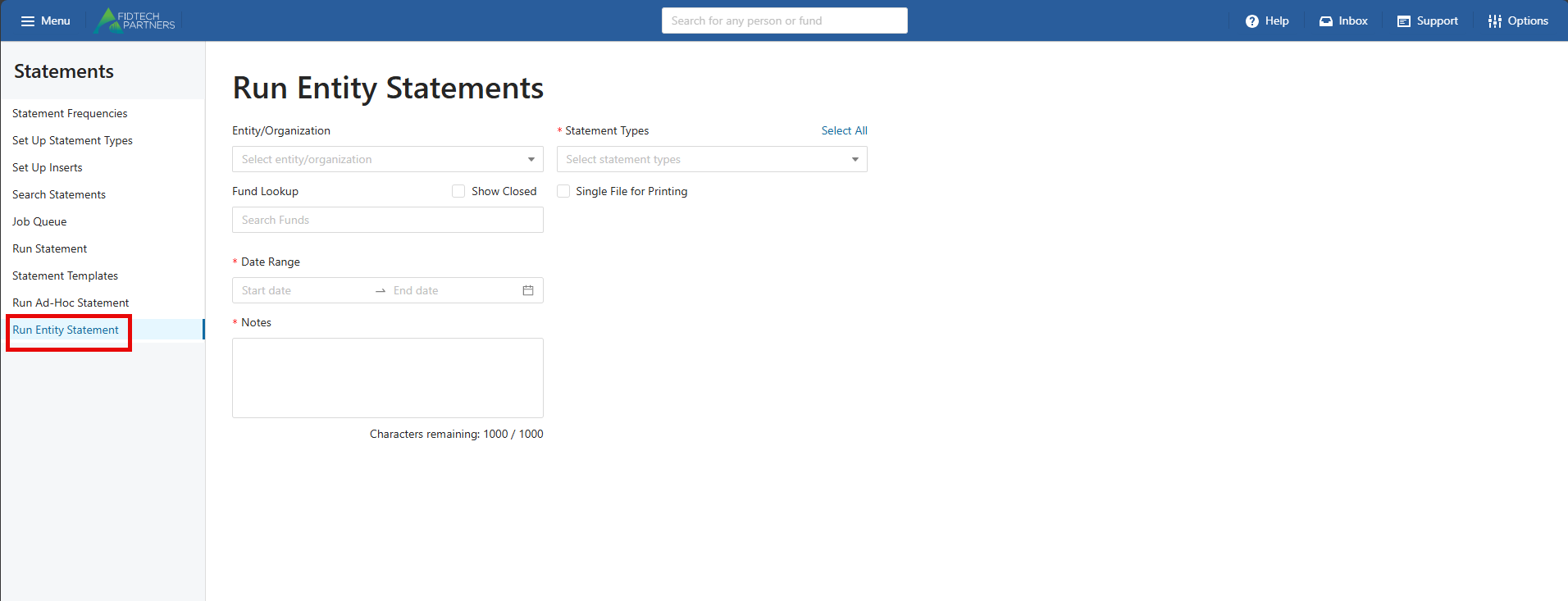
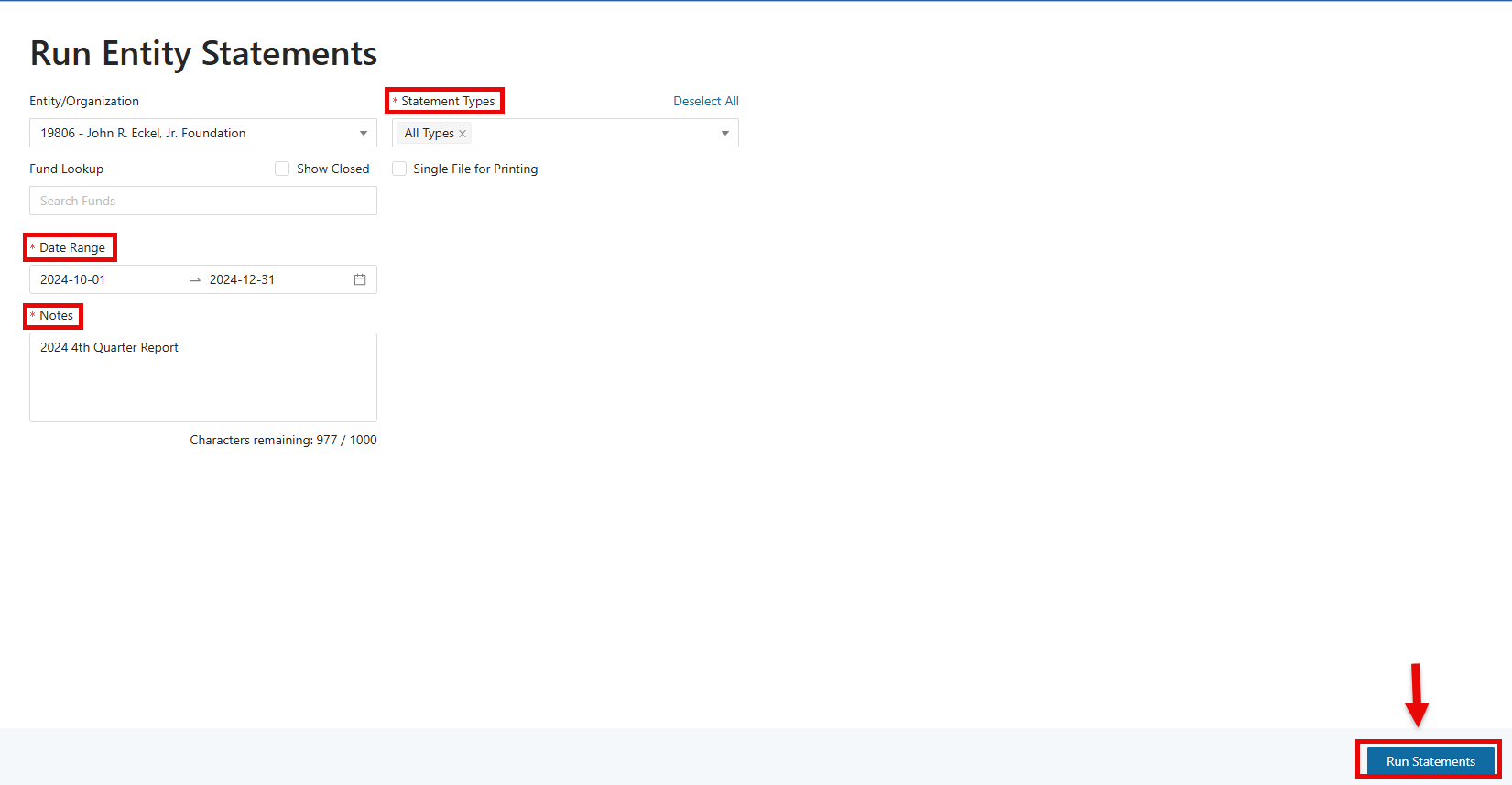
Select Run Entity Statement. This will open the Run Entity Statements screen.
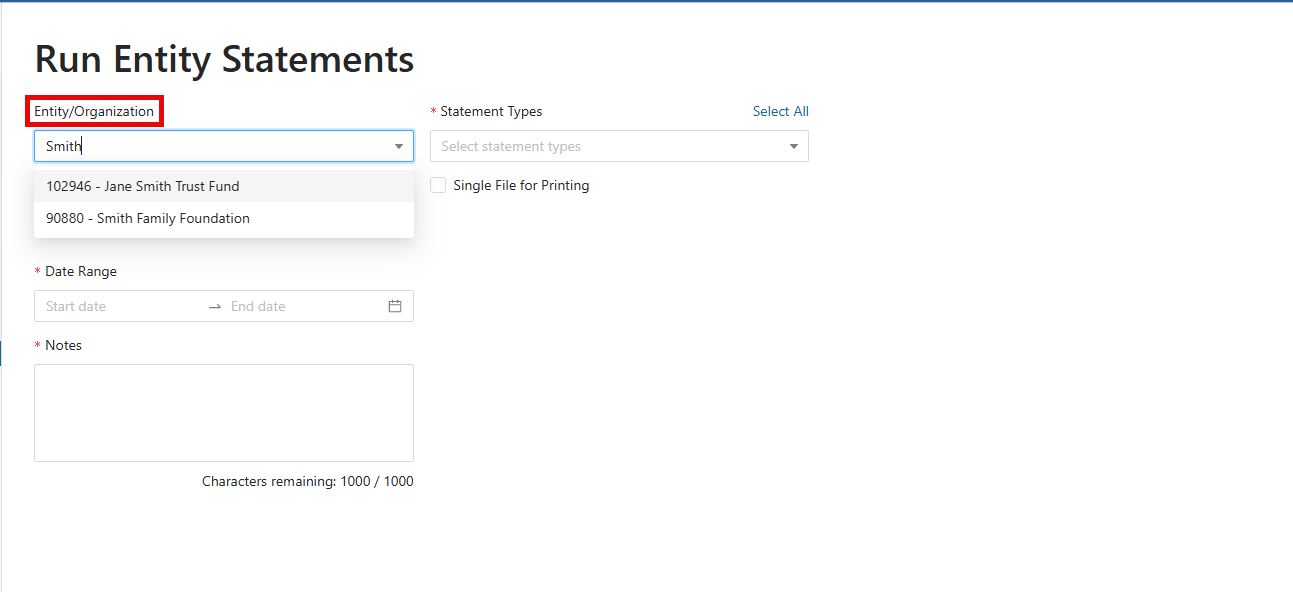
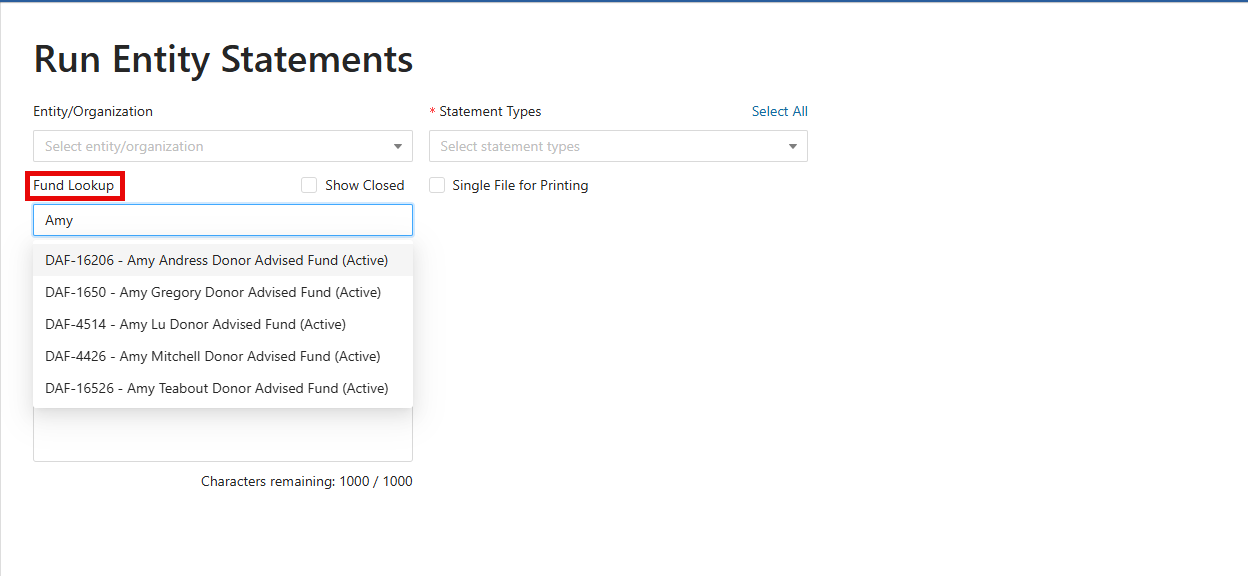
Type in keywords to search for Entity/Organization(s) and Fund Lookup.
Select the type of statement by clicking on the Statement Types dropdown menu. Enter a Date Range and add relevant notes to the Notes section.
Click "Run Statements" to generate the statement.
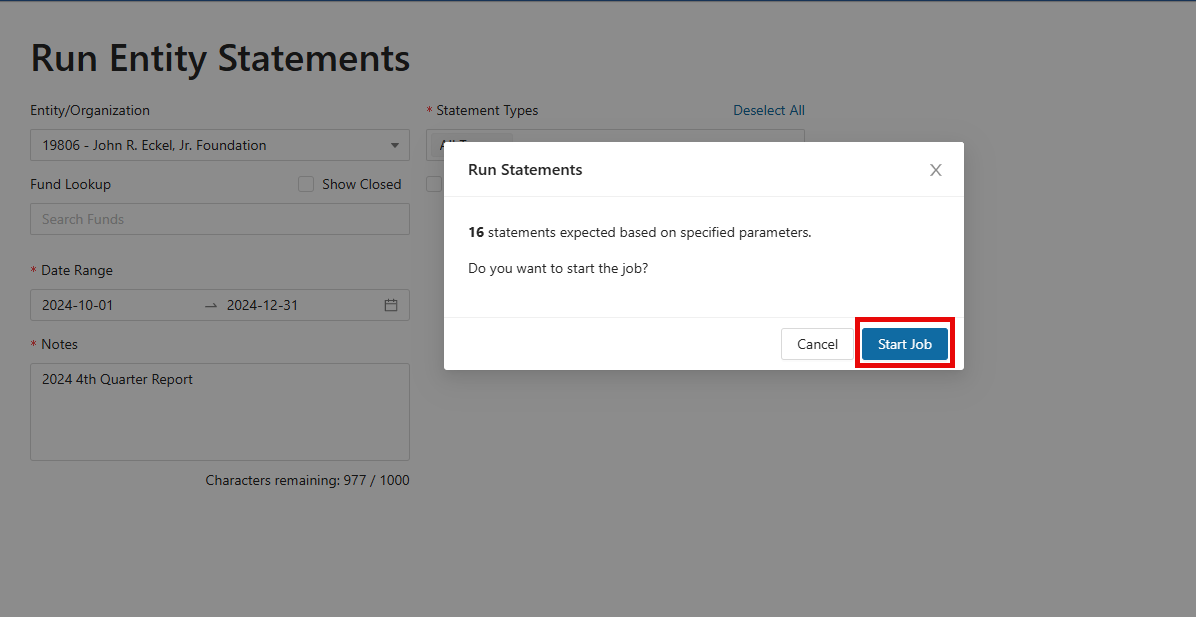
A prompt will appear indicating the anticipated number of statements that will be generated. To initiate the statement job, click the ‘Start Job’ button.
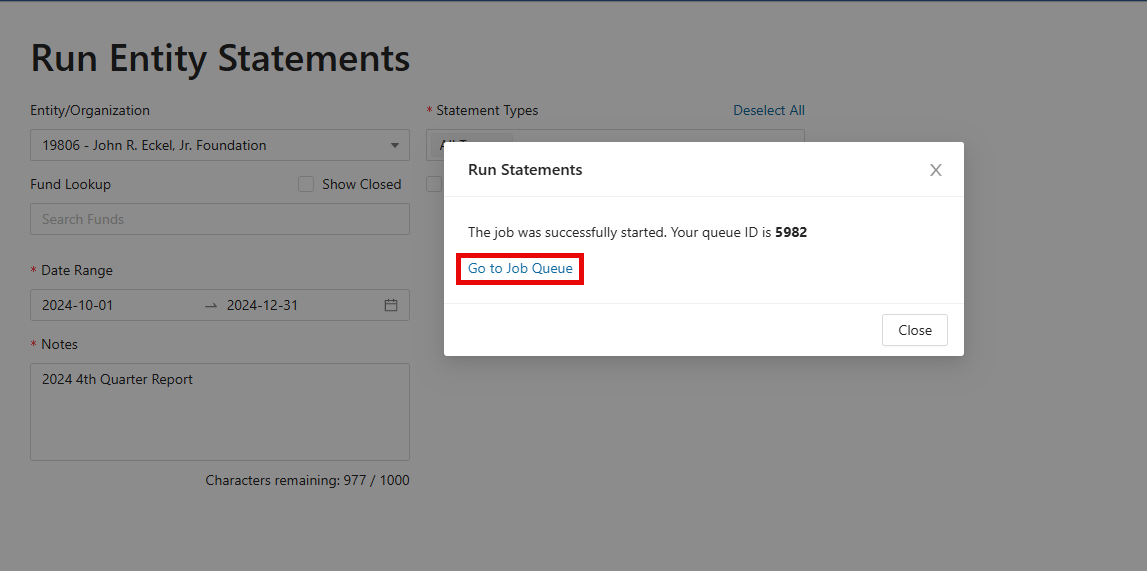
Click on “Go to Job Queue”, where the statements can be downloaded. For more information about the Job Queue, please refer to the article Generating Statements.
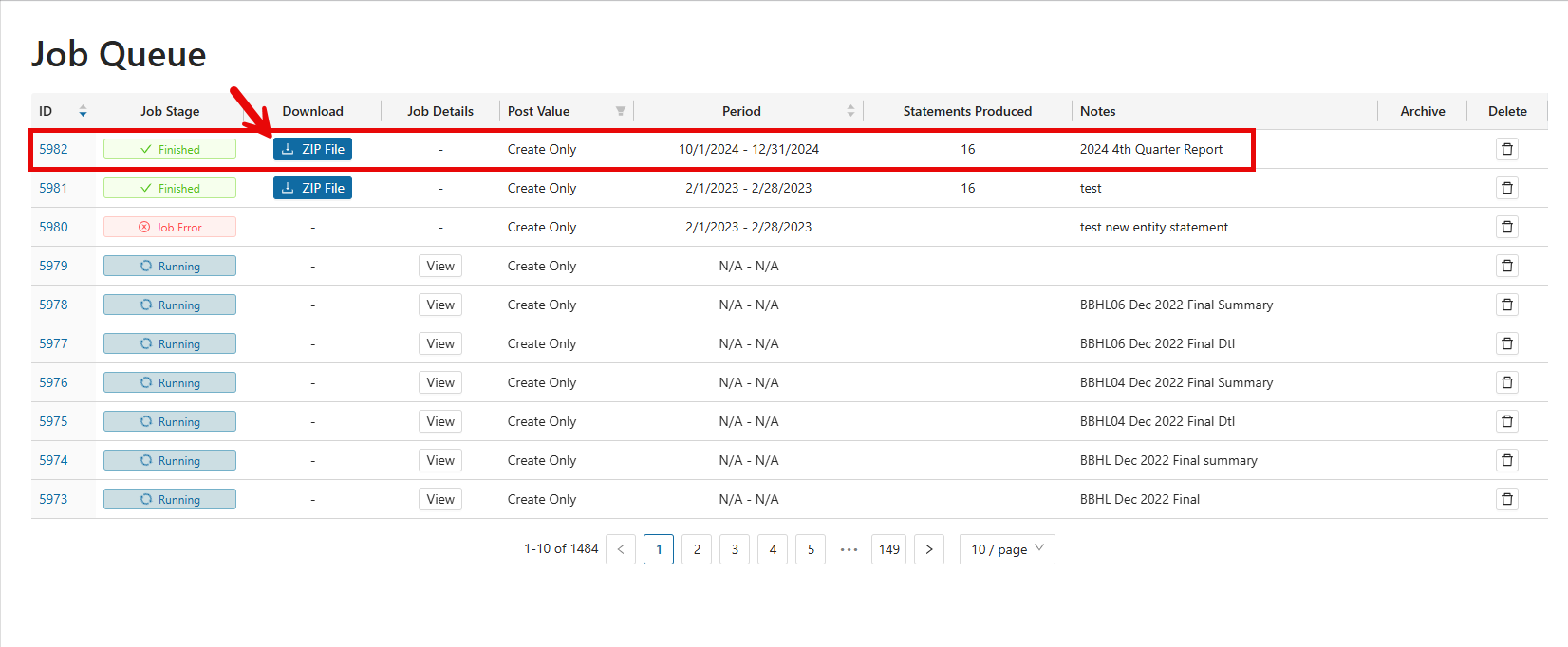
To download the statements, click on the “Zip File” button for the job.
Was this article helpful?