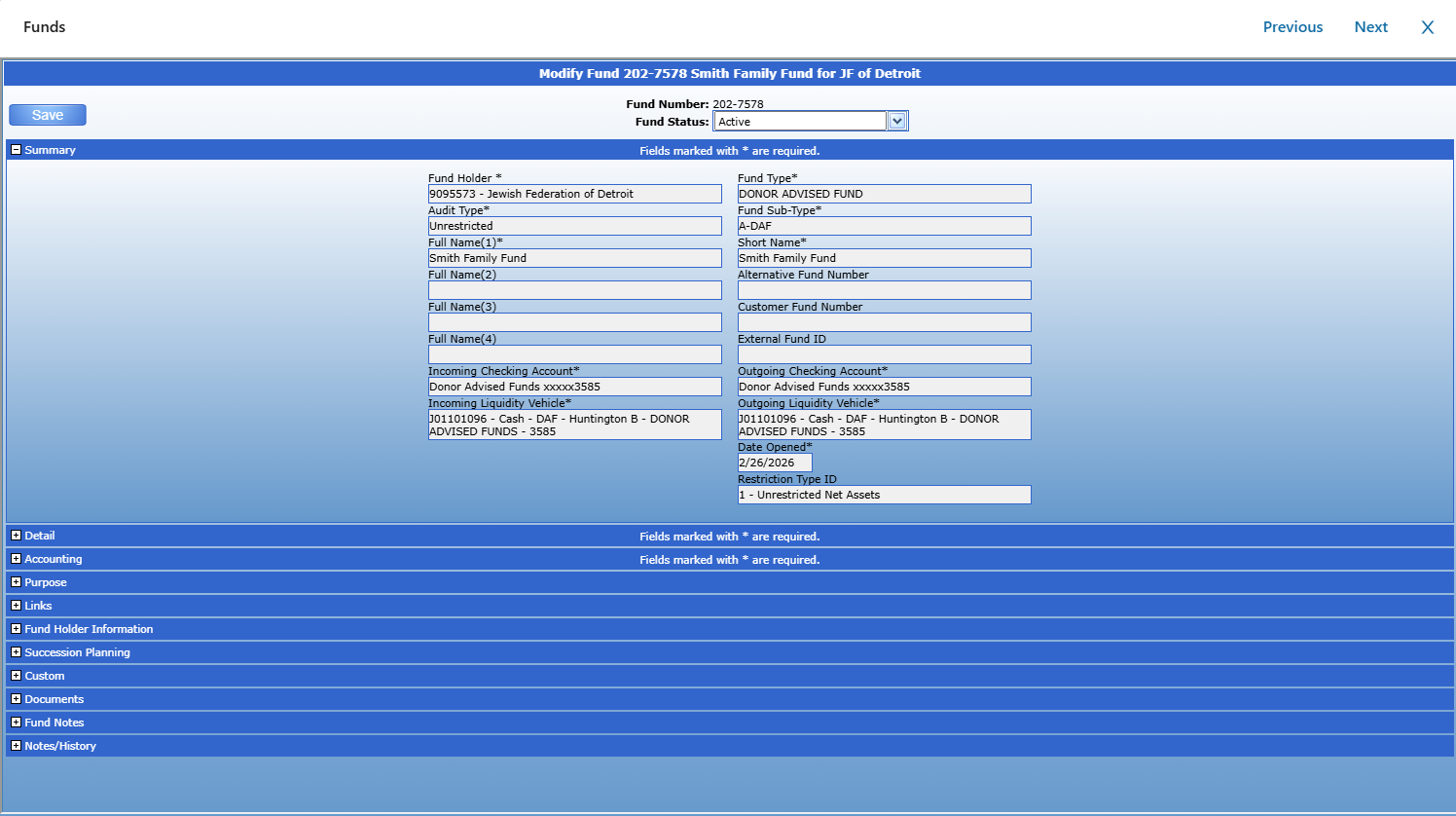
Depending on your permissions, the options available may differ. If you do not see the options described below, please contact your Client Service Representative.
Once a New Online Fund Application has been submitted through DonorSphere, it will appear in the approver's Inbox under the Funds section.
Step 1: Open the Fund Application
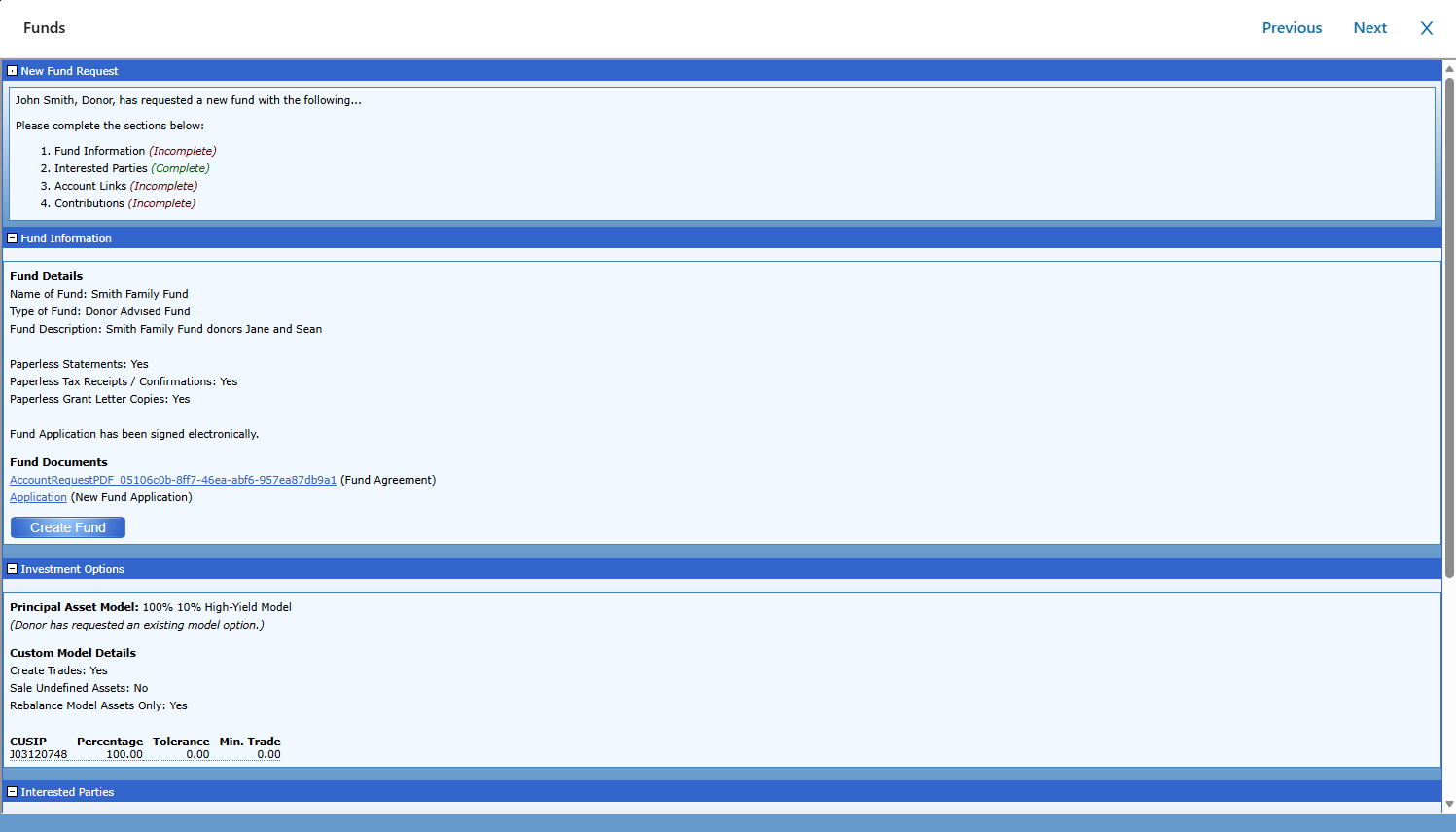
The application will appear as an incoming Fund request in the Inbox.

Click on the Fund request to open and review the application details.
Step 2: Complete Required Fund Information
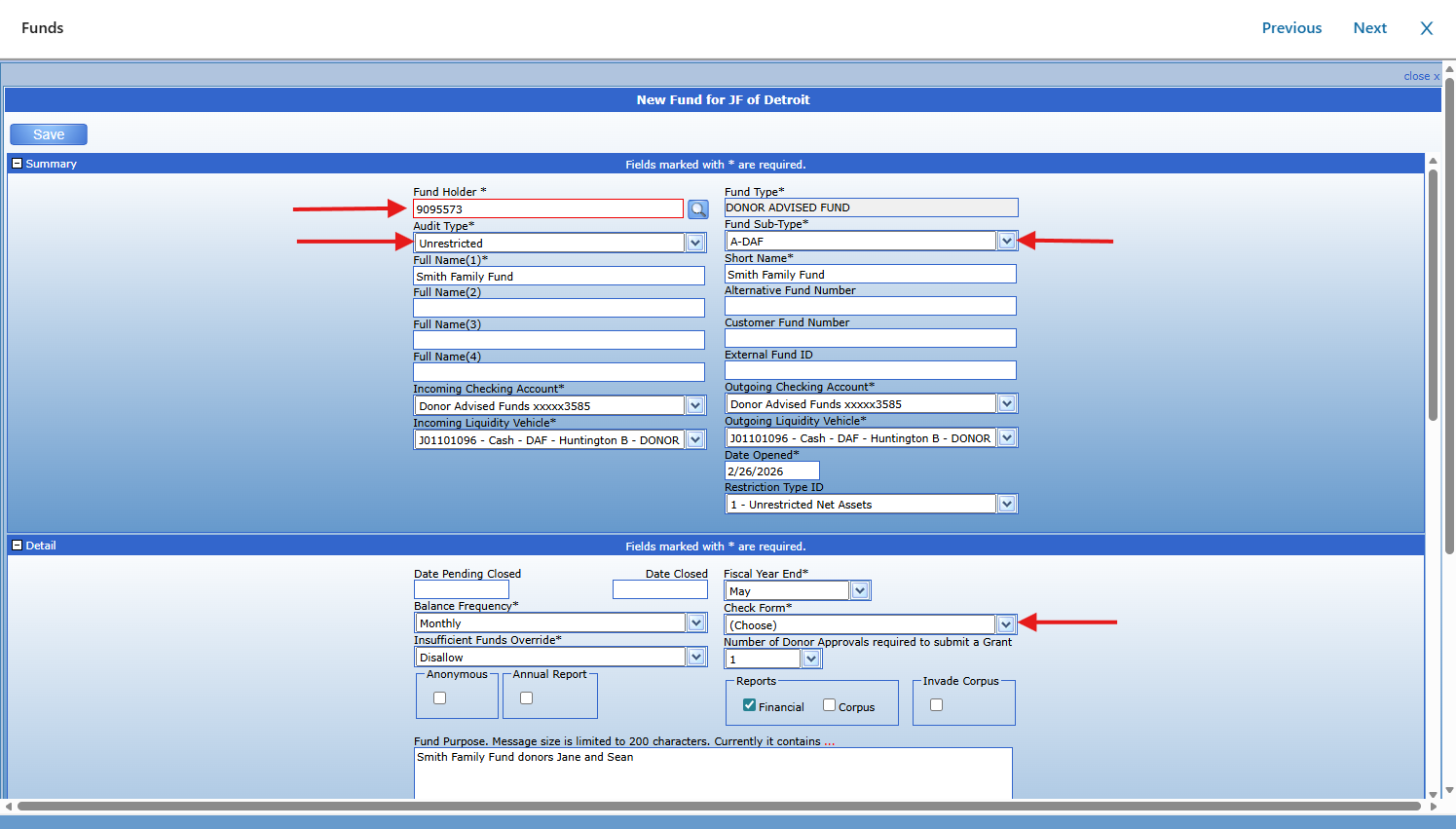
Before the Fund can be approved, the following required fields must be completed:
Fund Holder
Fund Sub-Type
Audit Type
Check Form
After entering the required information, save the Fund.
Step 3: Review the Succession Plan
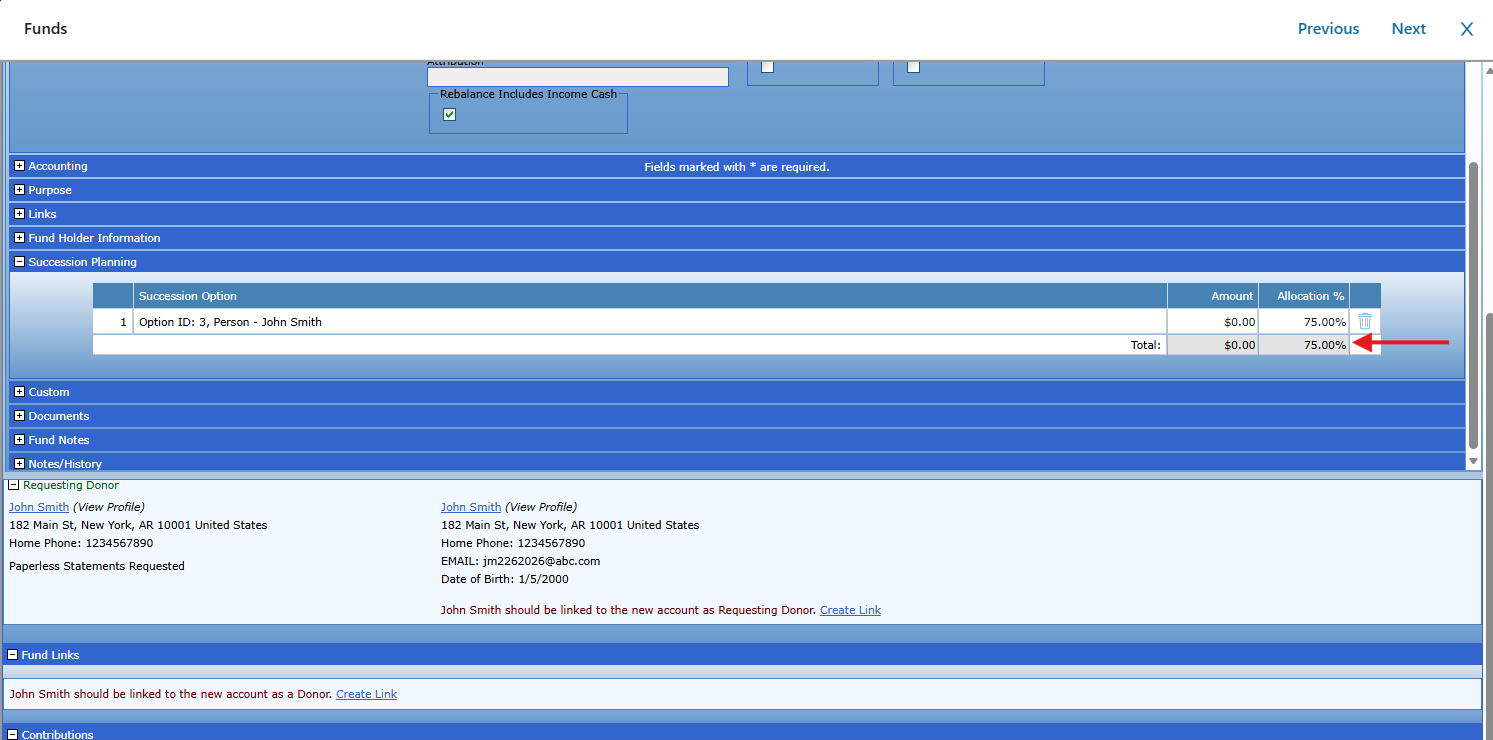
The submitted succession plan is available within the Fund record.
Approvers can:
Review the succession plan details
Update allocation percentages, if needed
Remove succession options, if appropriate
Step 4: Approve the Fund
Once all required information has been completed and reviewed, update the Fund Status to Active to approve and activate the Fund.