

Key Performance Indicators
- 10 Jul 2023
- 1 Minute to read
- Print
- DarkLight
Key Performance Indicators
- Updated on 10 Jul 2023
- 1 Minute to read
- Print
- DarkLight
Article summary
Did you find this summary helpful?
Thank you for your feedback!
Key Performance Indicators are pre-set into the Analytics interface. There are a set number of Metrics which can be selected and manipulated to your liking. While these are not as versatile as Insights, the benefit of KPIs is that, since they are smaller Metrics, they can be easily monitored by GoodData and can be programmed to send updates under specified conditions.
Creating KPIs
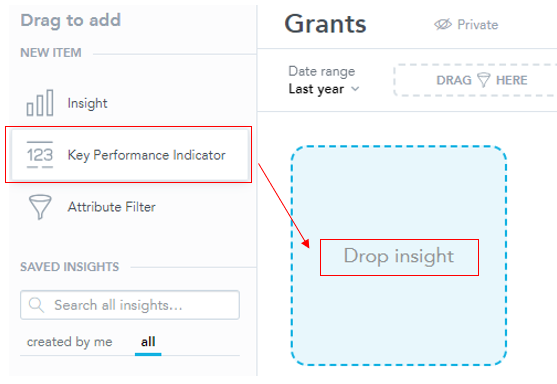
- To add KPIs, drag and drop the Key Performance Indicator item to the Dashboard area.
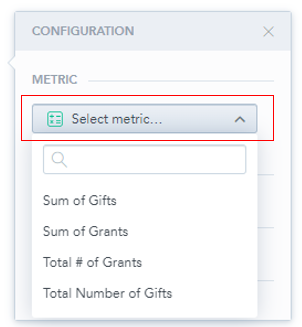
1. Select a Metric to display. The dropdown menu for Metrics should automatically open. If it does not, click the arrow next to "Select Metric" and it will open a list of metrics
2. Click KPI to:
Was this article helpful?