

Exporting
- 28 Mar 2024
- 1 Minute to read
- Print
- DarkLight
Exporting
- Updated on 28 Mar 2024
- 1 Minute to read
- Print
- DarkLight
Article summary
Did you find this summary helpful?
Thank you for your feedback!
Exporting
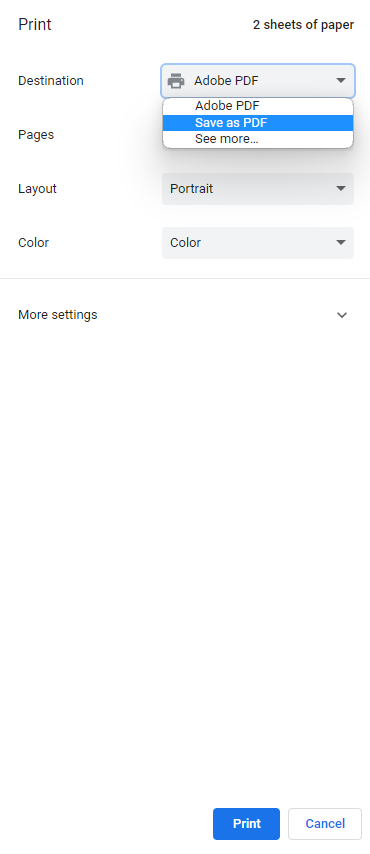
For each screen in FoundationHub that can be exported there will be a print icon on the upper right-hand side of the page (i.e., Cash Receipt workflow report below). Click this icon and change the destination to save as PDF and click "print" to export. This will save the document to your computer, but will not print it.

Alternatively, if you require the report as such for sorting, reconciliation, etc. you can use “Ctrl” > “A” (Control > All) “Ctrl” > “C” (Control > Copy). Now you can open an excel spreadsheet and paste using “Ctrl” > “V”. This will give you the exact same result as exporting a report to (.csv) format.
Was this article helpful?