Bank Accounts
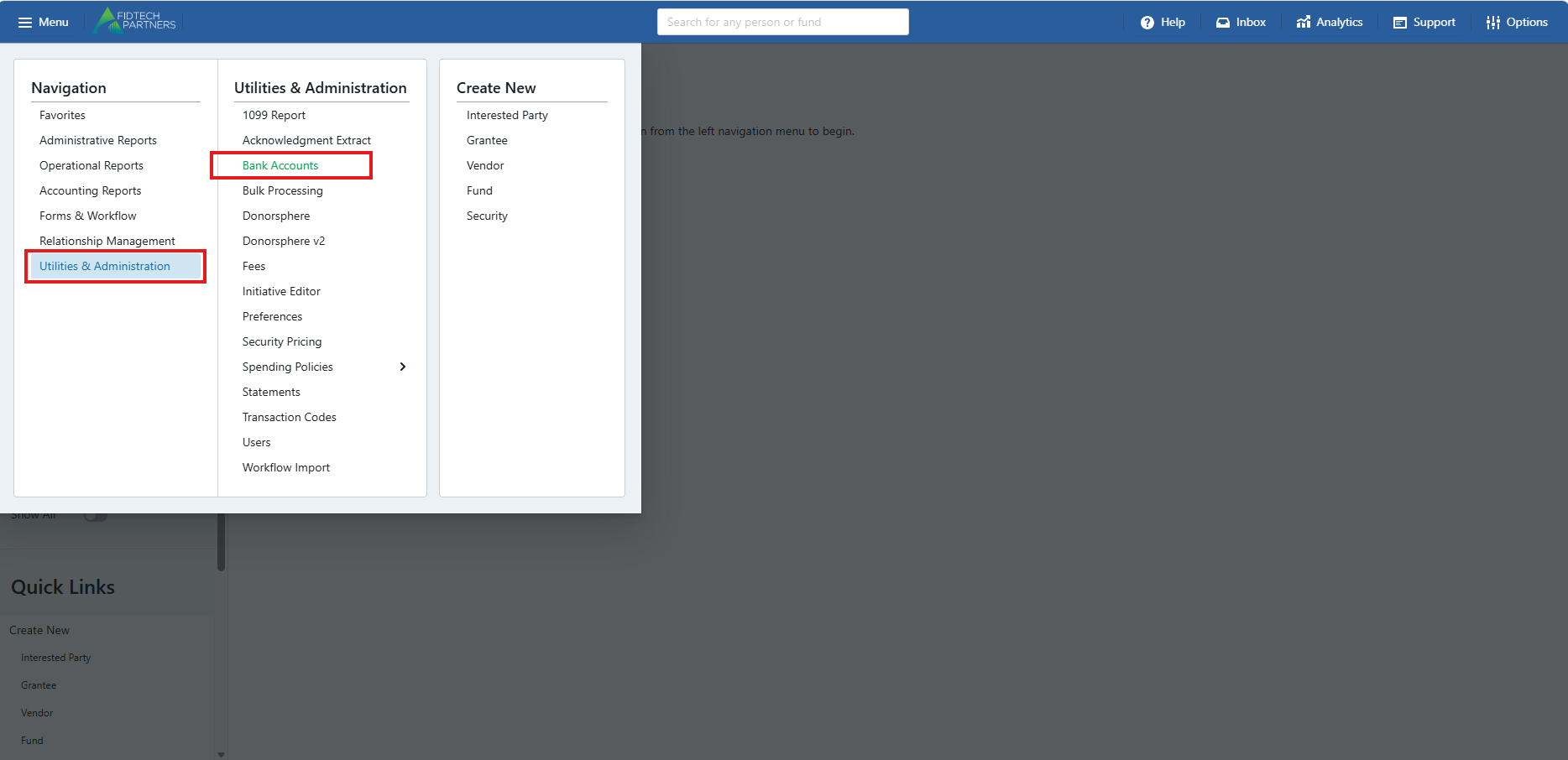
To Share a bank account across related organizations, go to Utilities and Administration > Bank Accounts:
Making a Bank Account Shareable
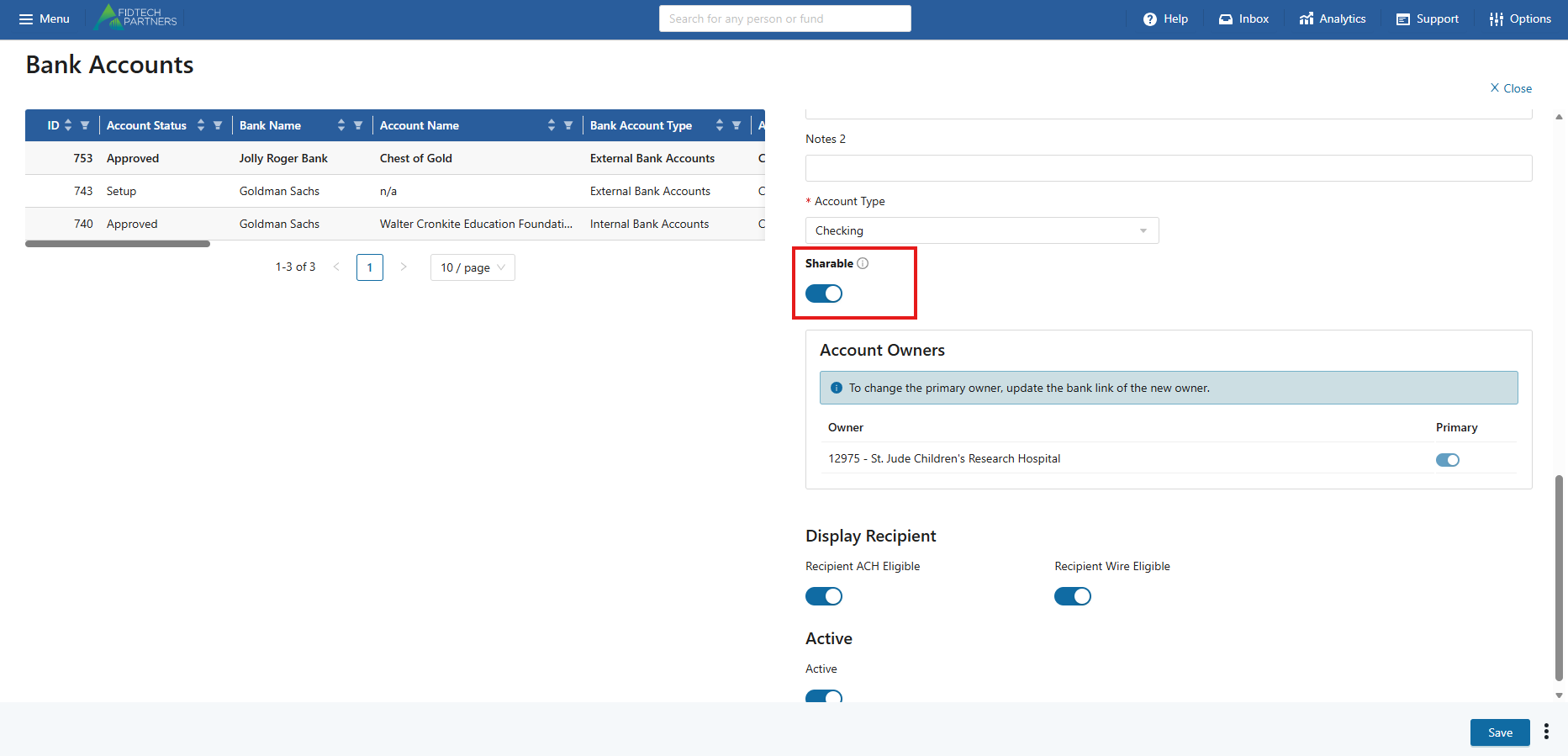
To make a bank account shareable, first click on the bank account you want to change. Under Account Type there will be a toggle for “Shareable”:
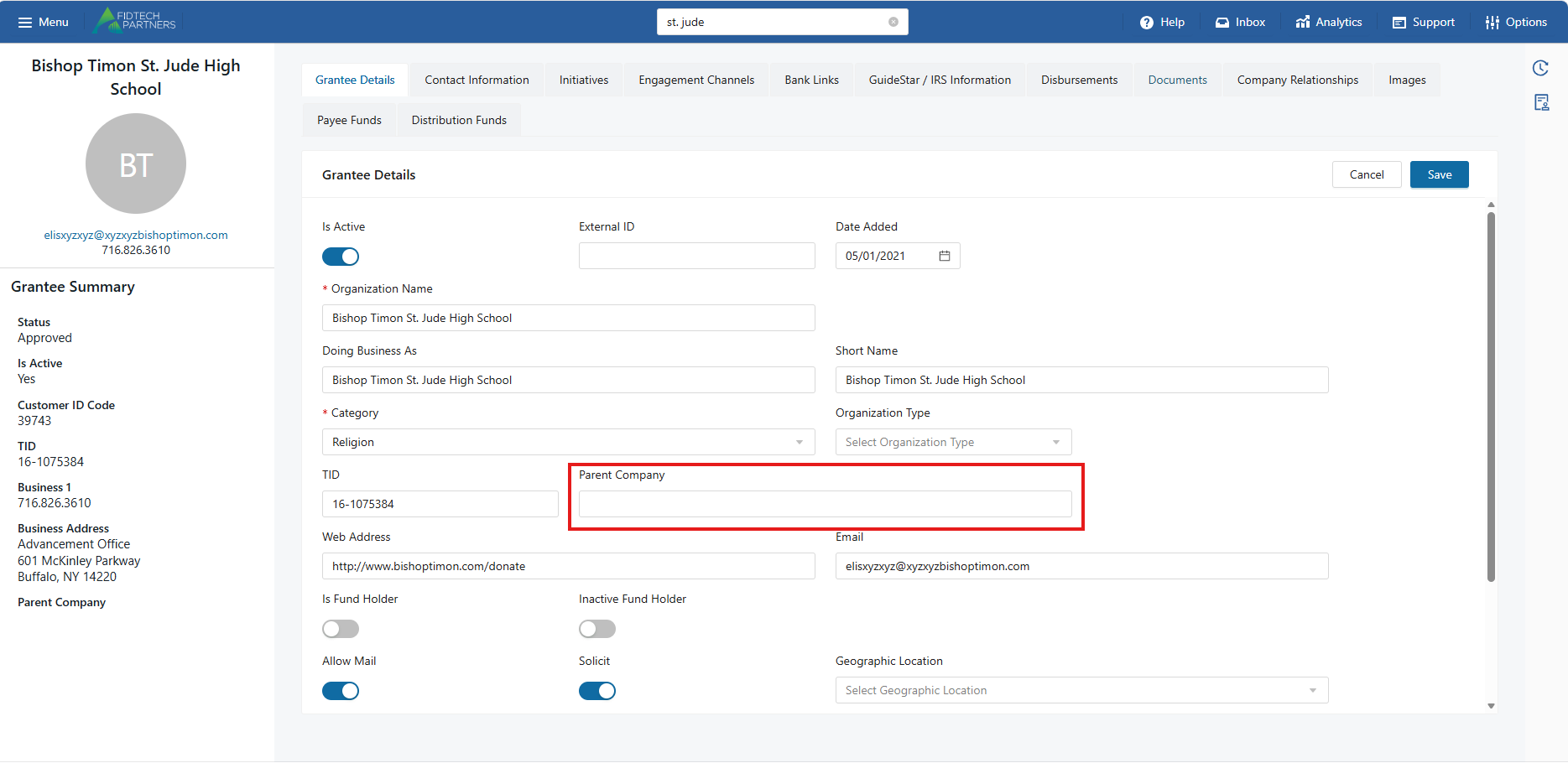
Shareable accounts can only be shared across organizations with the same Tax ID. To designate a parent-child relationship between two organizations, search for the child organization profile in FoundationHub. In the Grantee/Vendor Details, edit the “Parent Company” field to search for a parent company:
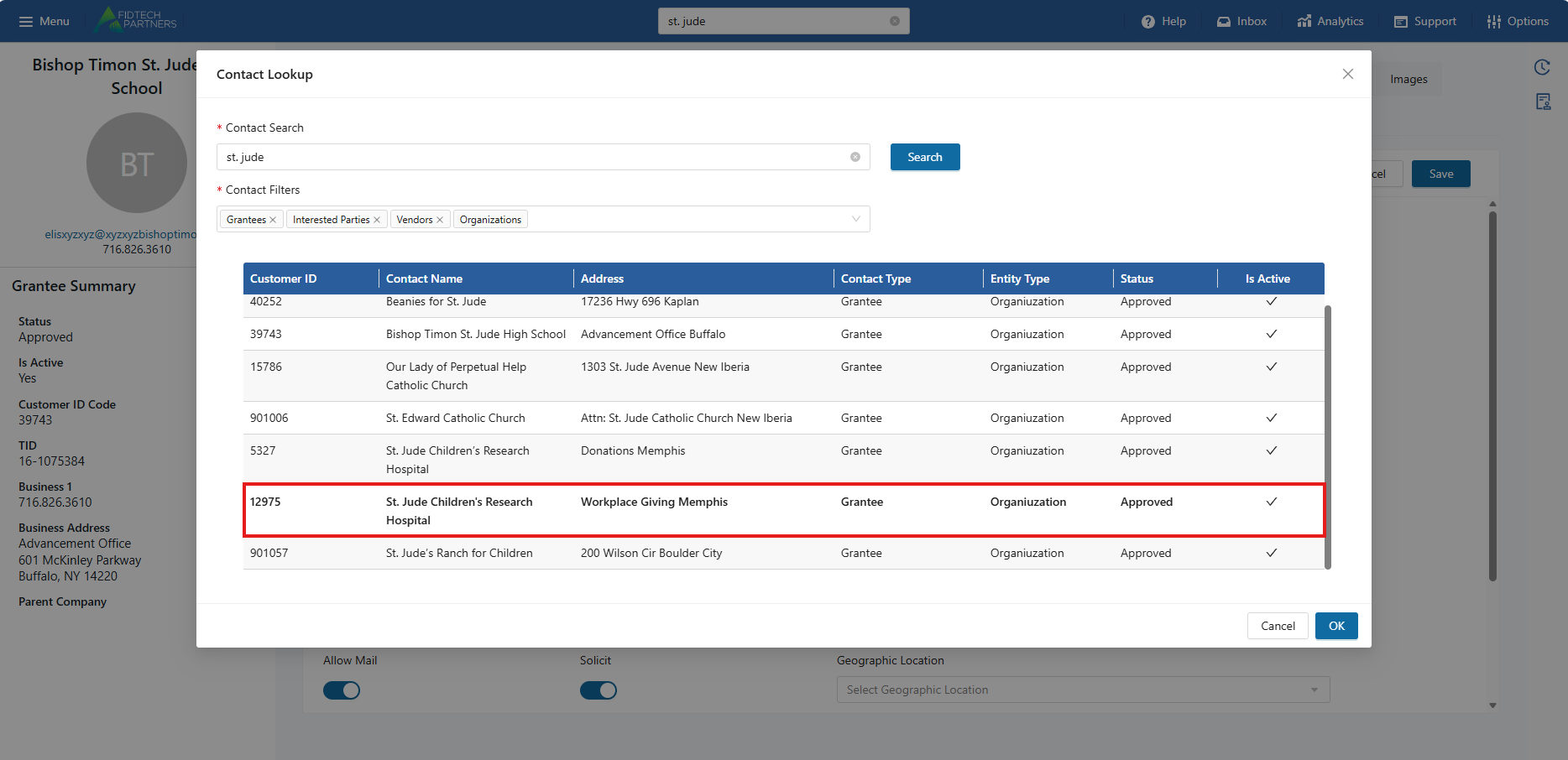
Click “OK” to save your selection. Then, click “Save” to save your changes. You will need to approve the Contact to validate these changes. After following your approval process, this contact’s Tax ID will be changed to match its parent’s Tax ID. Now, you can link this contact to the same bank account as its parent.
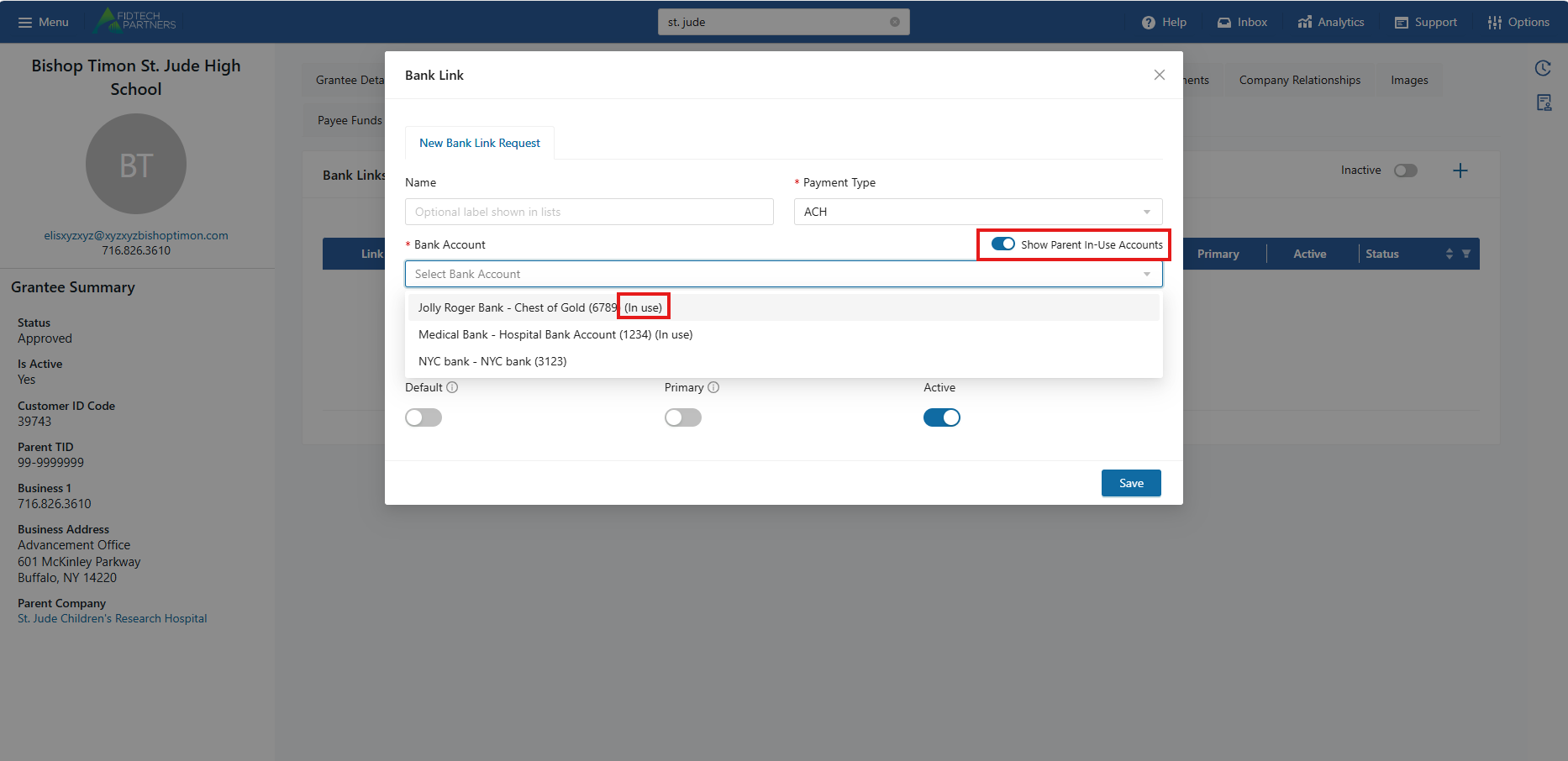
In the Bank Links, create a new bank link (for payment type ACH or Wire) and toggle “Show Parent In-Use Accounts”. The following dropdown will show all bank accounts not in use, as well as any bank accounts that are in use by the parent organization, signified with “(in use)”.