

How to Make A Grant in DonorSphere
- 26 Jun 2023
- 1 Minute to read
- Print
- DarkLight
How to Make A Grant in DonorSphere
- Updated on 26 Jun 2023
- 1 Minute to read
- Print
- DarkLight
Article summary
Did you find this summary helpful?
Thank you for your feedback!
How to Make a Grant Through DonorSphere
1.) Visit https://(foundation).donorsphere.org/ and log in with login credentials.
2.) To submit a grant recommendation, click the "Grant" tab at the top of the page.

3.) To select your grantee, use the dropdown menu to choose from recent grantees or select “Click here to search for a Grantee” to search for a new grantee. If your grantee is not yet in our system, select “Click here to enter your Grantee.”
4.) Once you have chosen your Grantee, select an address from the "Address" dropdown menu. If the address you have on file for the Grantee is not available, please include the address in the "Donor Comments (Optional)" section.
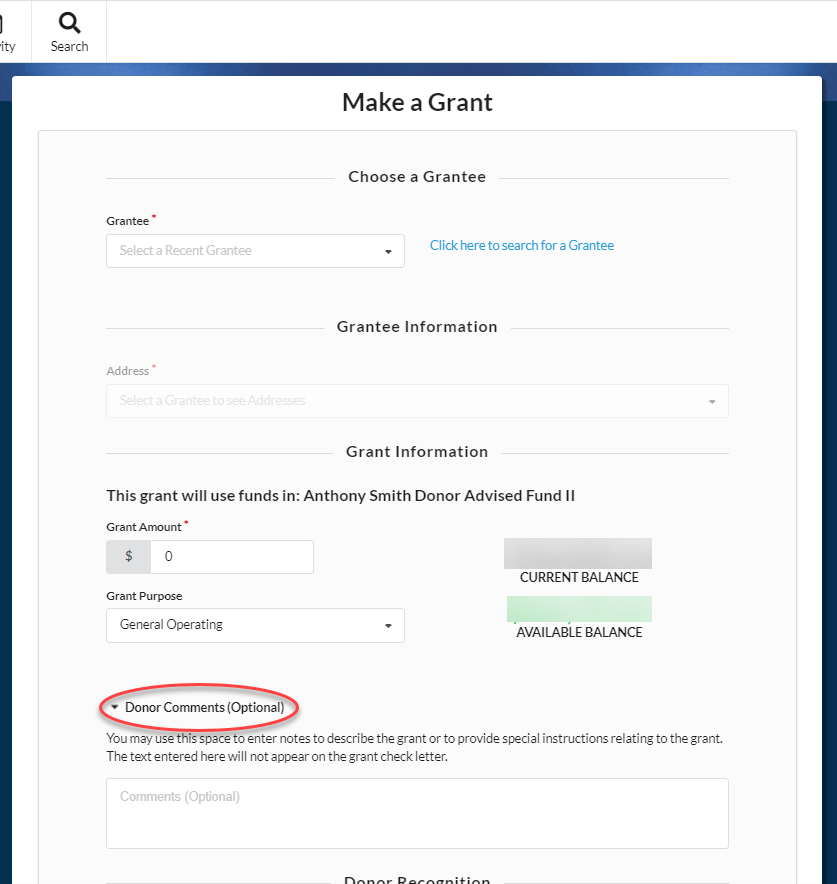
5.) Enter all other details of your grant, including the amount and grant purpose. If you need to enter a note, please include it in the “Donor Comments (Optional)” section (see above screenshot). Please note that these comments will not be included in the grant letter. If you have an email address for the Grantee, provide that information here so they can receive the funds quickly and easily by ACH transfer through Bill.com.
6.) Choose how you want to be recognized by the Grantee. You can share your name and address, only your name, or you can give anonymously. You can choose a default designation so all grants should be made with the same designation.
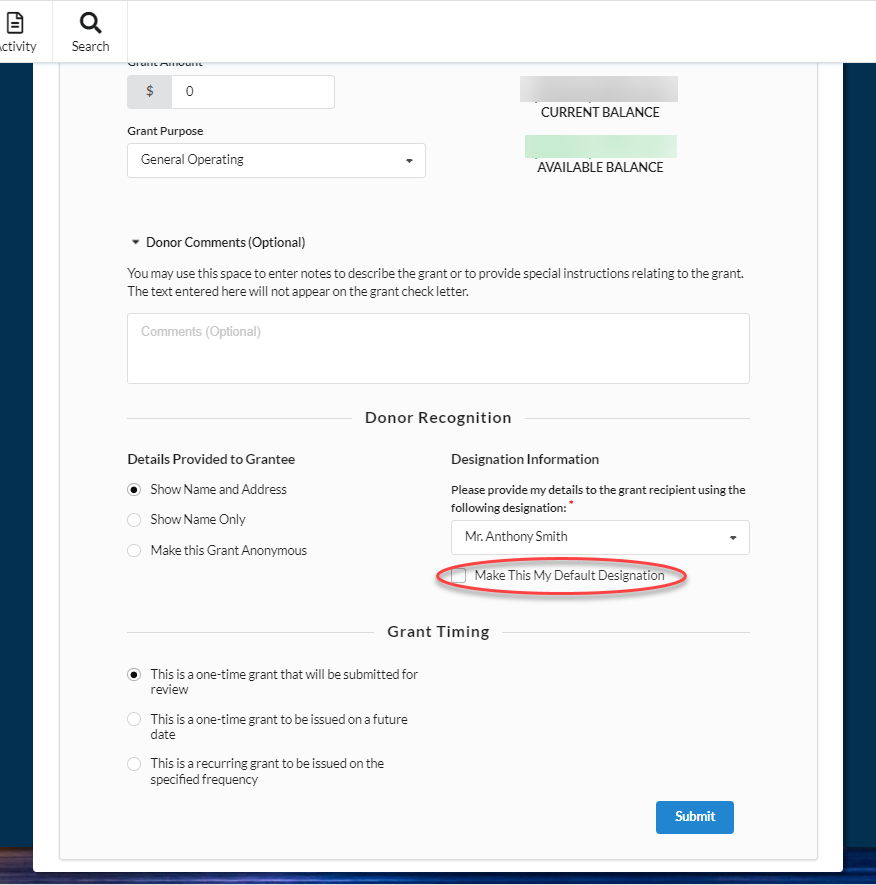
7.) Choose the timing of your grant. You have the option to submit as a one-time grant to be processed immediately, to submit as a one-time grant to be processed on a future date of your choosing, or to set up a recurring grant to be processed at a frequency of your choosing.
8.) Please read the Terms and Conditions before submitting your grant. Personal pledges cannot be fulfilled through Donor Advised Funds. No form of tuition, or the enrollment fees for extracurricular activities can be paid from your Fund. Grants cannot be intended for the benefit of one named individual.
9.) Review all grant details and Terms and Conditions, then click the "Submit" button to forward the grant to foundation's staff for review.
Was this article helpful?