

Display Initiatives on Home Page
- 18 Jul 2023
- 1 Minute to read
- Print
- DarkLight
Display Initiatives on Home Page
- Updated on 18 Jul 2023
- 1 Minute to read
- Print
- DarkLight
Article summary
Did you find this summary helpful?
Thank you for your feedback!
Display Initiatives on Home Page
One of the ways you can customize DonorSphere is through the “Display Initiatives on Home Page” preference. This preference toggles whether your initiatives are shown on the Home Page of your site. The two options are “Show” and “Hide.”
.png "image(47).png")
Show:
When “Show” is selected, your initiatives and their quick links are shown to Donors on their Home Page.
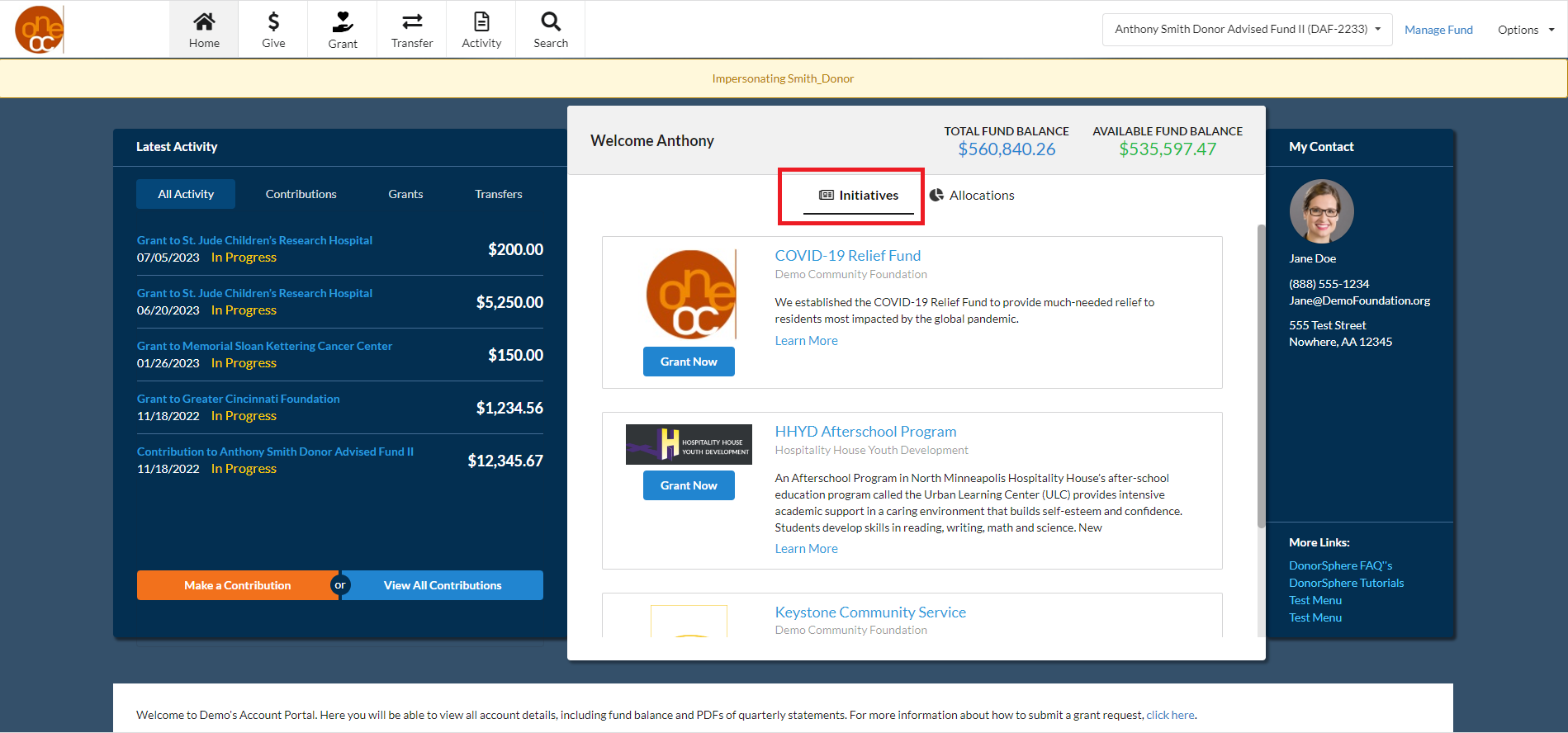
Hide:
When “Hide” is selected, your initiatives and their quick links are not visible; however, you can personalize the Welcome section of the Home Page by displaying information such as your “Inside Article,” or “Fund Balances” and “Fund Allocations” as shown below.
.png "image(49).png")
Was this article helpful?