Transfer
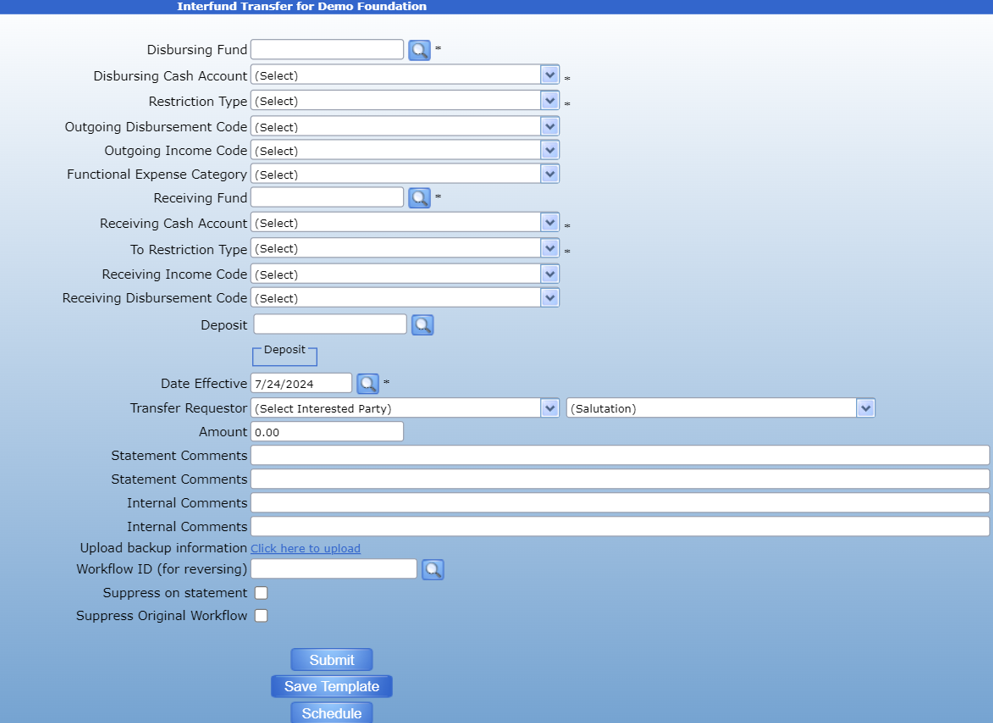
The transfer form can be used to transfer money between funds or between disbursement codes of the same fund.
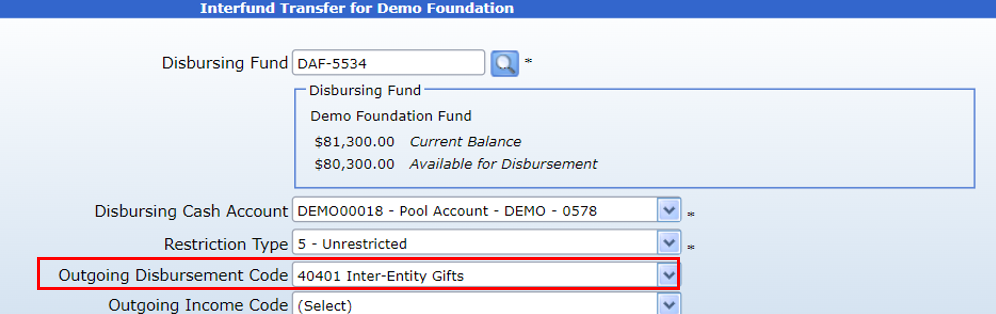
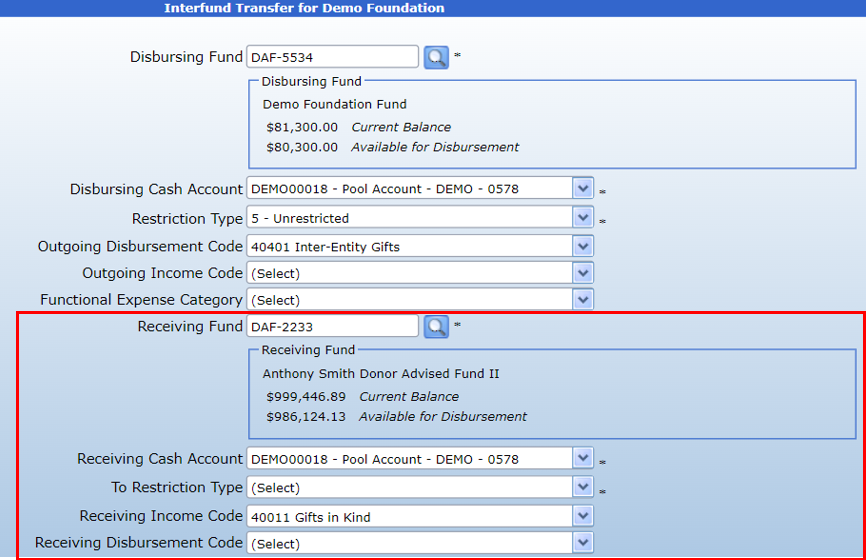
To start, use the search icon next to the Disbursing Fund field to enter the fund the money will be transferred from.

Enter the desired disbursement code.
Once you have attached the disbursing fund to the form, you will need to attach a receiving fund. If you wish to transfer between codes in the same fund, simply put the same fund number in both the Disbursing and Receiving fund fields and the desired codes.
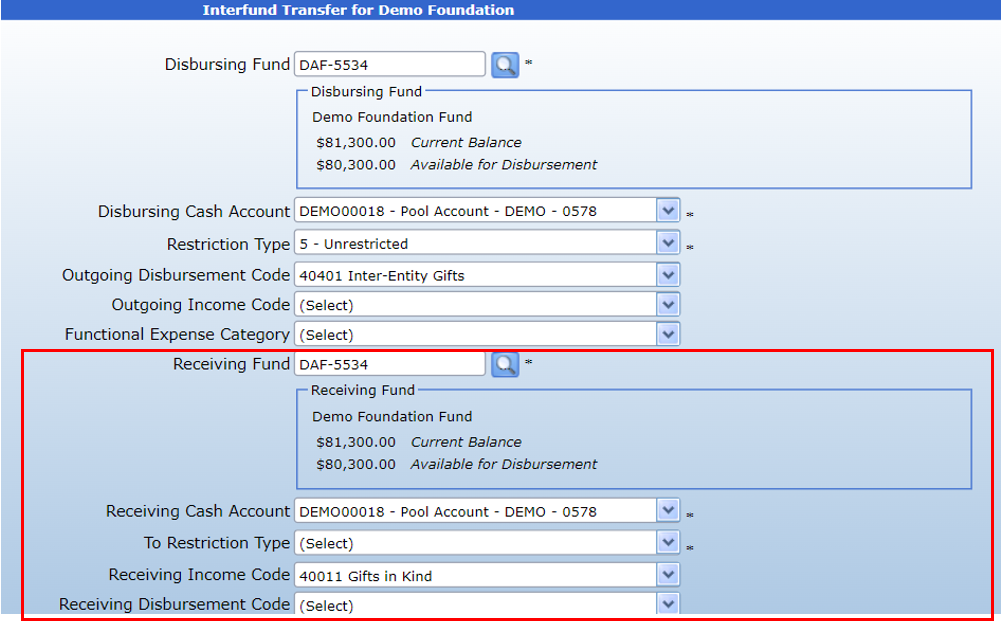
To transfer between funds, enter the desired fund number in the Receiving Fund field.
Then, enter the Donor who requested the transfer and the desired amount. The salutation and address boxes will default to their primary values but can be changed using the dropdown menu.
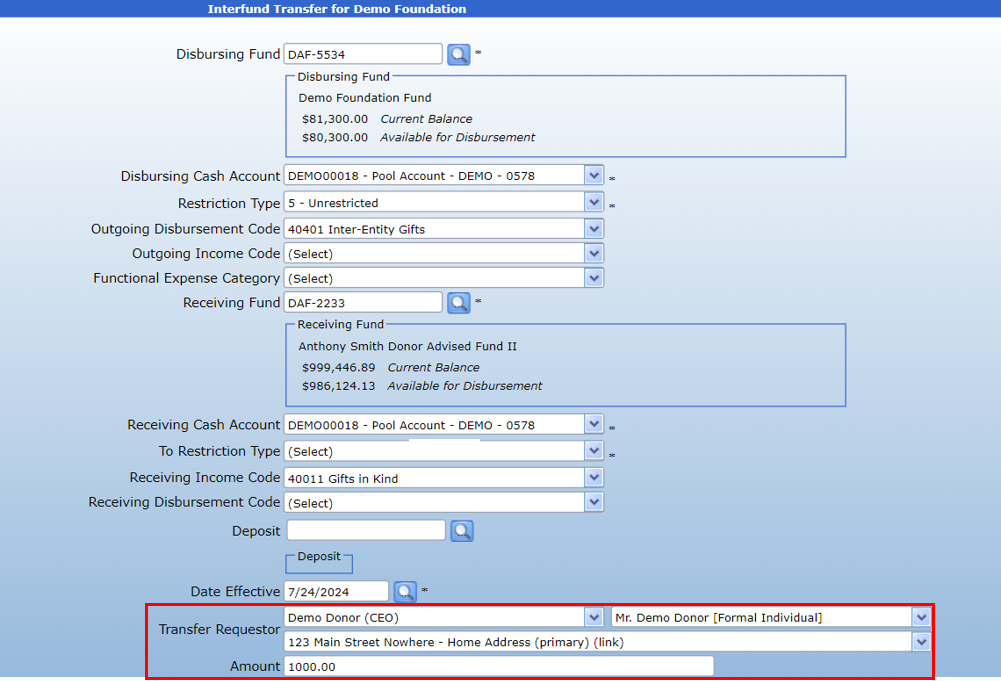
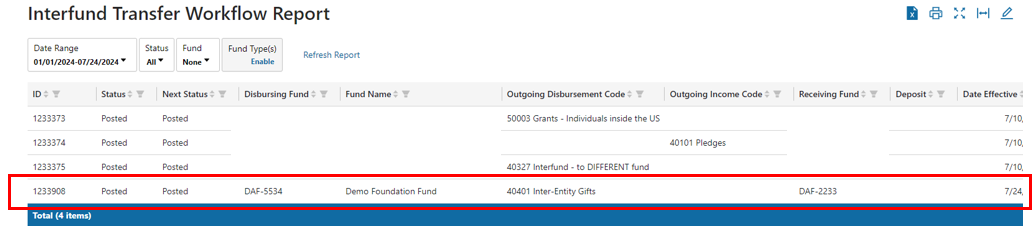
Hit submit to forward the transfer for approval. Once it has been fully approved, you may view the transfer transaction on the Transfer workflow report.
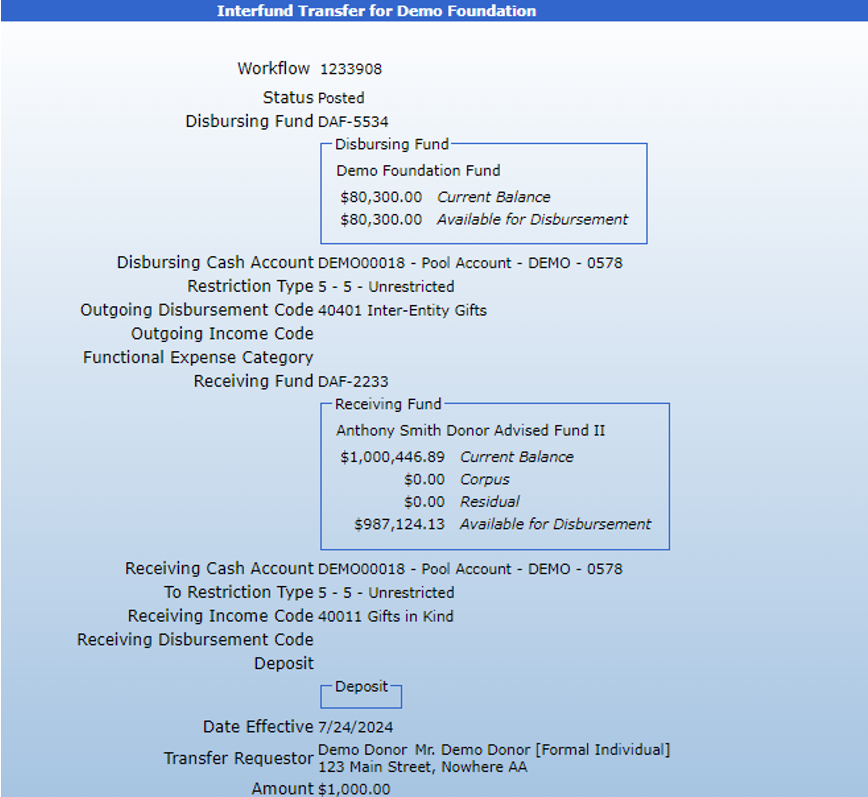
To reverse the transfer, simply switch the Disbursing and Receiving funds as well as the income codes. For example, to reverse the above transfer, the transaction form would be filled out as follows:
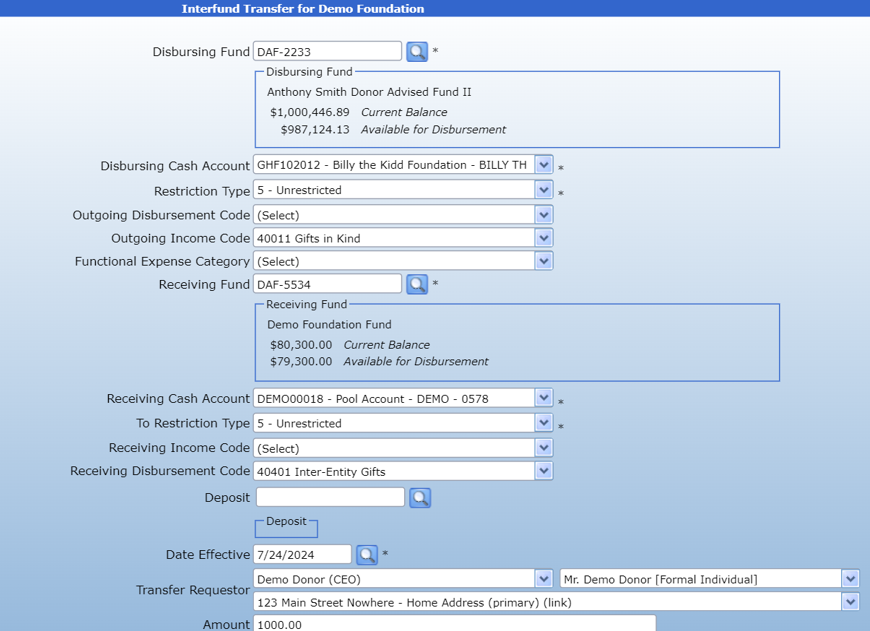
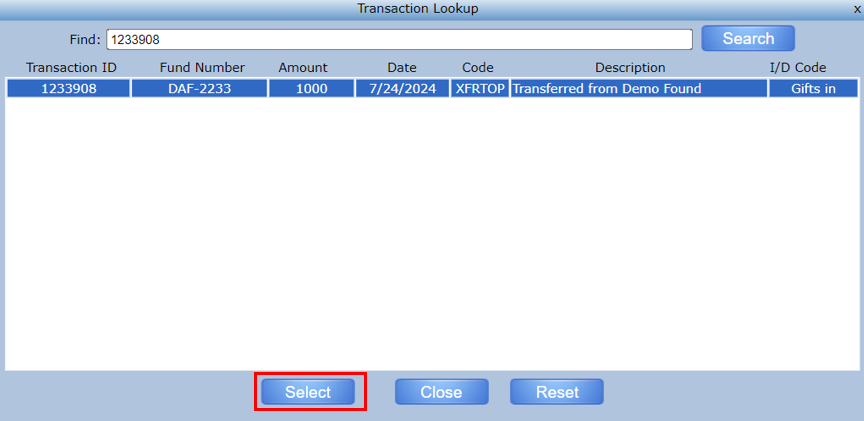
Then, click on the search icon next to the Workflow ID form to attach the previous transaction.

This will pull up a list of transactions made by the fund. Highlight the transfer to be reversed and click Submit.
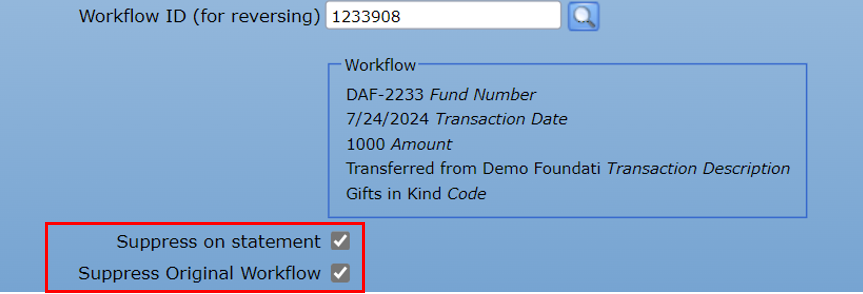
You can then choose to suppress the transaction on the statement or suppress the original workflow. Clicking these two checkboxes will hide the transactions on the donor statement, the fund summary, and the fund profile. They will still be visible through the Transfer workflow report.