

How to Access Profile
- 18 Jul 2023
- 1 Minute to read
- Print
- DarkLight
How to Access Profile
- Updated on 18 Jul 2023
- 1 Minute to read
- Print
- DarkLight
Article summary
Did you find this summary helpful?
Thank you for your feedback!
How to Access Profile
In the far top right corner of any DonorSphere page, you will see “Options.” When clicked, the drop-down menu shows “User Profile” and “Log out.” To access “Contact Information,” “Charitable Interests,” “Communication Preferences,” and “Payment Methods,” select User Profile.
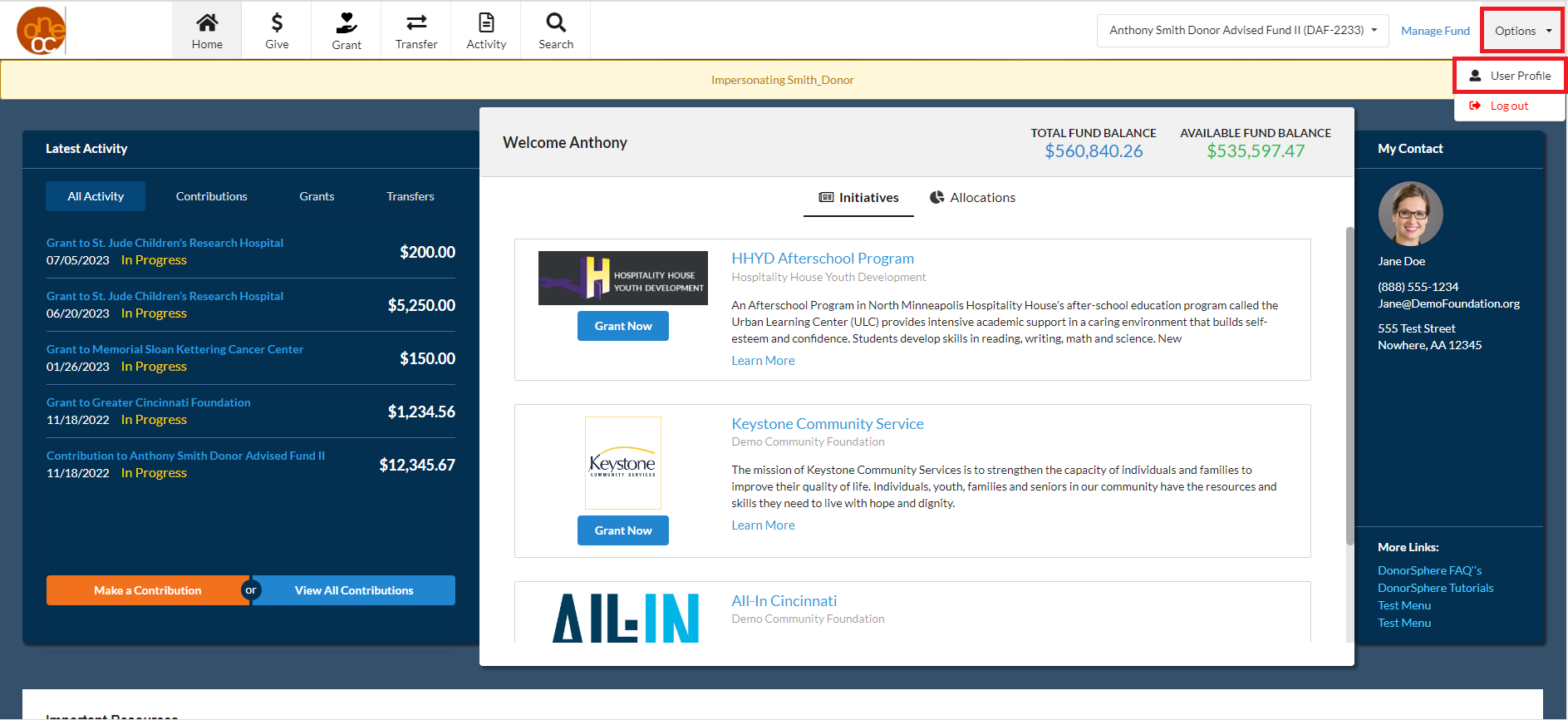
After clicking User Profile, you will be taken to this page:
.png "image(81).png")
Was this article helpful?