

Gift Import
- 28 Mar 2024
- 1 Minute to read
- Print
- DarkLight
Gift Import
- Updated on 28 Mar 2024
- 1 Minute to read
- Print
- DarkLight
Article summary
Did you find this summary helpful?
Thank you for your feedback!
Imports - Fund, Gift, Grant, and IP Imports
To access these uploaders, navigate to: Menu > Utilities > Workflow Import:
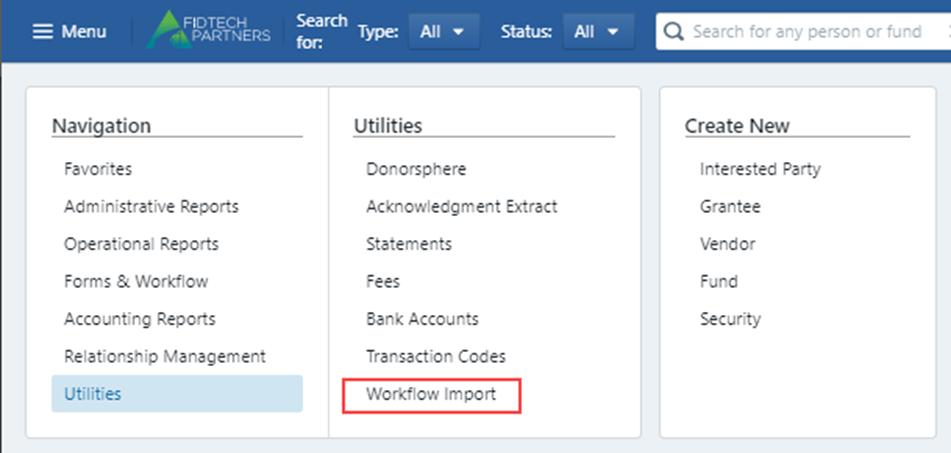
Gift Import
Select the “View Gifts Import History”:
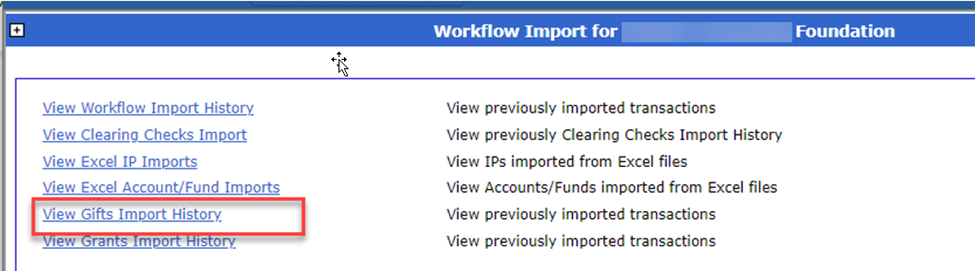
This will bring you to all previous uploads and their results, while also allowing you to download the Gift import template:

Once opened the template has required fields (in red) as well as other data input fields (in black) that should be filled out and will be reflected on the transaction once uploaded.
To upload the completed Excel template, select the “Click here to go upload new file” option:

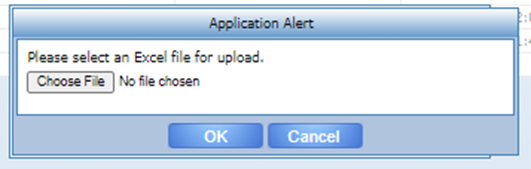
You will be prompted to select the desired file:
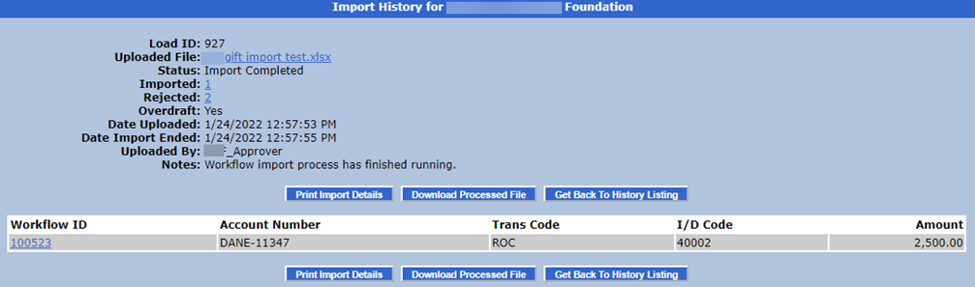
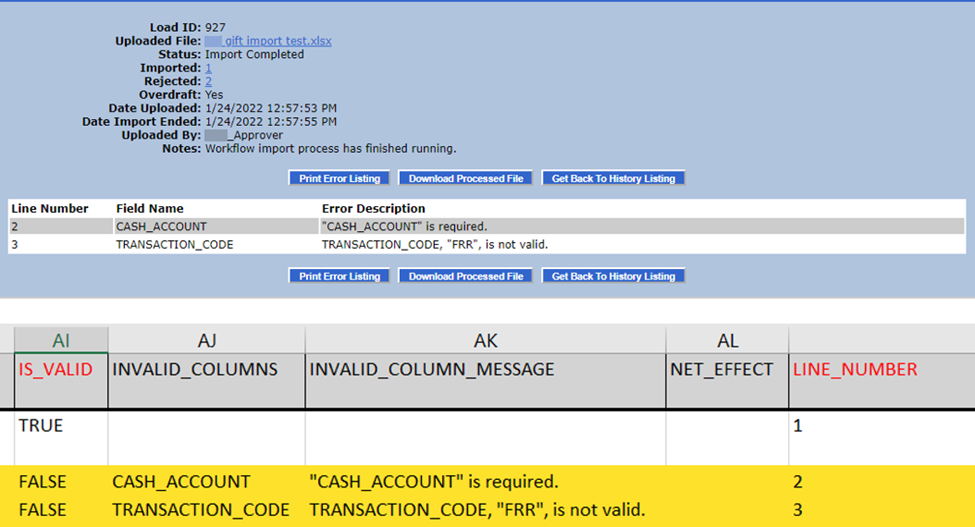
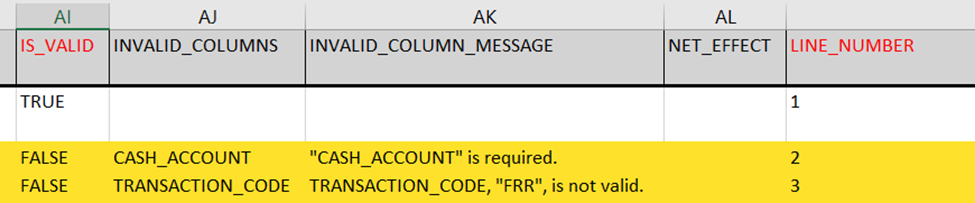
Once the file is selected and the upload is complete, you can review the results. Here you will be shown the successful records. To see records that failed to load, click on the Rejected count to see those errors. You can also download the Excel file by clicking on the file link which will include the error messages on each row.
Records that processed successfully will be created in a “Pending Posting” status. The details for each can be viewed by clicking on the individual workflow ids. The records will also be in the approvers inbox same as a gift entered directly in FoundationHub.
Was this article helpful?