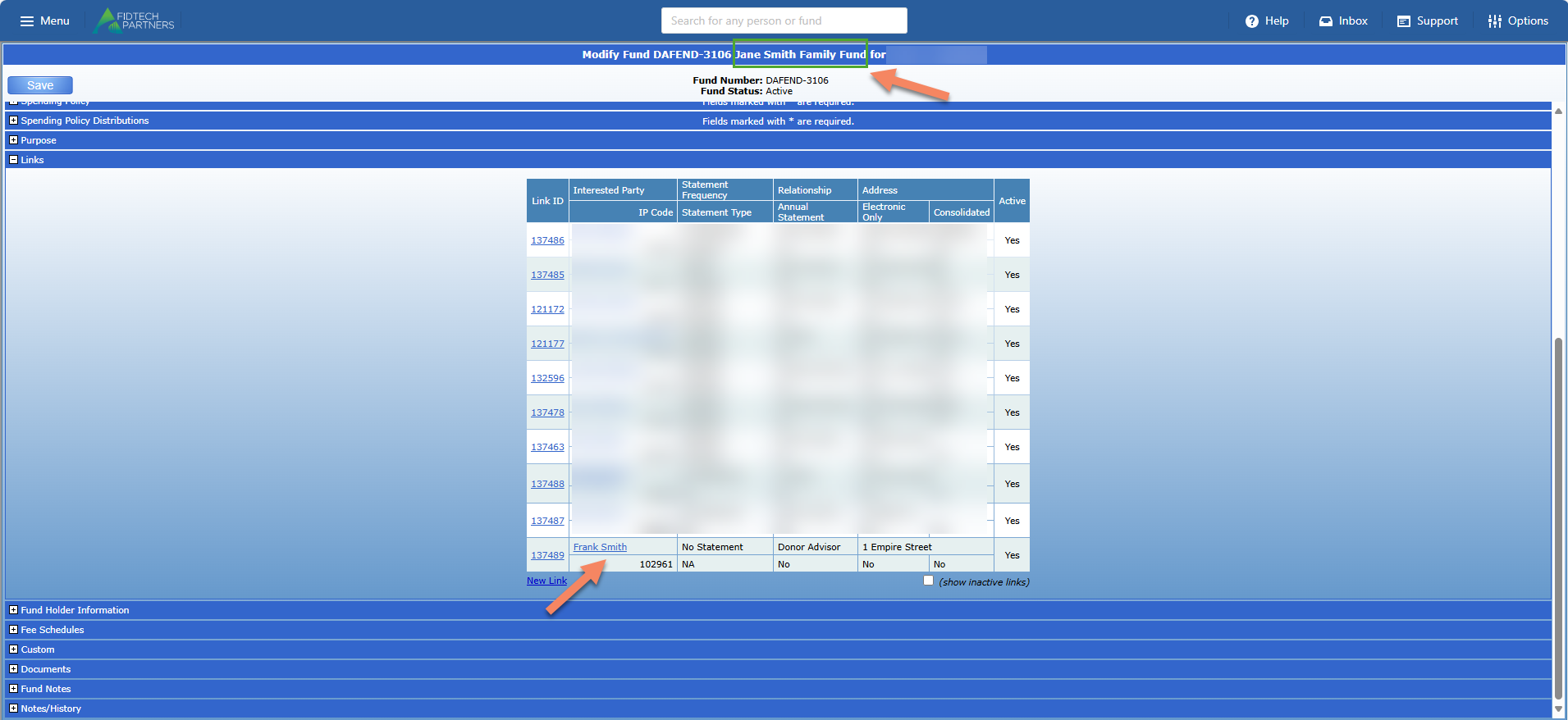
FoundationHub allows you to form relationships by linking Contacts (Interested Parties, Grantees, Vendors) to each other or by linking them to Funds/Accounts.
The way we can view these relationships slightly differ between the Old vs. the New Contact Profiles.
Relationships in the Old Contact Profiles
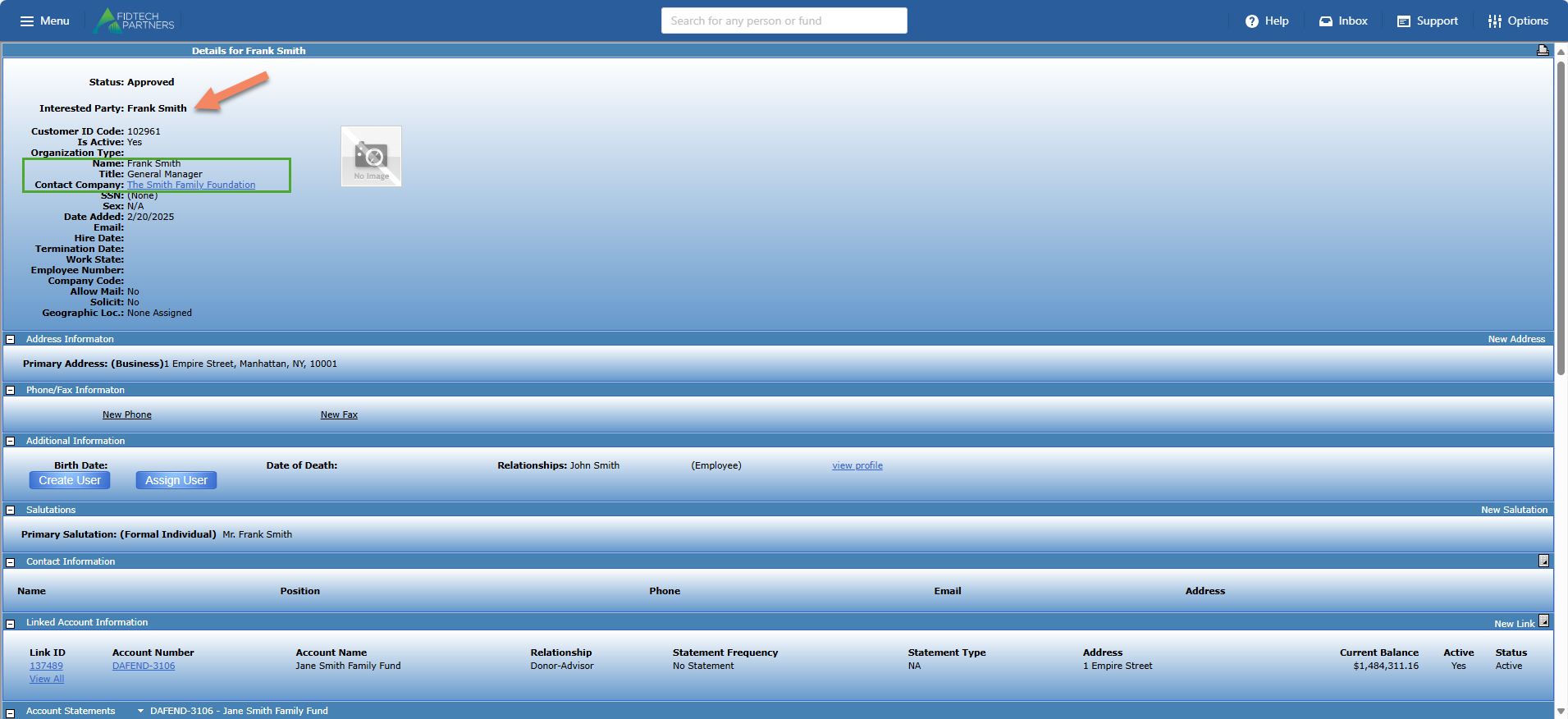
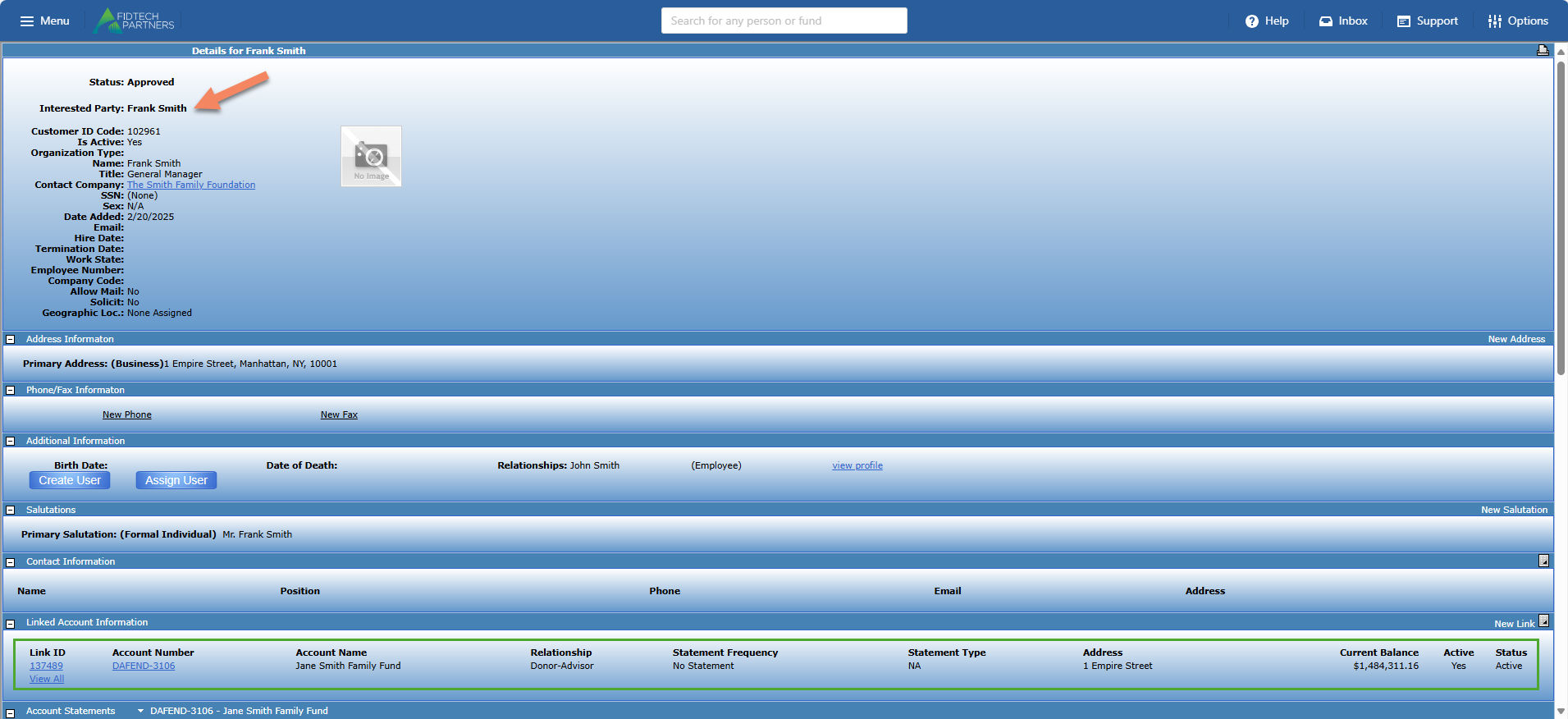
Below is an example of how the Old contact profile looked for an Interested Party, ‘Frank Smith’ and how he has the following relationships to other entities in FoundationHub:
Interested Party to Grantee: ‘Frank Smith’ is linked to a Grantee ‘The Smith Family Foundation’. Notice how he has the ‘Title’ of ‘General Manager’ as this will be discussed later in this article.
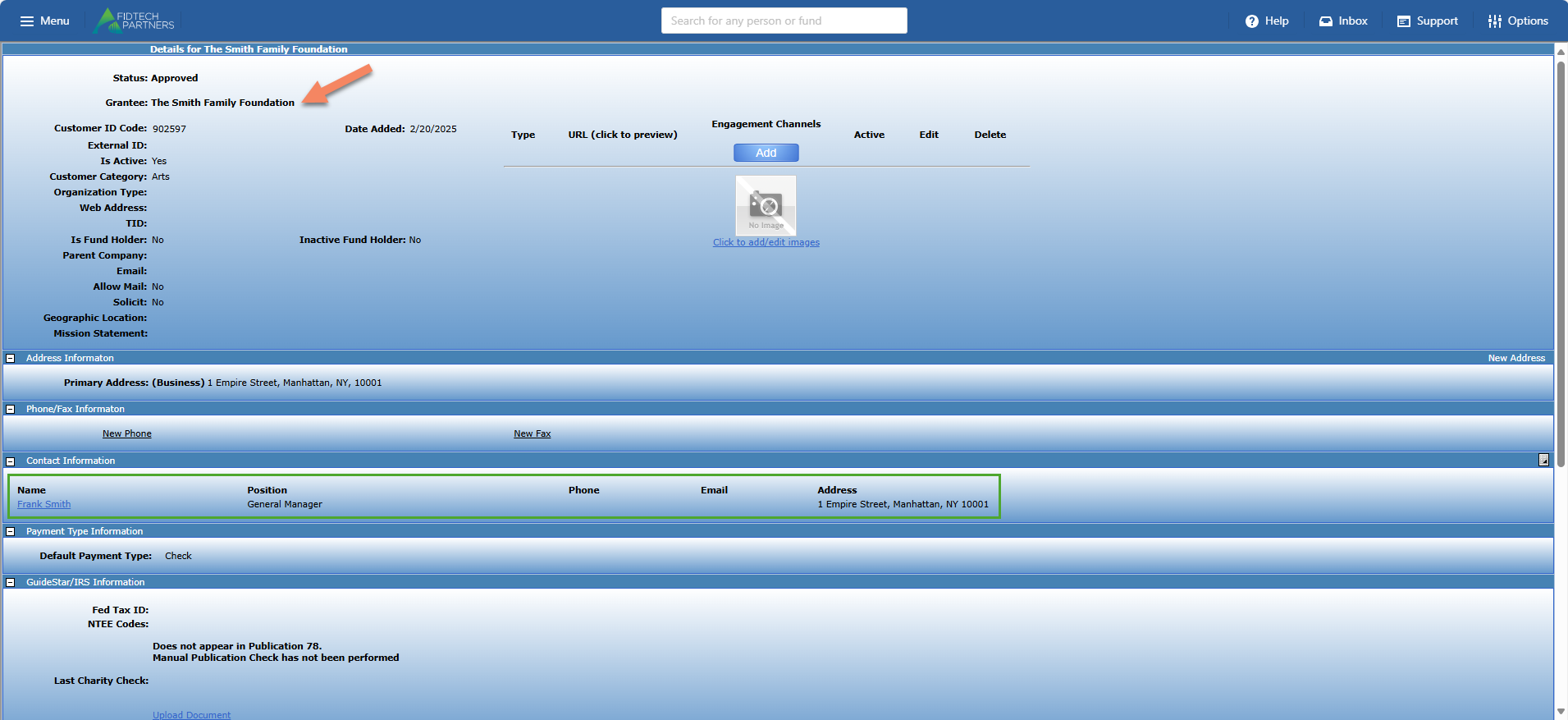
Conversely, when we open the Grantee ‘The Smith Family Foundation’s profile, we can see its relationship with ‘Frank Smith’. Notice how the ‘Position’ field in this relationship has been populated with ‘General Manager’, which exists as the ‘Title’ field in ‘Frank Smith’s profile, as discussed above.
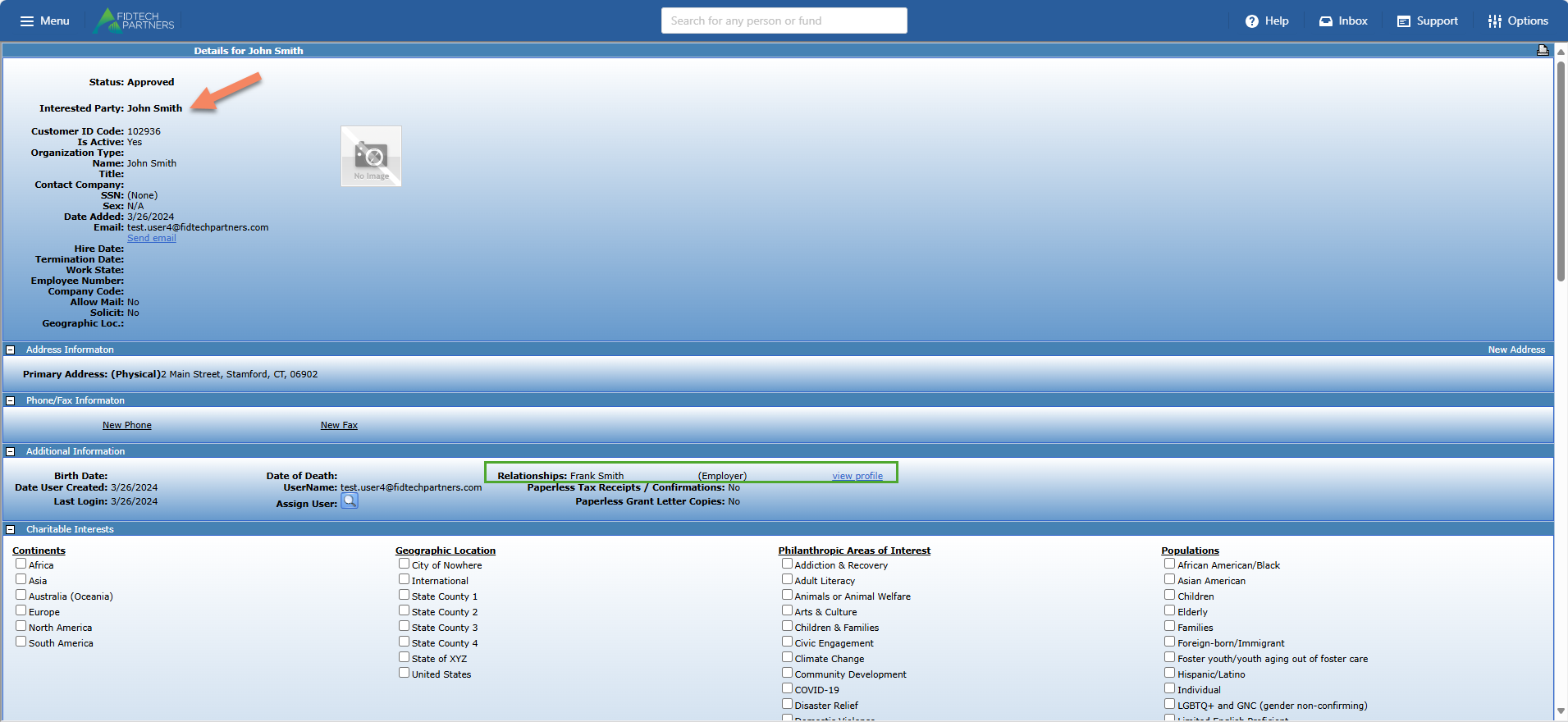
Interested Party to Interested Party: ‘Frank Smith’ is linked to another Interested Party ‘John Smith’ with an ‘Employee’ relationship.
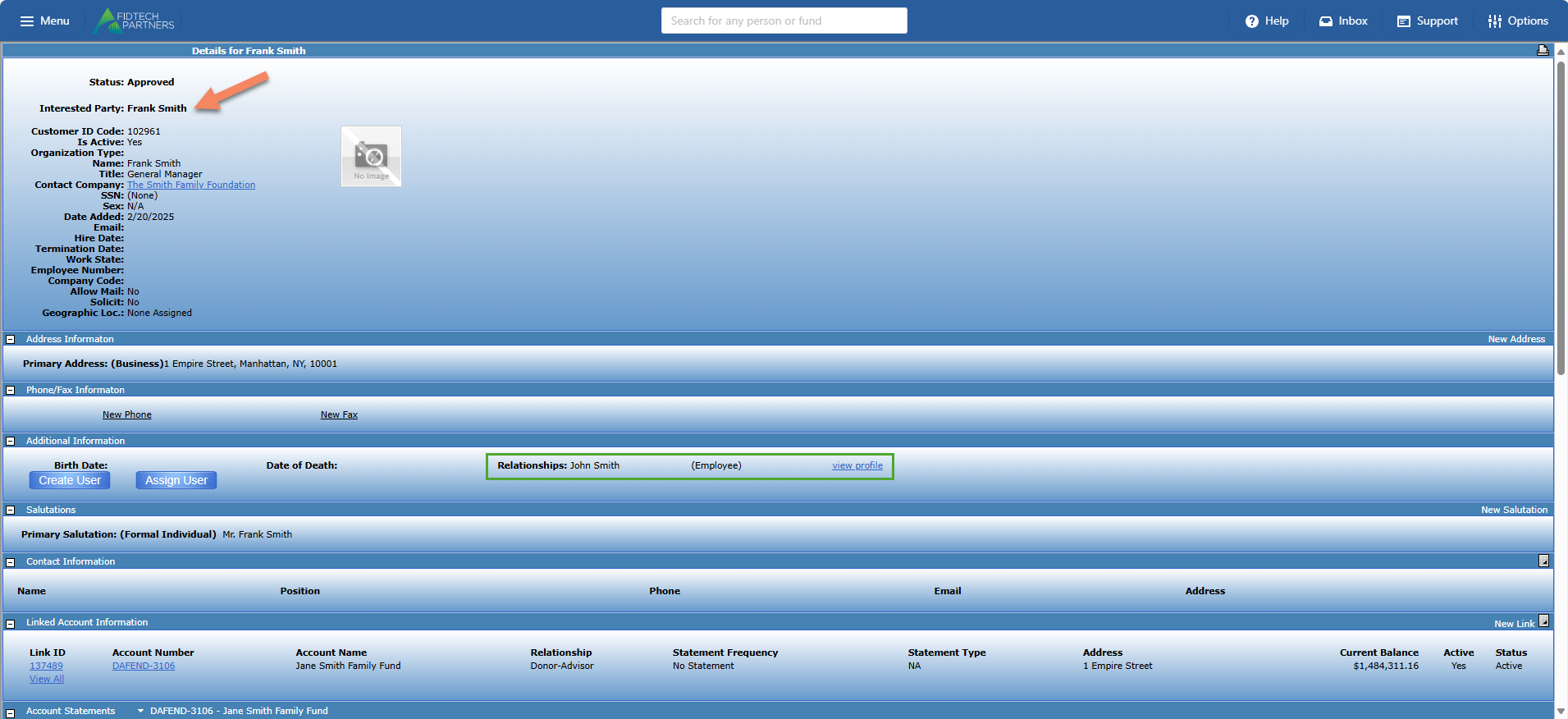
Conversely, opening the profile of ‘John Smith’ we can see that he also has a relationship with ‘Frank Smith’ as an ‘Employer’. This indicates the reciprocal relationships between ‘John Smith’ and ‘Frank Smith’ as ‘Employer/Employee’
Interested Party to Fund/Account: ‘Frank Smith’ is linked to a Fund ‘Jane Smith Family Fund’.
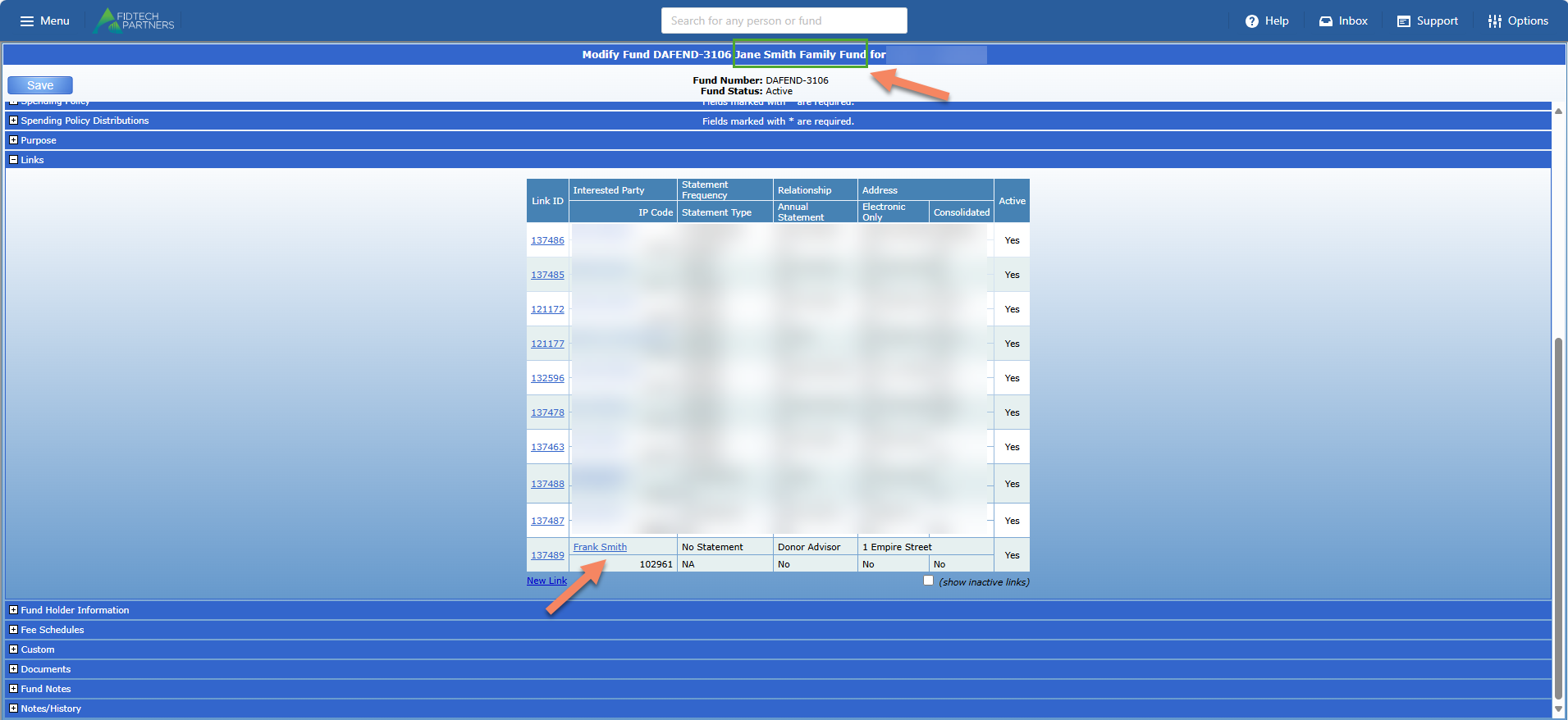
Conversely, opening the ‘Jane Smith Family Fund’s profile, we can see its relationship with ‘Frank Smith’, as expected.
Relationships in the New Contact Profiles
After switching over to the New Contact Profiles, the same entities and their relationships as discussed above exist inside the “Contact Relationship” and “Linked Funds” sections/tabs of a contact’s profile.
In ‘Frank Smith’s profile, click on the ‘Contact Relationship’ section to view his relationships with:
Interested Party to Interested Party: ‘Frank Smith’ is linked to another Interested Party ‘John Smith’ with an ‘Employee’ relationship. You can use the
.png) icon or the
icon or the .png) icon to add or remove these relationships.
icon to add or remove these relationships.
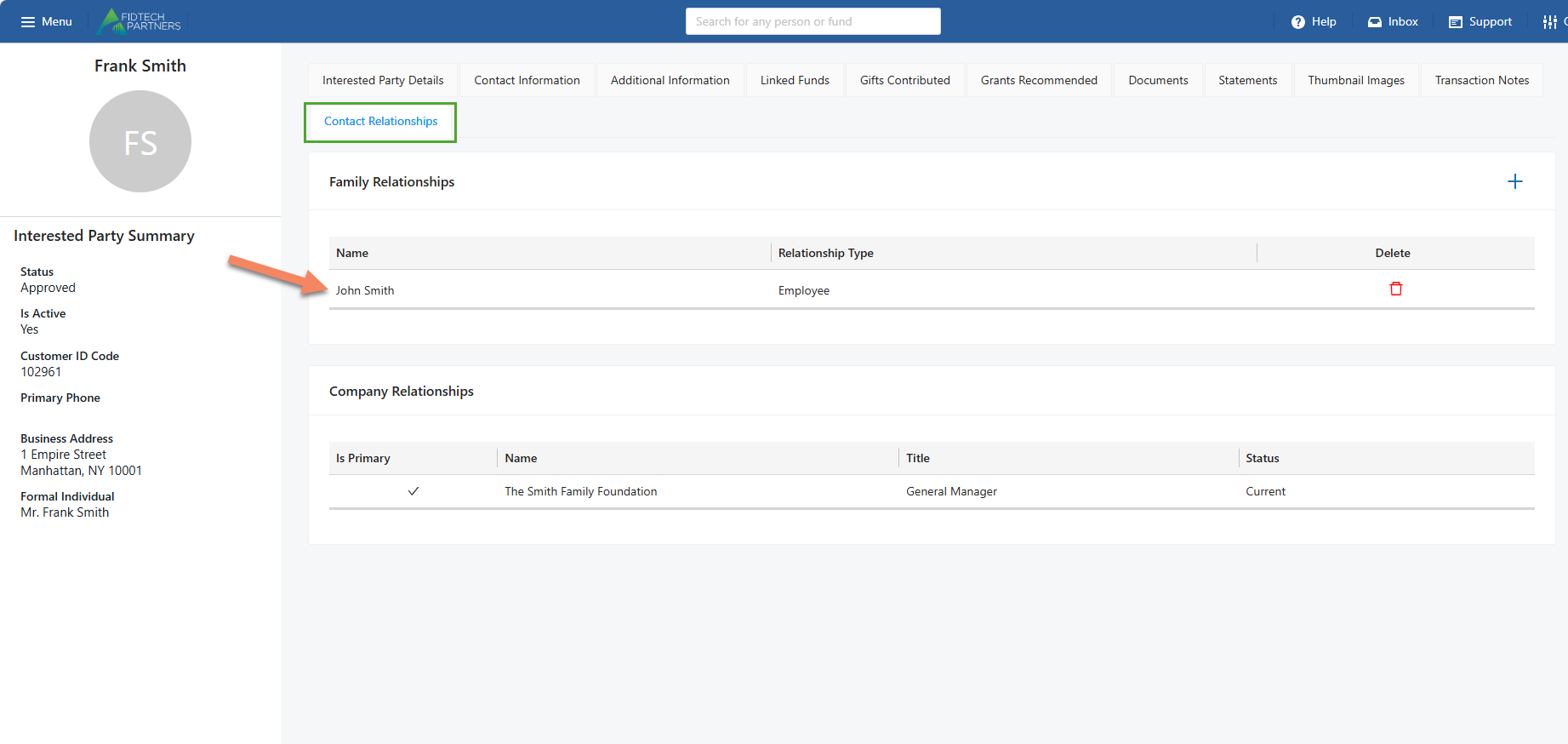
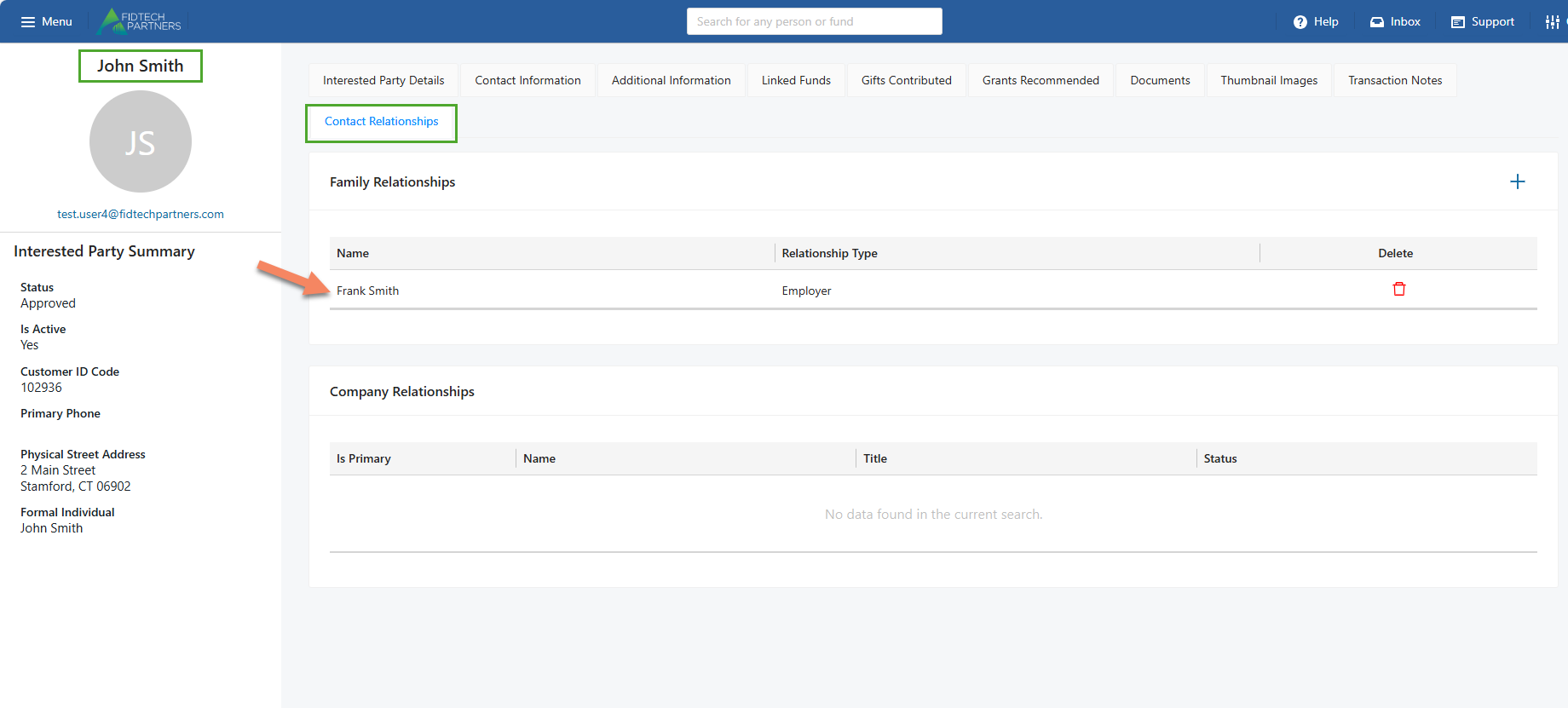
Conversely, when we open ‘John Smith’s profile, in the “Contact Relationships” section we can see that he has the relationship with ‘Frank Smith’ as an ‘Employer’ indicating the reciprocal relationships between ‘John Smith’ and ‘Frank Smith’ as ‘Employer/Employee’
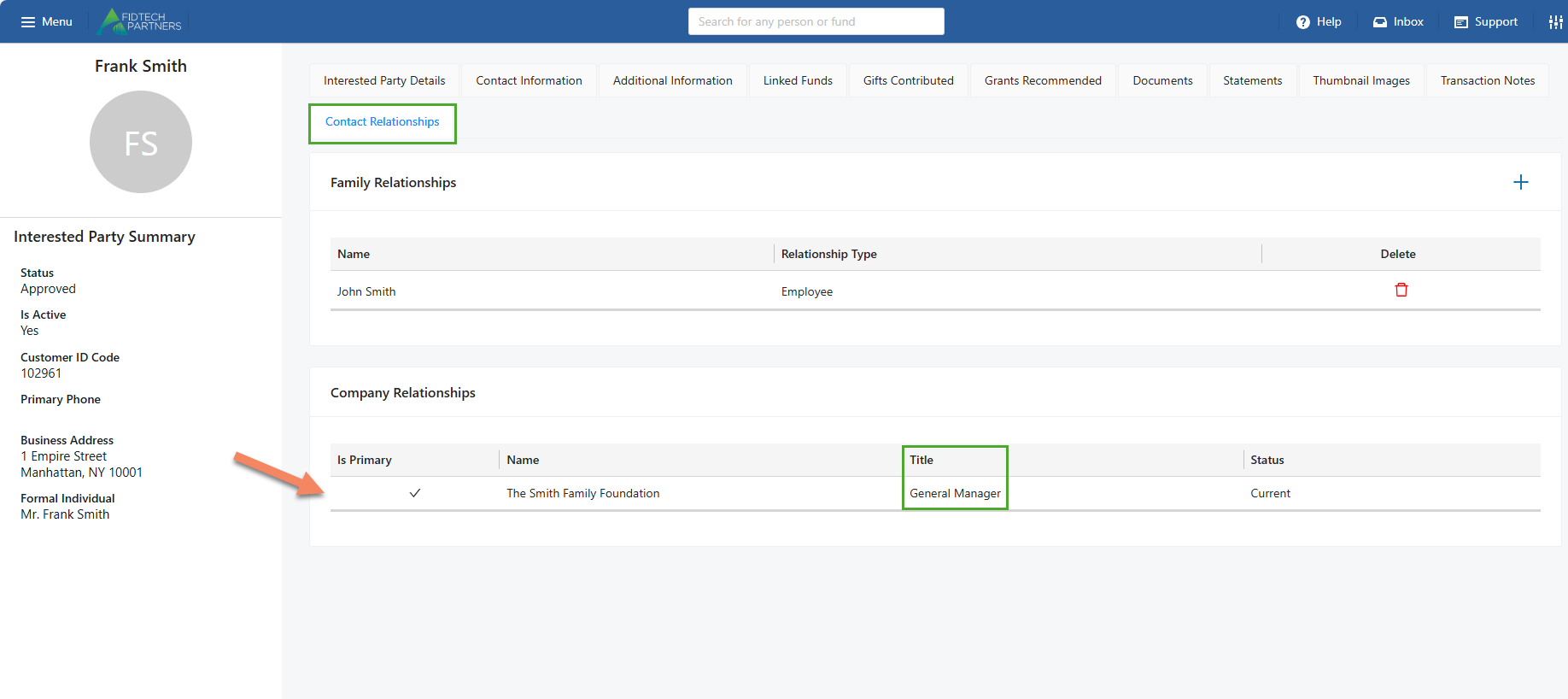
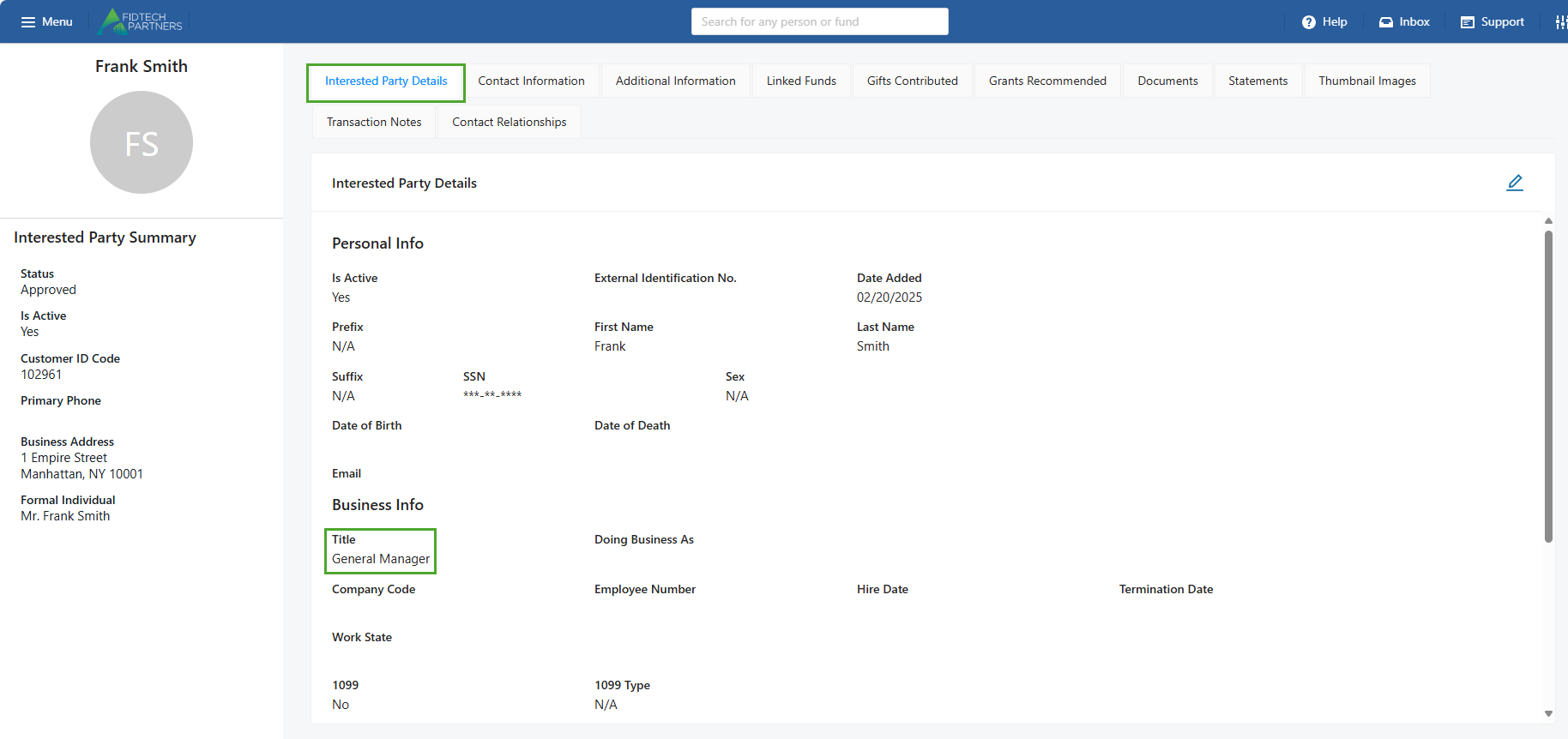
Interested Party to Grantee: ‘Frank Smith’ is linked to a Grantee ‘The Smith Family Foundation’. Similar to the Old contact profiles, the ‘Title’ of ‘General Manager’ here has also been pulled from the ‘Title’ field in the ‘Interested Party Details’ section of ‘John Smith’.
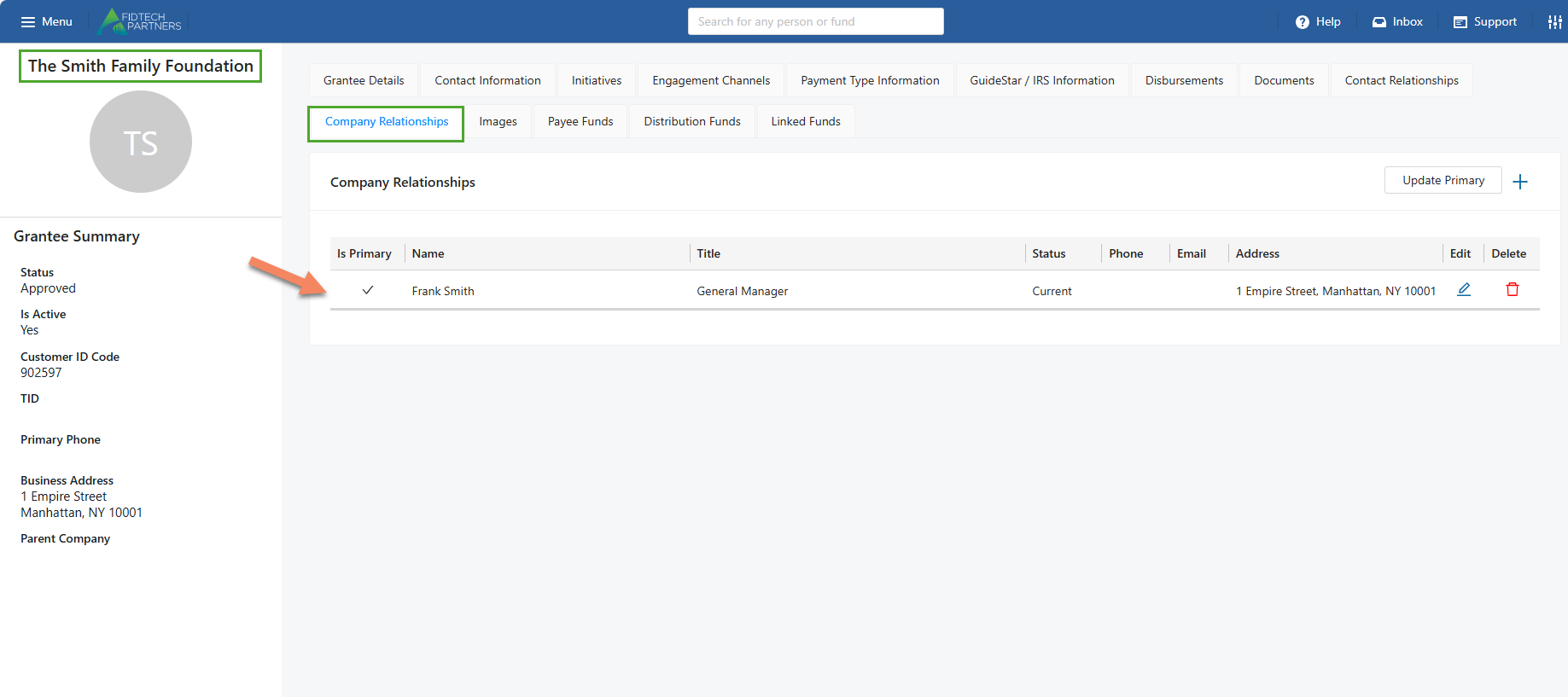
Conversely, when we open ‘The Smith Family Foundation’s profile, in its ‘Company Relationships’ section, its relationship with ‘Frank Smith’ is visible.
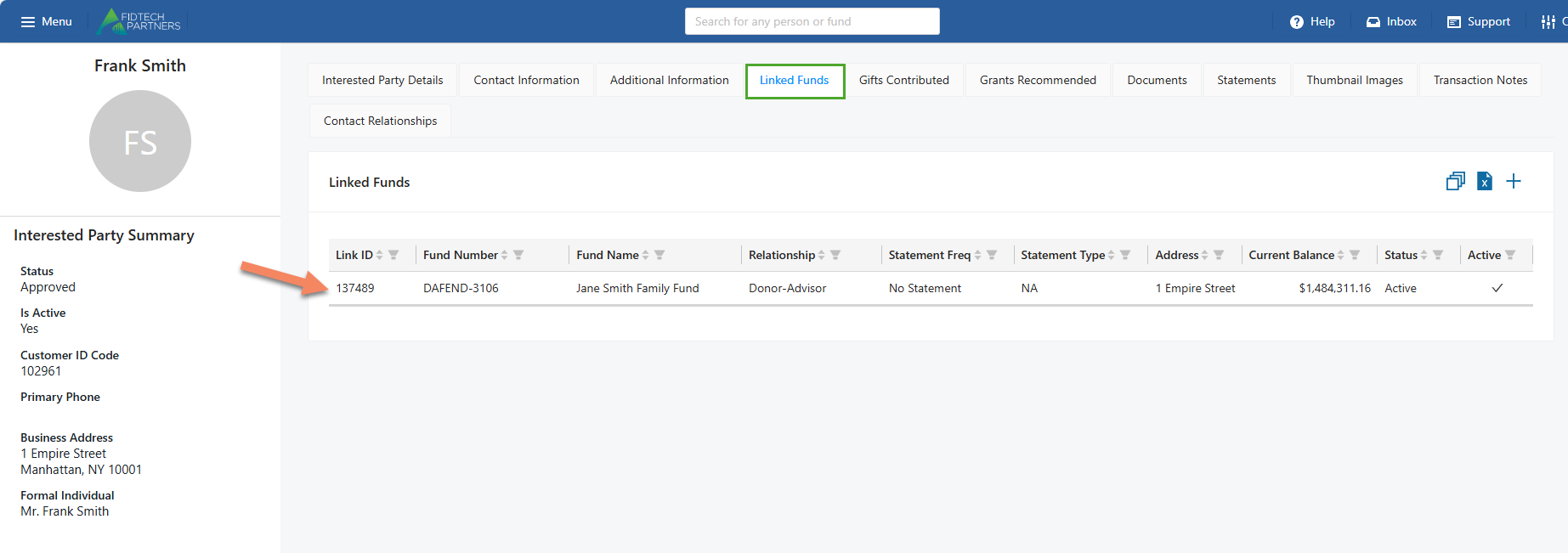
Interested Party to Funds/Accounts: ‘Frank Smith’ is linked to the Fund ‘Jane Smith Family Fund’. This can be viewed in its ‘Linked Funds’ section.
Conversely, opening the ‘Jane Smith Family Fund’s profile, we can see its relationship with ‘Frank Smith’, as expected. This relationship view remains same for the Old vs. New Contact Profiles.