

Vendor - Edit Capabilities
- 11 Jul 2025
- 1 Minute to read
- Print
- DarkLight
Vendor - Edit Capabilities
- Updated on 11 Jul 2025
- 1 Minute to read
- Print
- DarkLight
Article summary
Did you find this summary helpful?
Thank you for your feedback!
A Vendor’s profile consists of various sections which allow you to access and manage their information. They are as following:
Note: The icon allow you to edit previously entered information, the
  icon allows you to add more information, and the
 .png) icon allows you to delete the information.
icon allows you to delete the information.
Note: Any changes made in these sections may be subject to an approval process, depending on your institution's specific approval policies.
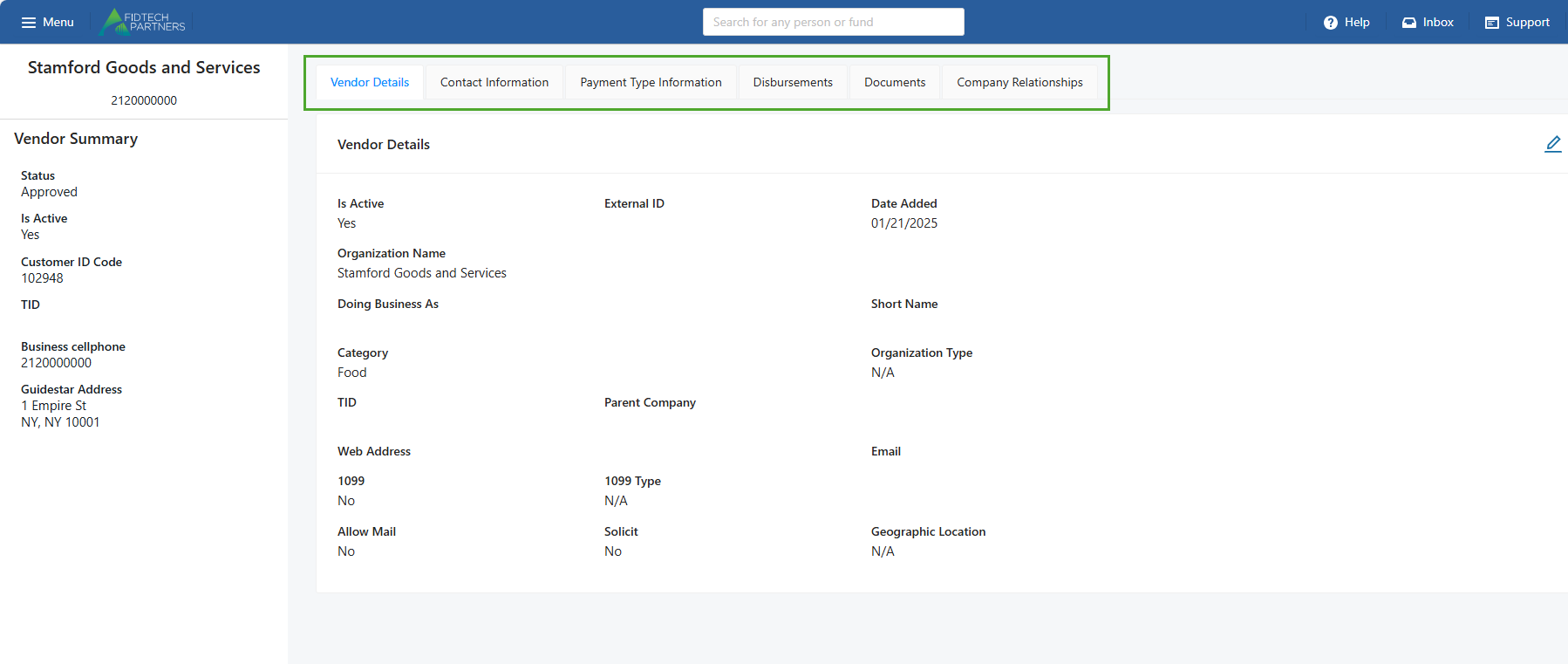
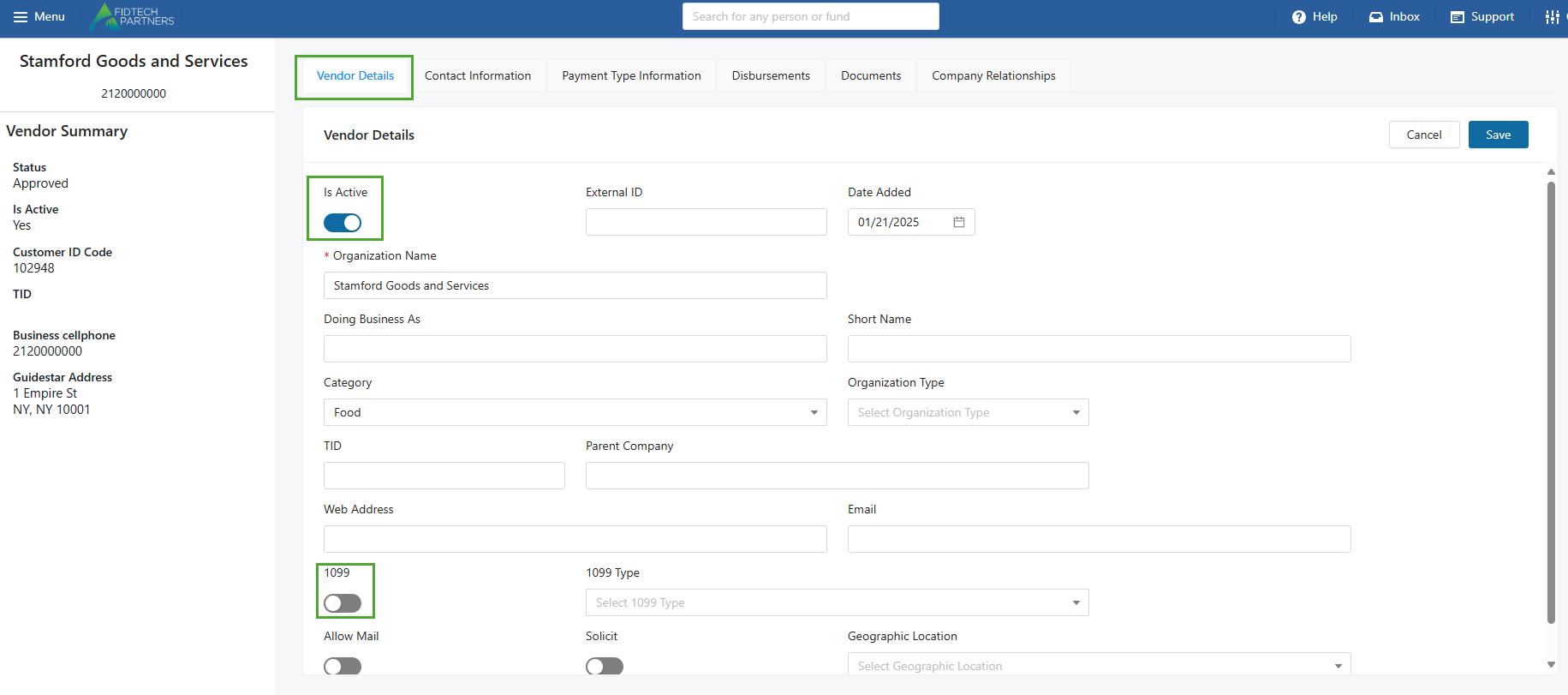
Vendor Details: Add/Edit their basic personal or business information. Clicking the Edit button here also gives you access to important details or functionalities such as:
Is Active: Switch the Vendor’s status as active or inactive in the FoundationHub.
1099: Indicate if the Interested Party is a 1099 recipient.
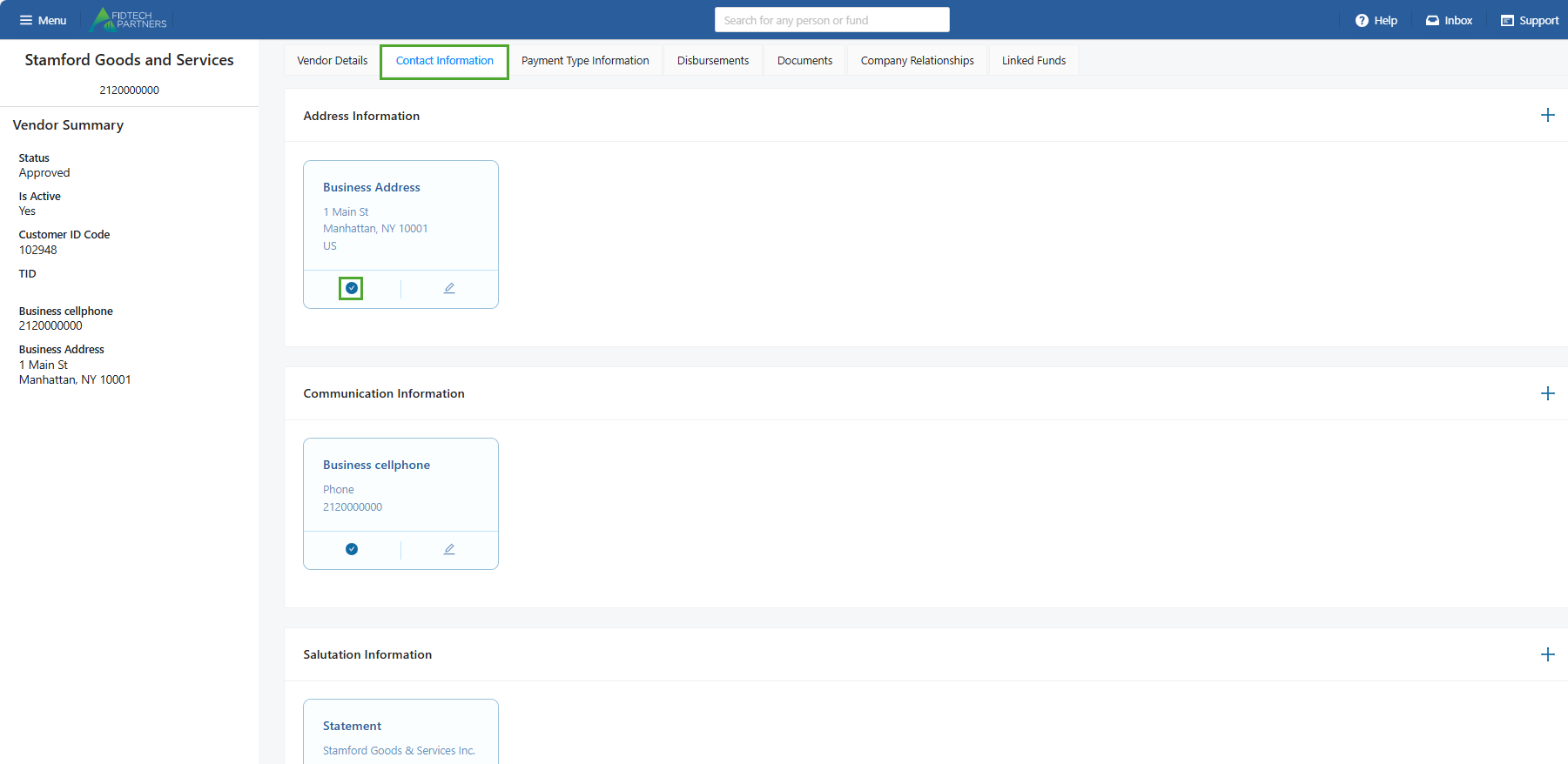
Contact Information: Add/Edit their Address, Communication and Salutation details. A Contact can have more than one Phone or Address of the same type. A Primary contact information is marked with a blue tick. It can be edited but not deleted unless a replacement is added.
Payment Type Information: Select/Edit their default payment type. Adding an ACH or Wire payment type allows you to link a Bank Account to the contact and add up to 5 associated Email addresses. For more information click on this article.

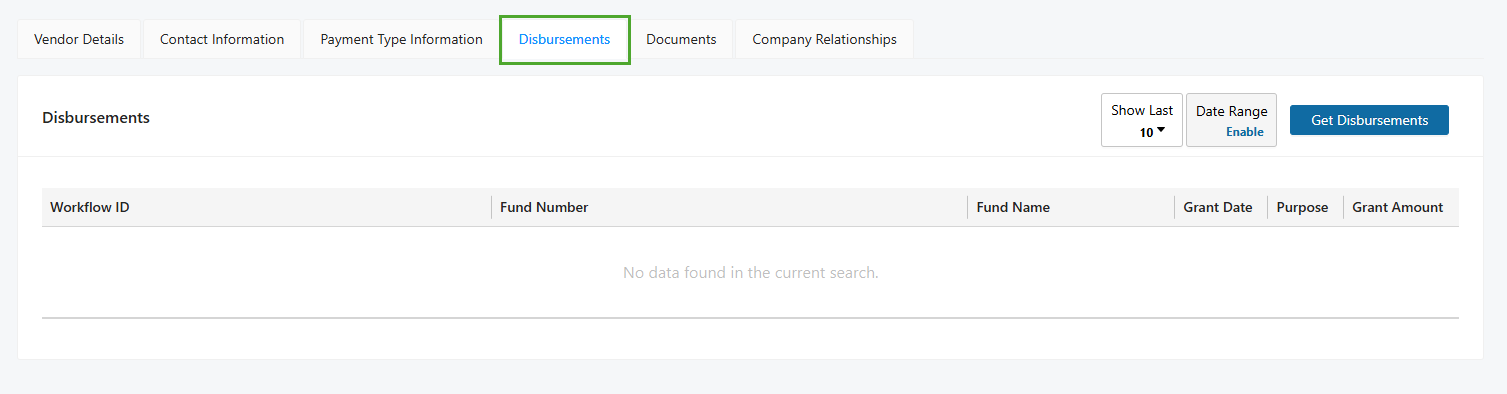
Disbursements: View all the posted disbursements within a specific date range.
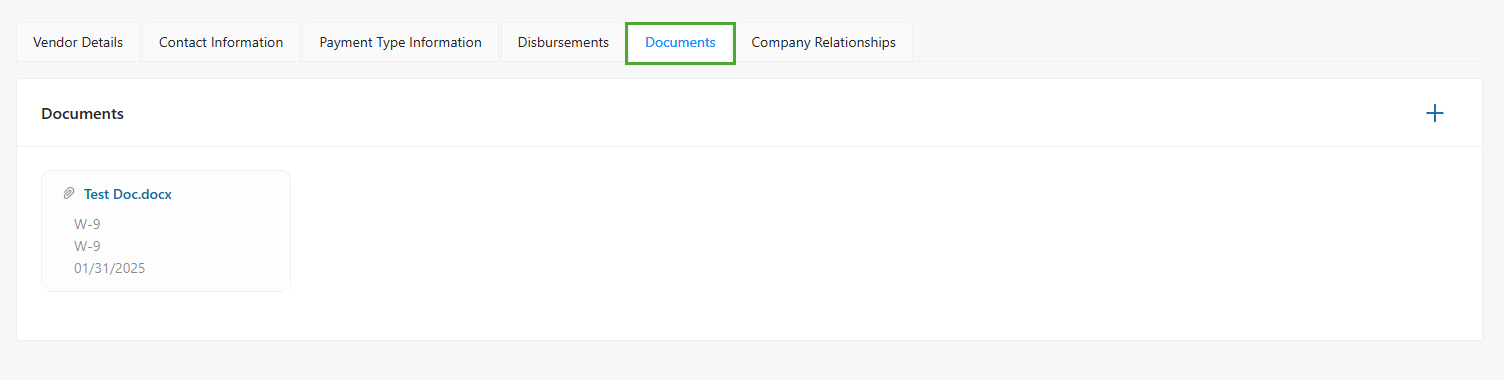
Documents: Add/Edit any associated documents. The accepted document types are DOC, DOCX, XLSX, TXT, PDF and CSV.
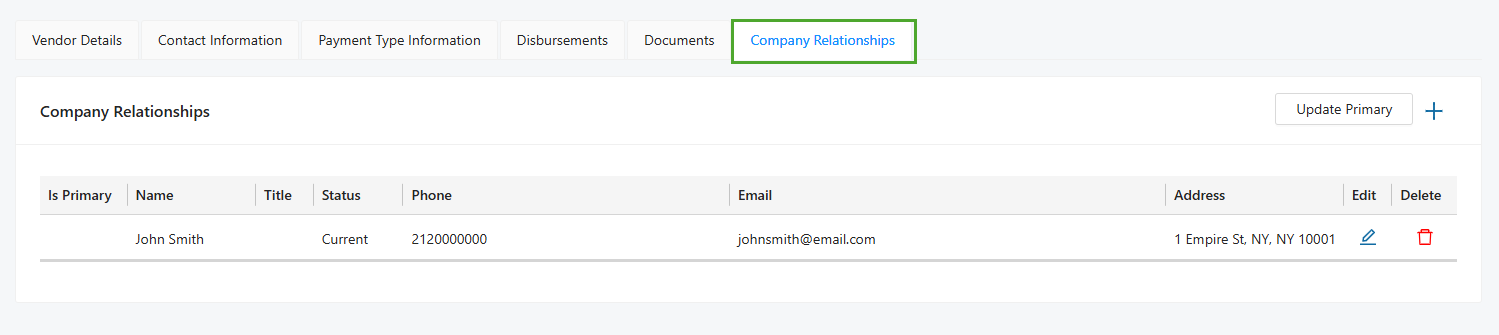
Company Relationships: Add/Edit any relationships with other contacts in FoundationHub. To learn more about how this section previously existed in the Old vs. the current New Contact Profiles, click on this article.
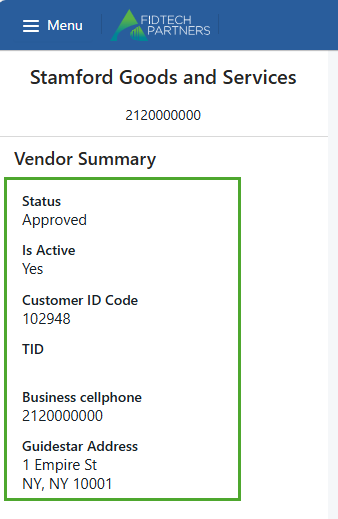
In addition to these sections, there is also a Summary pane that is located on the left of the profile and contains some information related to that profile. Information shown on this pane such as the ‘Status’, ‘Is Active’, ‘Customer ID Code’ information are not editable whereas other information such as ‘Physical Street Address’, etc. are editable using the respective sections where they exist.
You can also add, modify, or remove sections and fields in your institution’s Vendor Profiles. Click here to learn more.
Was this article helpful?