

5c. How to Share a Giving Button as a Donor
- 18 Apr 2024
- 1 Minute to read
- Print
- DarkLight
5c. How to Share a Giving Button as a Donor
- Updated on 18 Apr 2024
- 1 Minute to read
- Print
- DarkLight
Article summary
Did you find this summary helpful?
Thank you for your feedback!
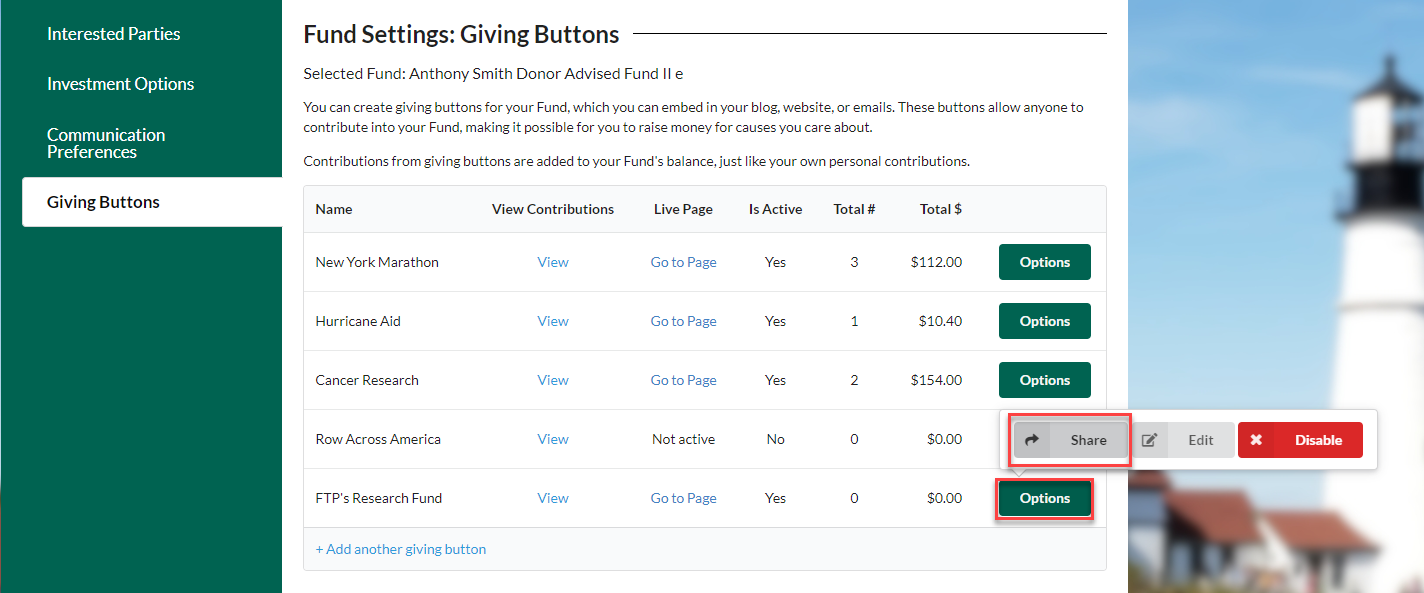
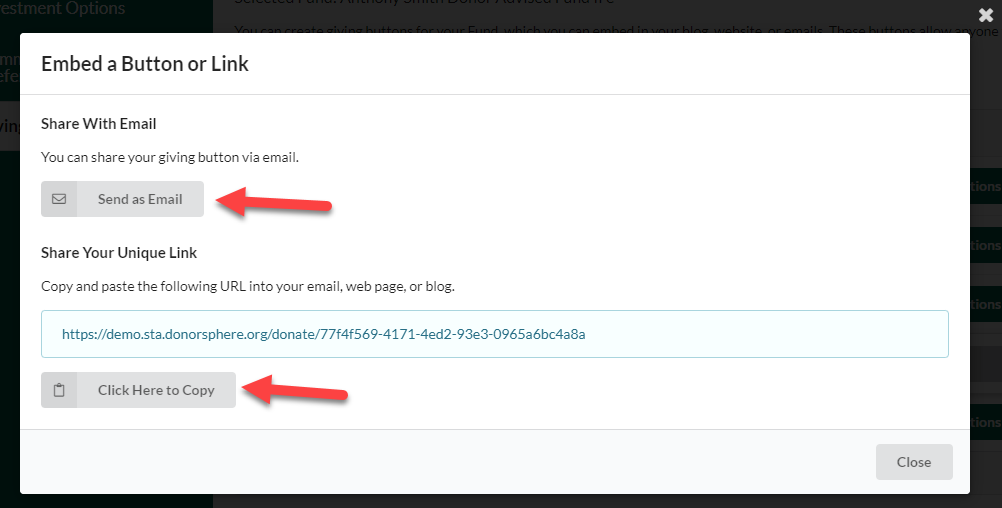
Click “Options” for the Giving Button that is to be shared. This will open an options sub-menu that allows the Donor to Share, Edit, or Disable a Giving Button. Clicking on “Share” will open two options to choose from:
- Send a link via email
- Copy a link which can be shared via social media, text message, or added to a website
Was this article helpful?