

5b. How to Edit an existing Giving Button as a Donor
- 18 Apr 2024
- 1 Minute to read
- Print
- DarkLight
5b. How to Edit an existing Giving Button as a Donor
- Updated on 18 Apr 2024
- 1 Minute to read
- Print
- DarkLight
Article summary
Did you find this summary helpful?
Thank you for your feedback!
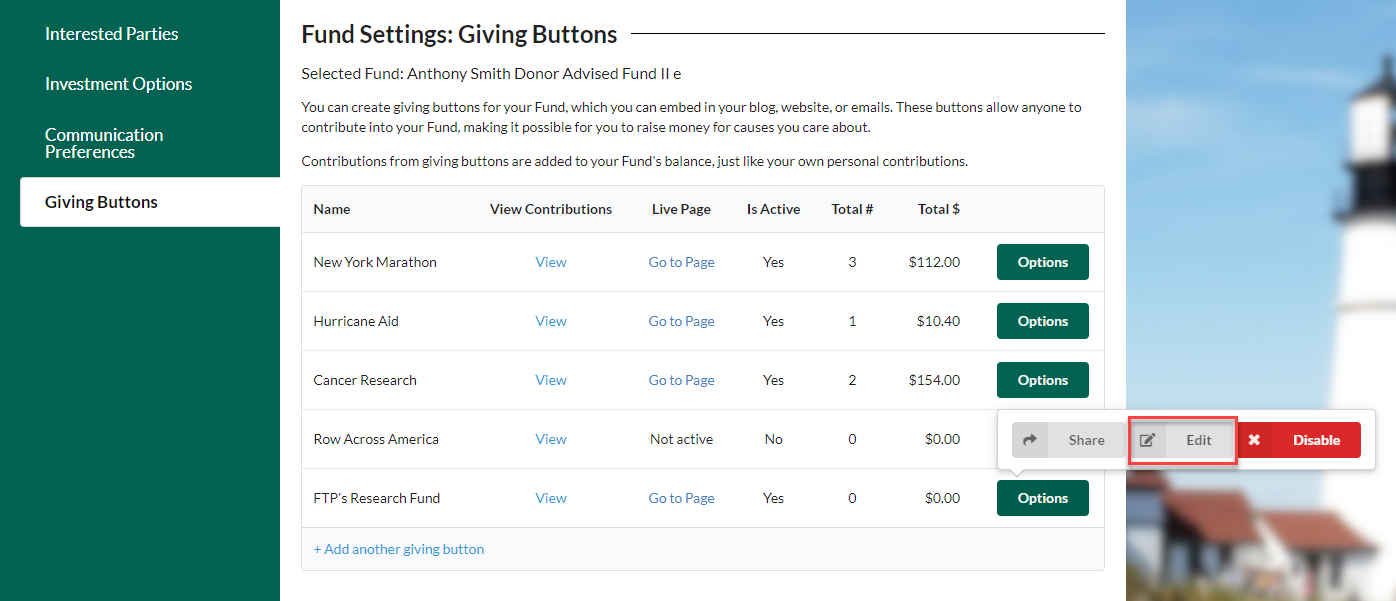
To Edit a Giving Button the Donor must first log in to DonorSphere and navigate to Giving Buttons (Manage Fund > Giving Buttons). Select “Options” to find the “Edit” option for the Giving Button.
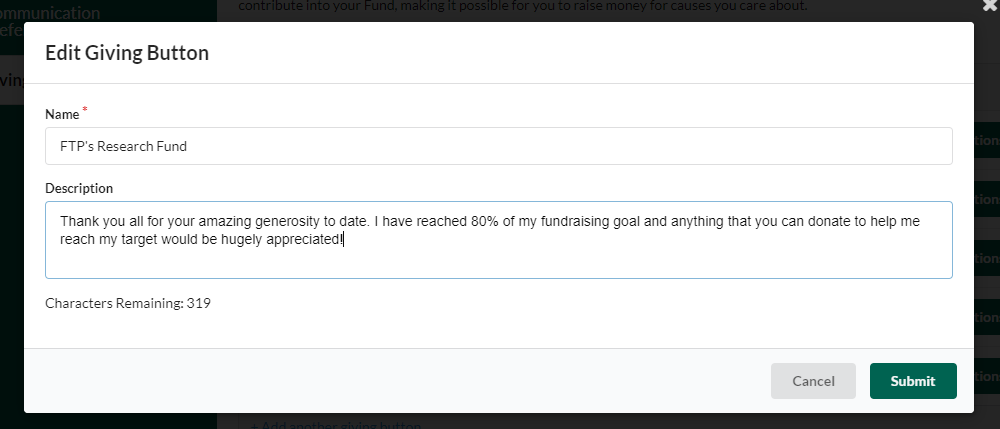
Once “Edit” is selected, a window will open allowing the Name and Description of the Giving Button to be edited. Potential updates to the description can include letting potential contributors know that the specific campaign is close to reaching its fundraising goal.
Was this article helpful?