

Profile Communication Preferences
- 18 Jul 2023
- 1 Minute to read
- Print
- DarkLight
Profile Communication Preferences
- Updated on 18 Jul 2023
- 1 Minute to read
- Print
- DarkLight
Article summary
Did you find this summary helpful?
Thank you for your feedback!
Profile Communication Preferences
While “Fund Settings: Communication Preferences” deals with grant notifications and fund statements (click “Fund Paperless Statements” for more information), “Profile: Communication Preferences” provides Donors with two different toggles: “Paperless Tax Receipts/Confirmations” and “Paperless Grant Letter Copies.”
The former toggles how Donors receive their tax receipts and receipt confirmations and the latter toggles how Donors receive their acknowledgements of suggested grants. Both refer to receiving the respective information electronically or physically through the mail.
The preference “Profile Communication Preferences” affects whether Donors can see Communication Preferences under “User Profile.” The two options are “Show” and “Hide.”
.png "image(88).png")
Show:
When “Show” is selected, Communication Preferences will allow Donors to access the Paperless Tax Receipts/Confirmation and Paperless Grant Letter Copies toggles, giving them the option to receive this information electronically or through the mail.
.png "image(89).png")
Hide:
When “Hide” is selected, Communication Preferences (and subsequently the two toggles) will be removed from the Donor’s left side menu. This will default to Donors receiving this information electronically – something that may be appealing to any Foundation committed to being as green as possible.
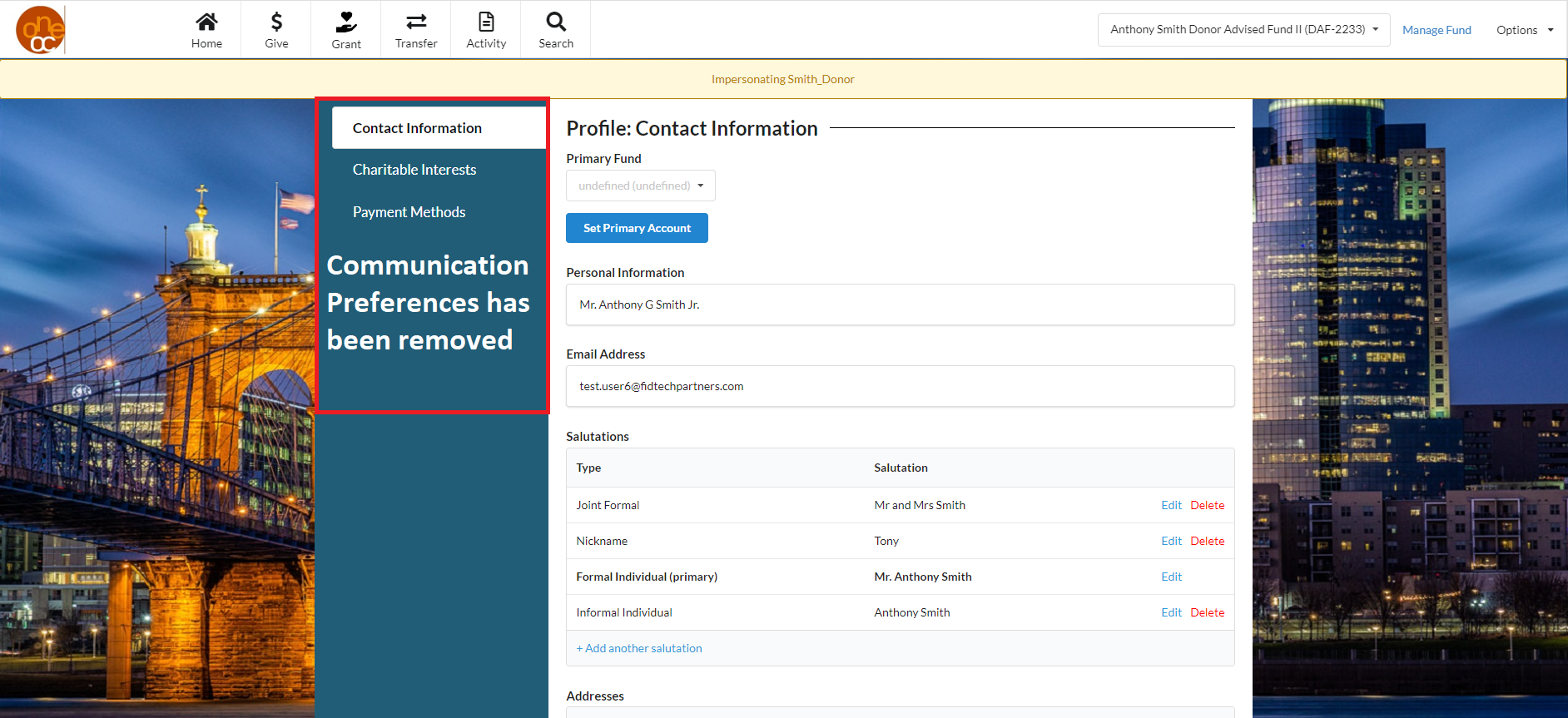
NOTE: In the event that both the Paperless Tax Receipts/Confirmations and the Paperless Grant Letter Copies toggles are turned off individually in Gift Settings and Grant Settings respectively, the Communication Preferences section will not show in the left side menu, no matter what the Profile Communication Preferences preference is set to. This may be of interest to any Foundation who wishes to have the most control over communication with their Donors.
Was this article helpful?