

Edit Email Templates
- 19 Jul 2024
- 1 Minute to read
- Print
- DarkLight
Edit Email Templates
- Updated on 19 Jul 2024
- 1 Minute to read
- Print
- DarkLight
Article summary
Did you find this summary helpful?
Thank you for your feedback!
Edit Email Templates
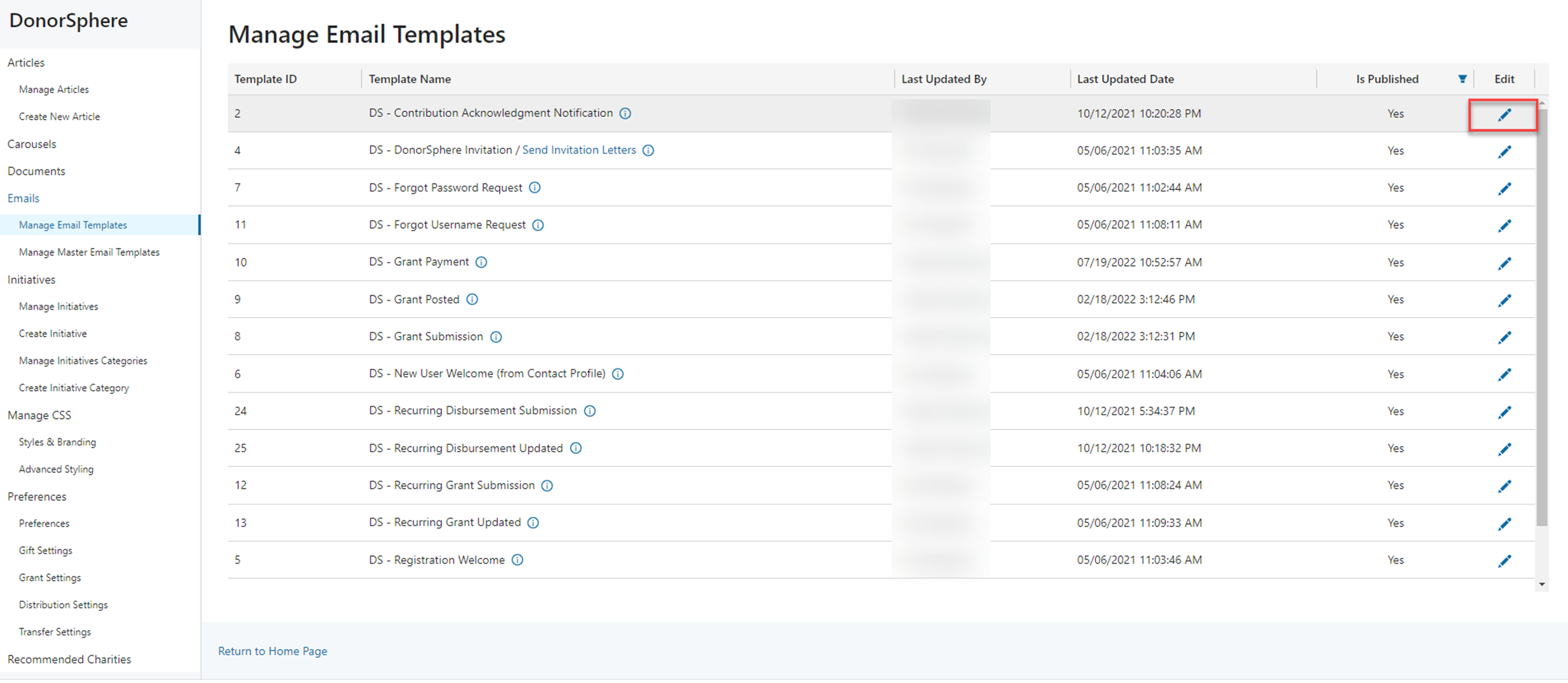
1. To Edit a template, select the pen icon next to the name of the template you wish to change.
2. Under the “Edit Email Template” page, you are able to view and edit email templates. Please note that the email templates are configured to trigger the template’s functionality, so you may edit the information in the template, but the template’s purpose (subject line) must stay the same.
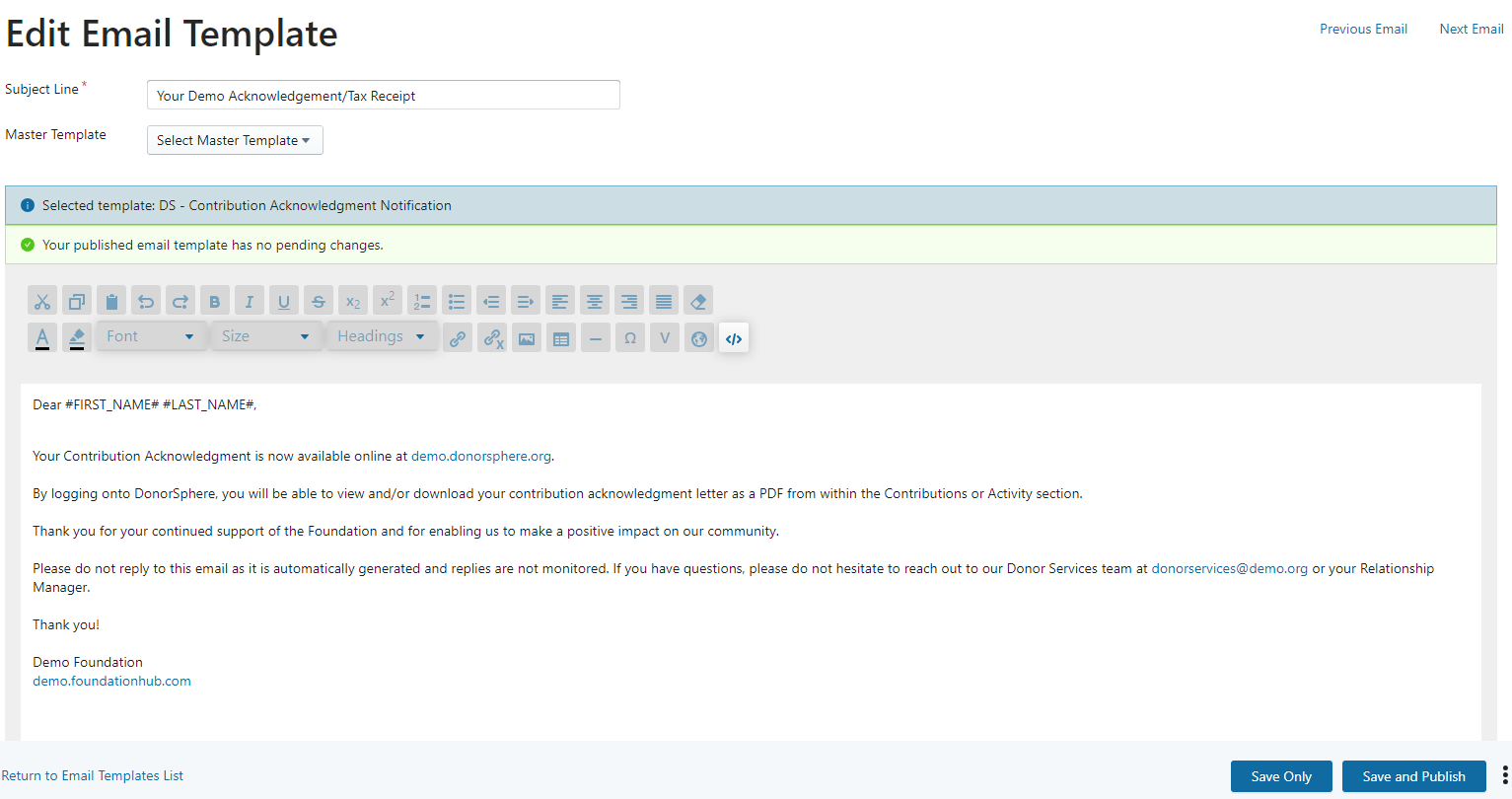
3. Variables - When editing content, please use the “Insert System Variables” icon to insert coded variables. You may also free type the variable, but it must be exact.
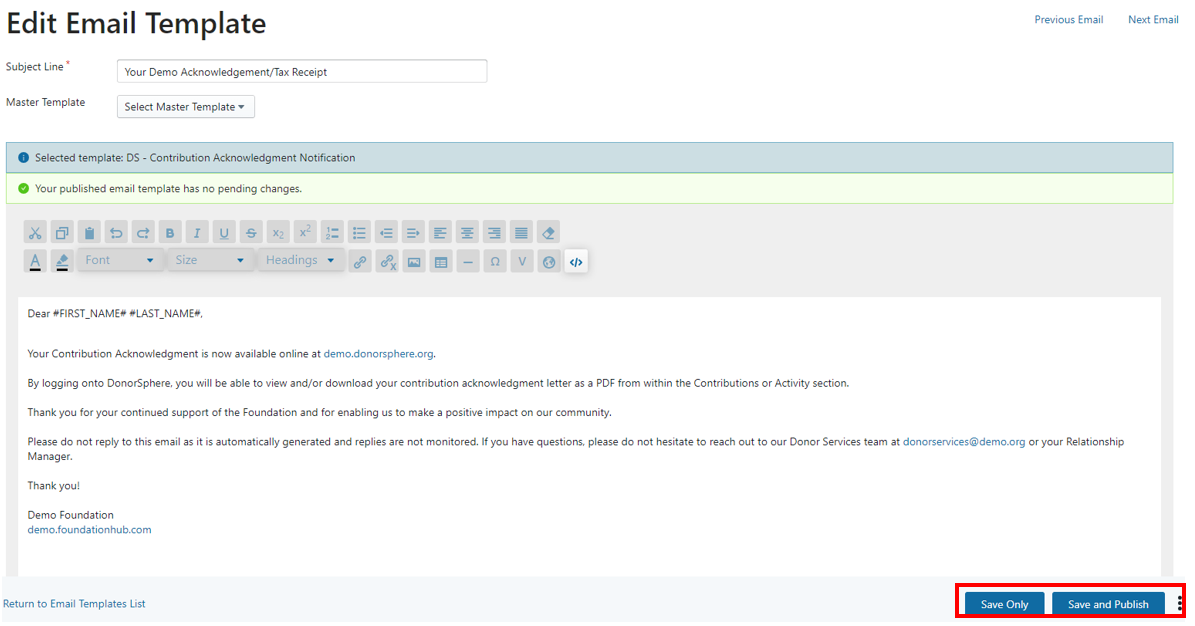
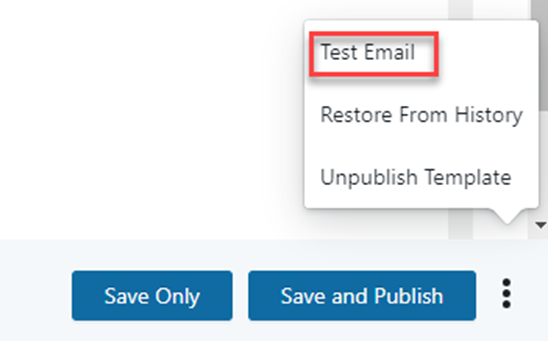
4. When you are satisfied with the revised template, click “Save Only” and the 3 dots to send yourself a test email that will be sent to your user email from donorsphere@(client).org. If you are satisfied with the test email, click save and publish.
5. When you have published the email, you can test its appearance by clicking the 3 dots, selecting test email, and entering your email.
Was this article helpful?