

Linking Contacts to Funds
- 11 Jul 2025
- 1 Minute to read
- Print
- DarkLight
Linking Contacts to Funds
- Updated on 11 Jul 2025
- 1 Minute to read
- Print
- DarkLight
Article summary
Did you find this summary helpful?
Thank you for your feedback!
To provide as much flexibility as possible, FoundationHub allows contacts to be linked to Funds in many ways. There is no limit to the number of contacts that can be linked to a Fund (for example, for a Supporting Org, you could link all the Board Members plus staff members etc. and give them different roles). In addition, there is no limit to the number of different Funds that a contact can be linked to or the number of different ways in which they can be linked.
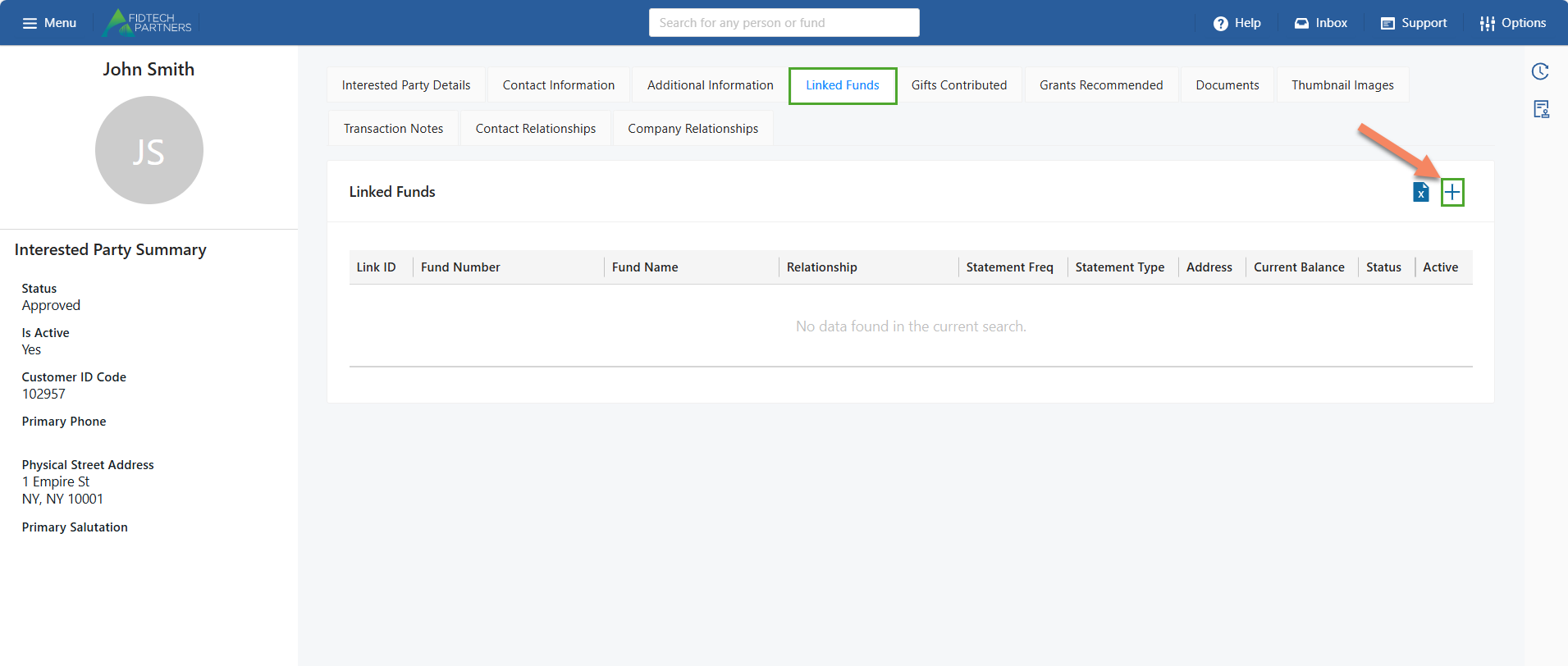
To link a contact to a Fund, first open the contact’s profile and click on the Add button.
Search and select the Fund that you want to link using the Fund field keeping in mind the points below:
If no Salutation has been added for the contact, then it needs to be added first before you are able to link the Fund.
An Email for the contact must also be added before the option for Electronic Statement can be enabled.
Relationship determines how the person is linked to the Fund – are they a donor, advisor, trustee, income beneficiary, etc. These relationships are defined by your institution and if you require different types to be added, speak to your relationship manager about adding those new relationship types.
If this contact should NOT receive a statement, select the “No Statement” option in the Statement Frequency field and “NA” option in the Statement Type field.
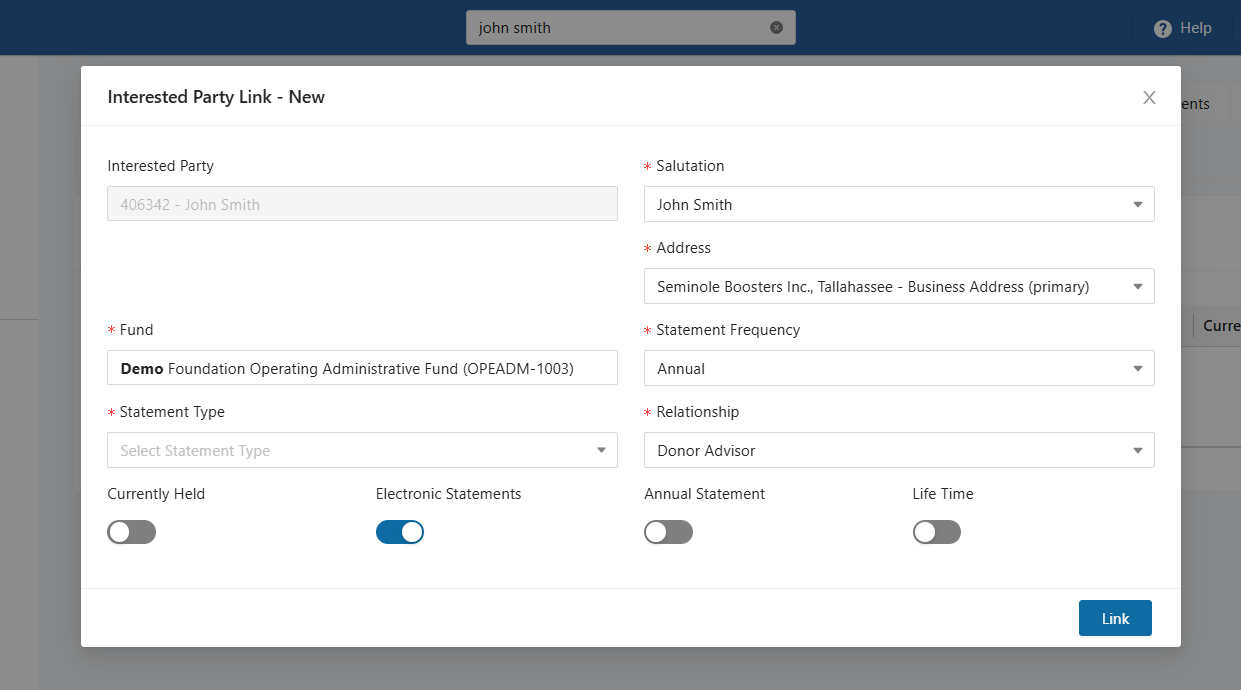
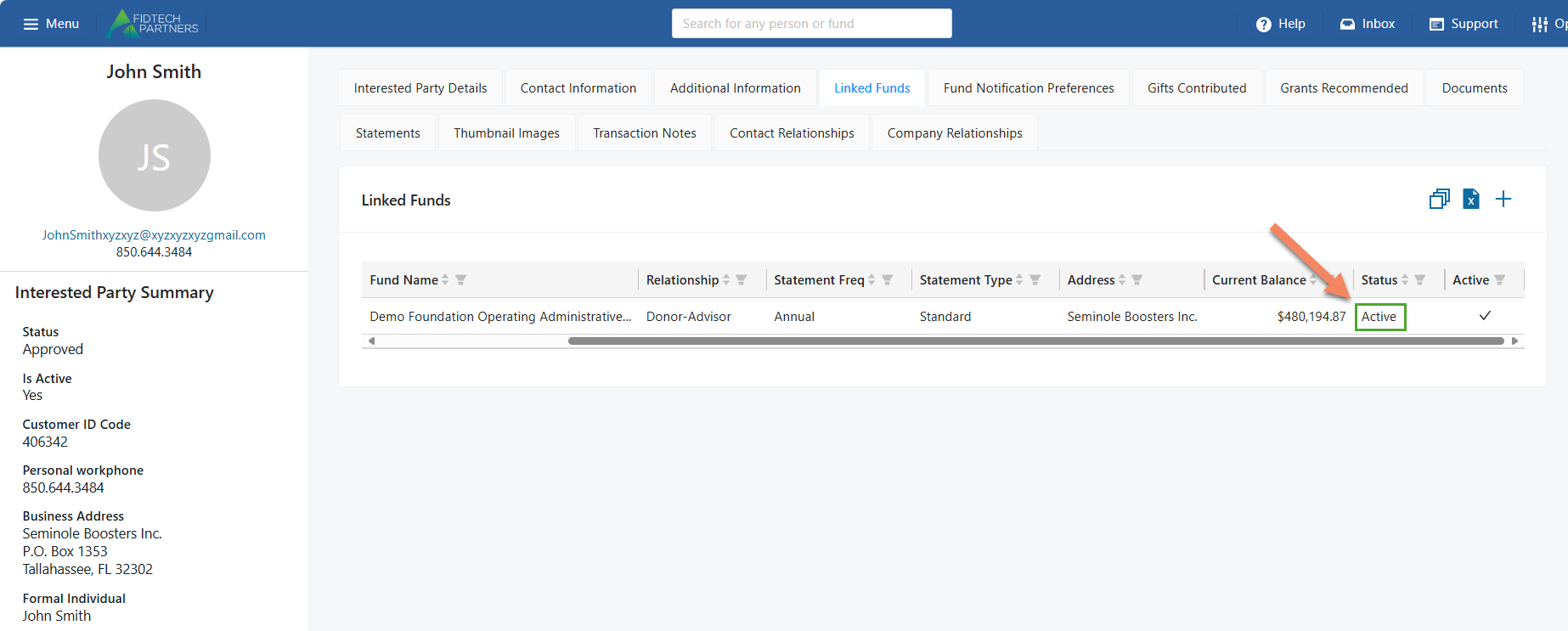
Click on the “Link” button to finalize the process and forward this change for an approval. The Status of the Fund Link entry must be ‘Active’ for the contact to be successfully linked to the Fund.
Note: The approval process may vary based on your institution.
Was this article helpful?