

Accessing Administration Page
- 28 Mar 2024
- 1 Minute to read
- Print
- DarkLight
Accessing Administration Page
- Updated on 28 Mar 2024
- 1 Minute to read
- Print
- DarkLight
Article summary
Did you find this summary helpful?
Thank you for your feedback!
Accessing Administration Page
To access the administrative manager page for DonorSphere, you must be logged into FoundationHub and have permissions to edit DonorSphere. If you do not have these permissions, you or your administrator should reach out to a team member at FidTech.
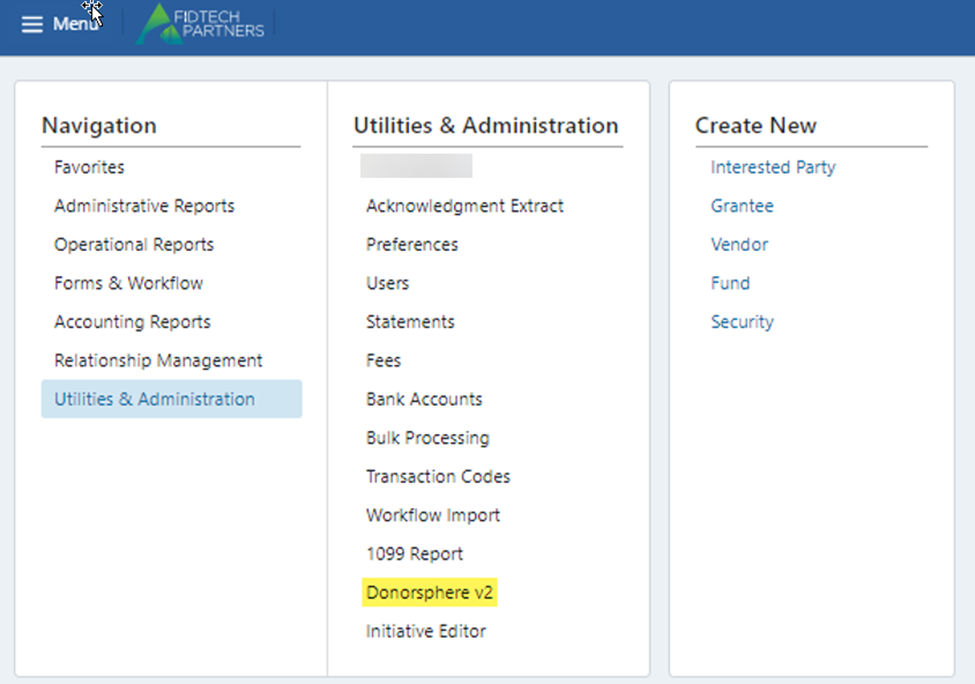
Once you have accessed the DonorSphere page, depending upon the level of permissions that you have been assigned, you will have a list of different options that can be edited. A description
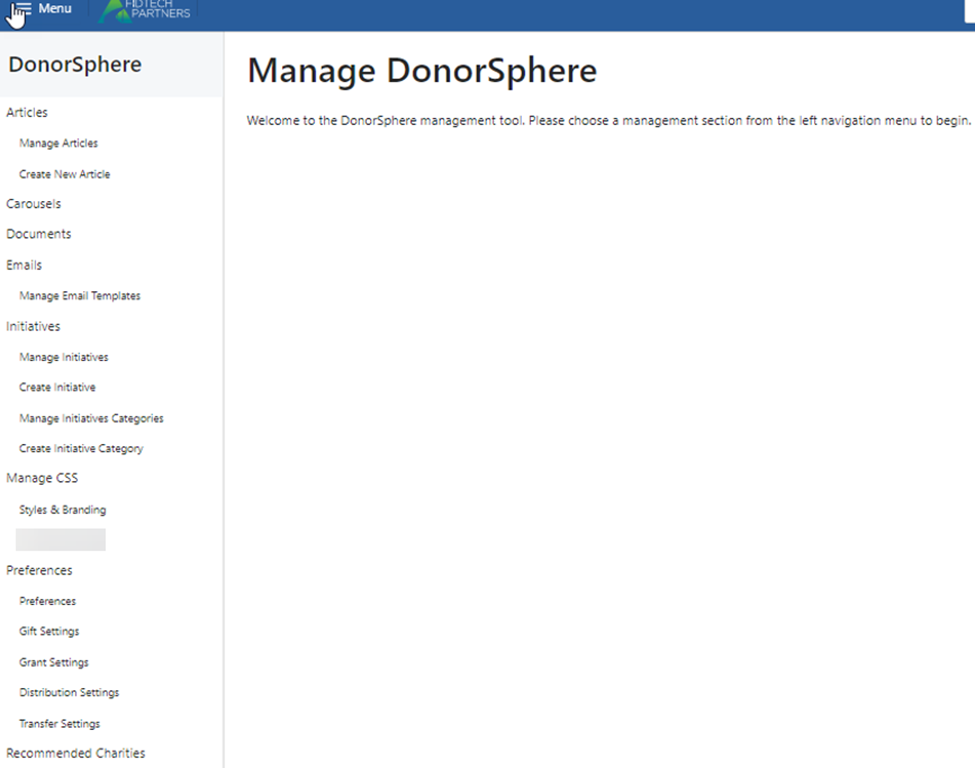
of the functionality of each option is provided within this guide, but please note that you may not have permissions to access all functions. If you feel that you should have access to a function within this guide that does not appear on your menu, please contact your System Administrator or your FidTech Support Representative.
The image below shows all the possible options available from the DonorSphere administration menu.
Was this article helpful?