

5a. How a Donor can Create a New Giving Button
- 18 Apr 2024
- 1 Minute to read
- Print
- DarkLight
5a. How a Donor can Create a New Giving Button
- Updated on 18 Apr 2024
- 1 Minute to read
- Print
- DarkLight
Article summary
Did you find this summary helpful?
Thank you for your feedback!
A DonorSphere fundholder can create and manage their Giving Buttons from within DonorSphere.
- The Donor logs in to his or her DonorSphere account.
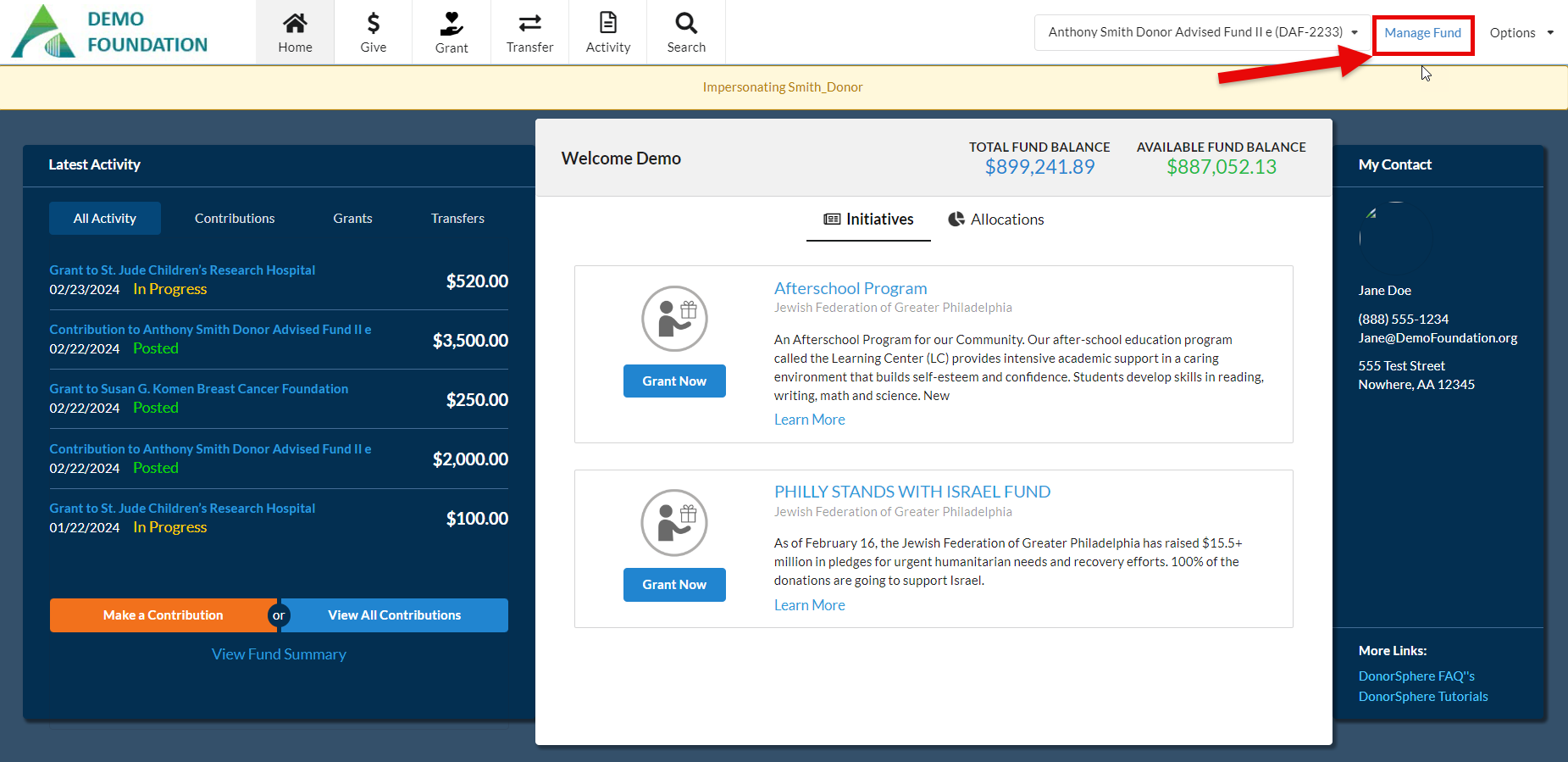
- The Donor then clicks “Manage Fund” in the top right corner of the page.
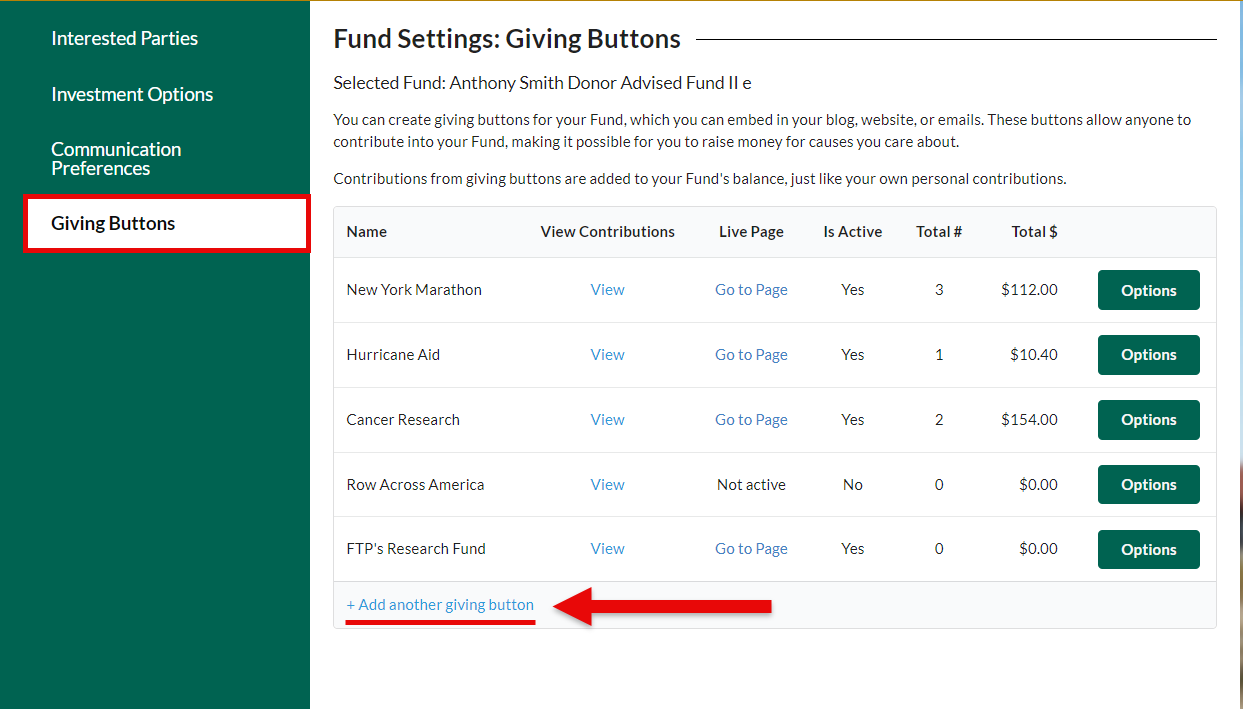
- The Donor selects the “Giving Buttons” tab in Fund Settings. Here the Donor can “Add another giving button” (this applies even if this is the first Giving Button the Donor is making) or edit an existing Giving Button.
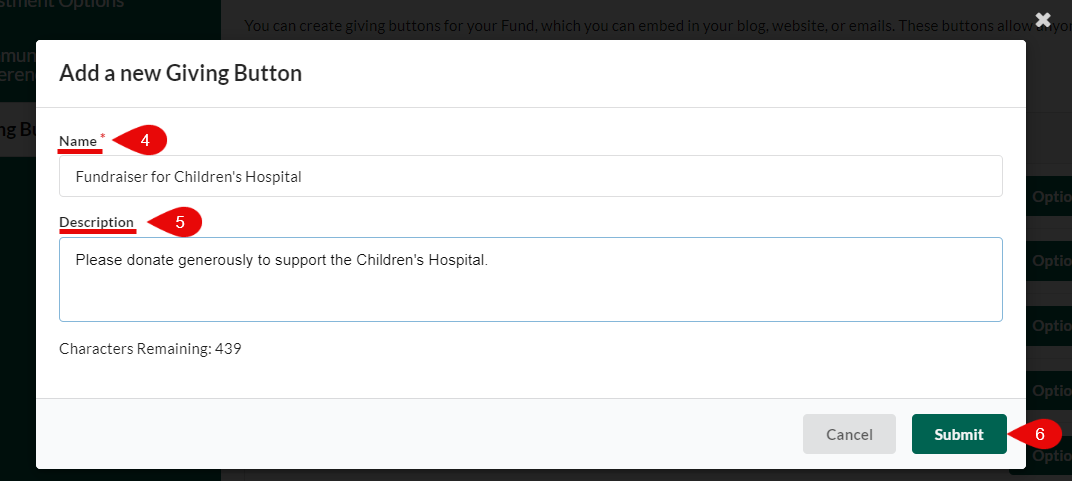
- The Donor is required to complete the Name field. This will appear as the Name of the Giving Button once it becomes active and is included on the webpage and in any emails that are sent out by the Donor.
- Provide an (optional, but highly recommended) description for the Giving Button. This can be used to describe the cause or thank Givers for their support in advance of them selecting a monetary amount to donate.
- Hit “submit’.
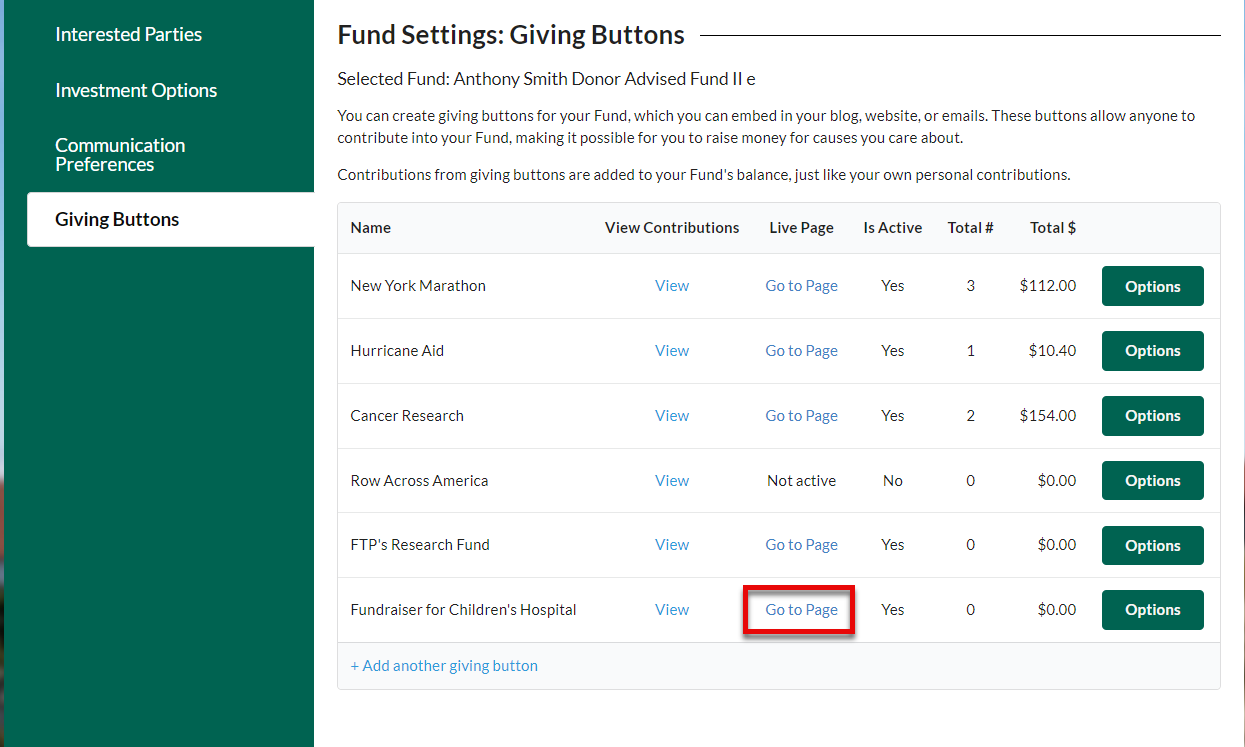
Clicking “Go to Page” on the Giving Button will bring the Donor to the live page (see below).
Was this article helpful?