

2c. How to Embed a Giving Button
- 18 Apr 2024
- 1 Minute to read
- Print
- DarkLight
2c. How to Embed a Giving Button
- Updated on 18 Apr 2024
- 1 Minute to read
- Print
- DarkLight
Article summary
Did you find this summary helpful?
Thank you for your feedback!
To embed a Giving Button, navigate to the “Manage Giving Buttons” via Menu > Utilities & Administration > DonorSphere and then select “Giving Buttons” on the left-hand side of the screen. This will open a list of all the existing Giving Buttons.
Select the Giving Button by clicking anywhere on the row of the Giving Button and a form will appear on the right side of the screen displaying the current settings for the Giving Button.
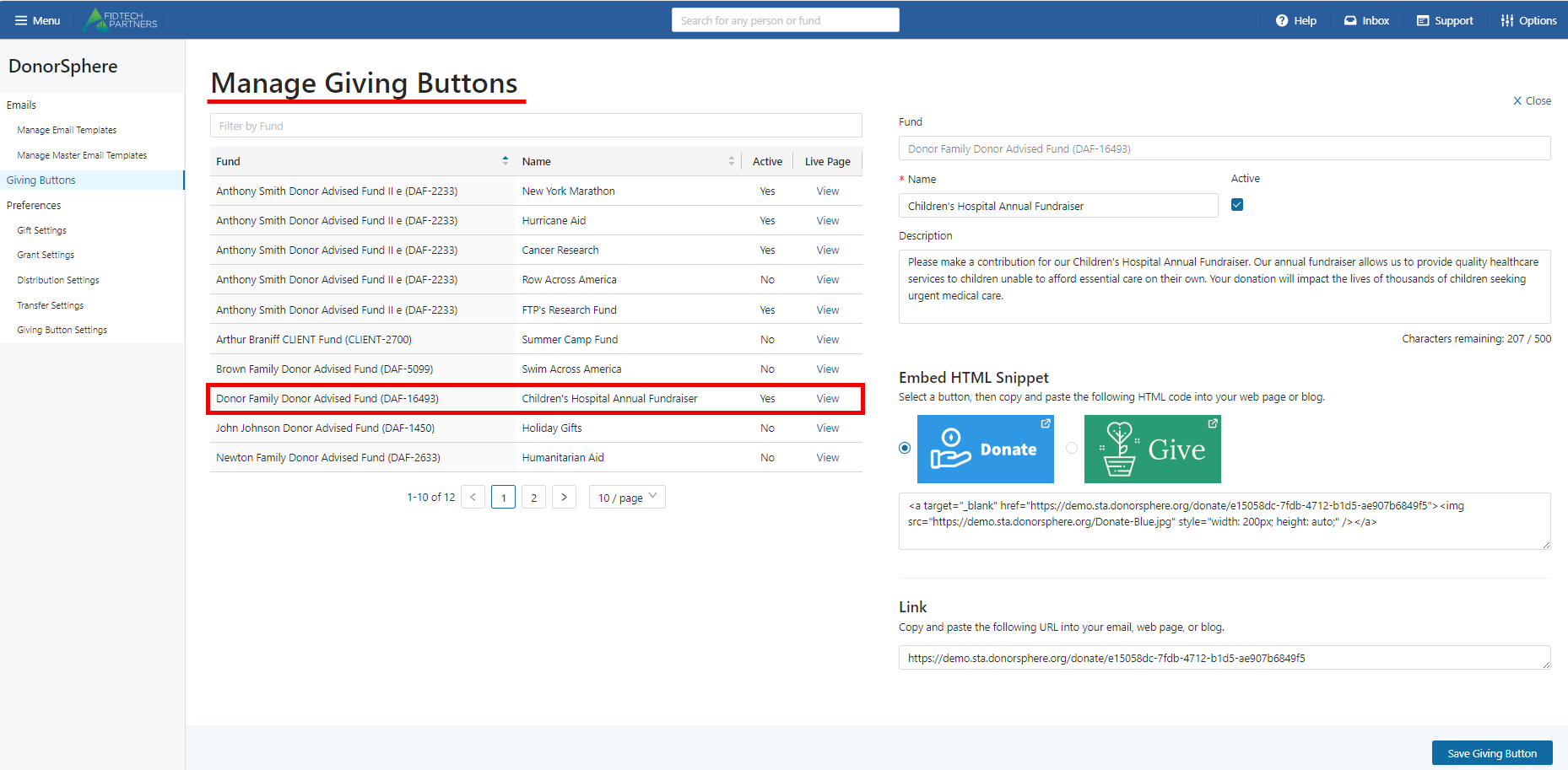
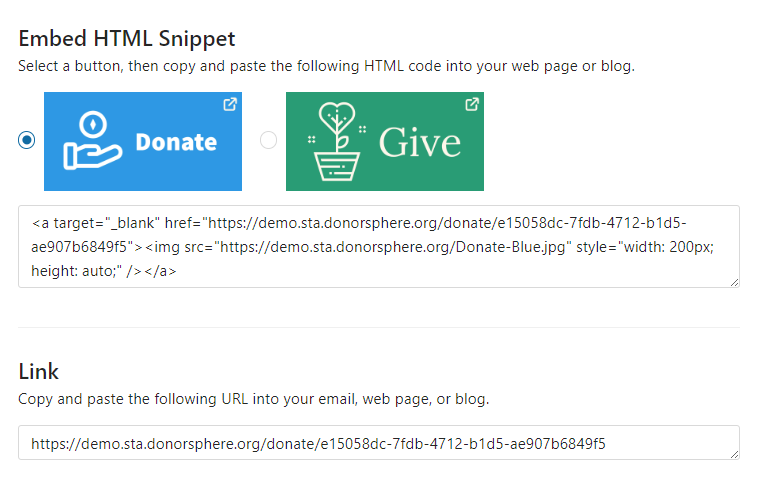
Embed refers to the digital buttons with the URL and HTML code embedded within them. This functionality provides the ability to copy and paste the buttons onto an email, webpage, and/or social media. A potential donor will then be able to click on the button and be brought directly to the donation page.
Was this article helpful?