

2b.How to Edit a Giving Button
- 18 Apr 2024
- 1 Minute to read
- Print
- DarkLight
2b.How to Edit a Giving Button
- Updated on 18 Apr 2024
- 1 Minute to read
- Print
- DarkLight
Article summary
Did you find this summary helpful?
Thank you for your feedback!
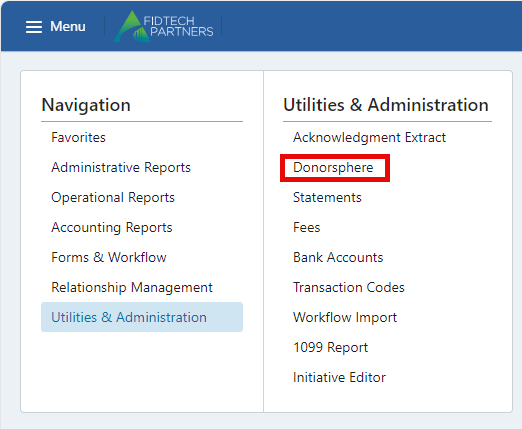
To edit a Giving Button, first navigate to the “Manage Giving Buttons” screen via Menu > Utilities and Administration > DonorSphere.
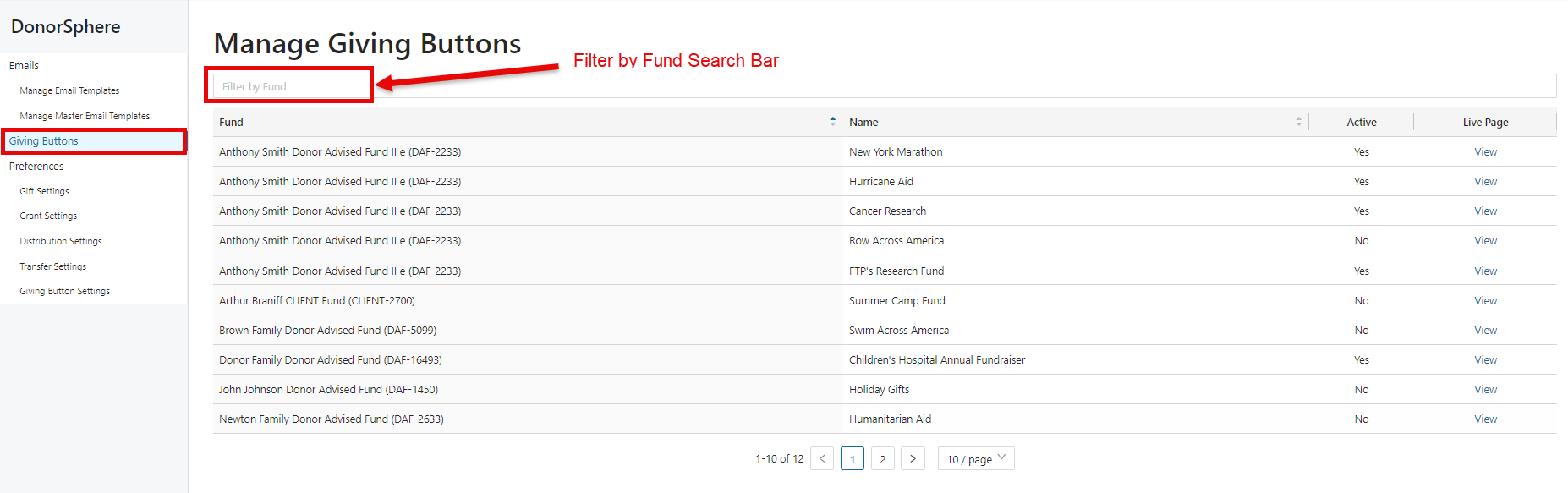
From there, select “Giving Buttons” on the left-hand menu options. This will open a list of all the existing Giving Buttons. Please note that the search bar can be used to filter Giving Buttons by Fund.
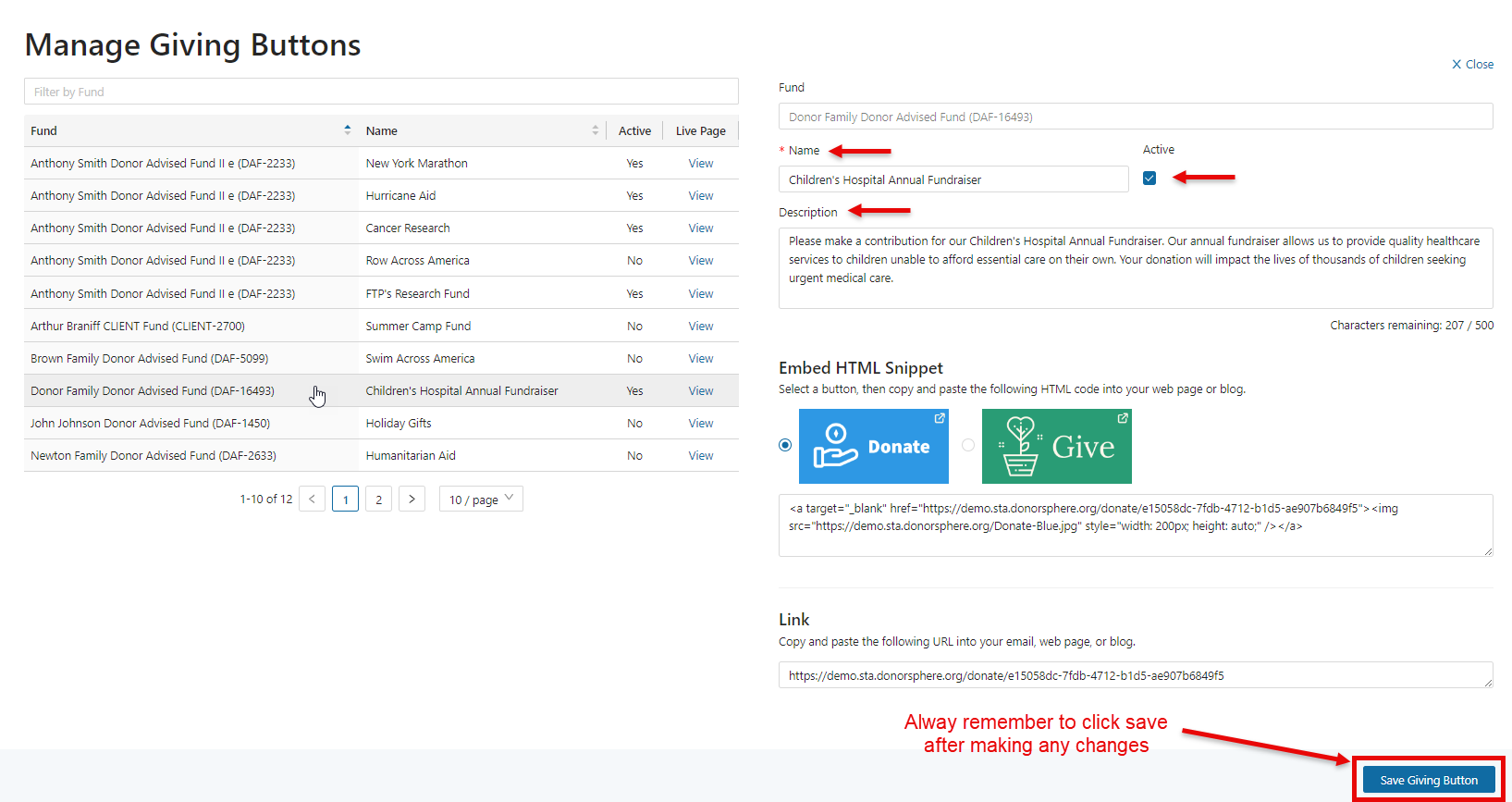
Select the Giving Button to edit its contents. You can edit the Name, the Active status, the Description, and the HTML Snippet button. When satisfied with your changes, click “Save Giving Button.” The Fund for the giving button is locked and cannot be changed. If you wish to change the Fund, then set the giving button to inactive and create a new Giving Button for the Fund.
Was this article helpful?