

Tables
- 10 Jul 2023
- 1 Minute to read
- Print
- DarkLight
Tables
- Updated on 10 Jul 2023
- 1 Minute to read
- Print
- DarkLight
Article summary
Did you find this summary helpful?
Thank you for your feedback!
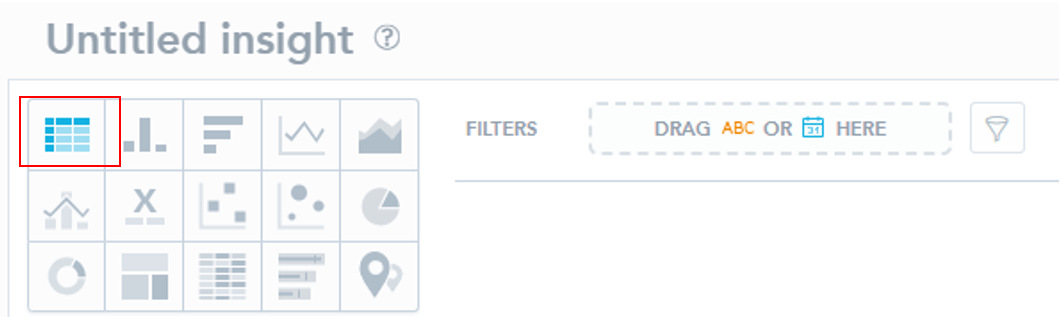
1. To create a table, follow the instructions in Creating Insights. Then, navigate to the top left corner of the screen and select the Table icon:
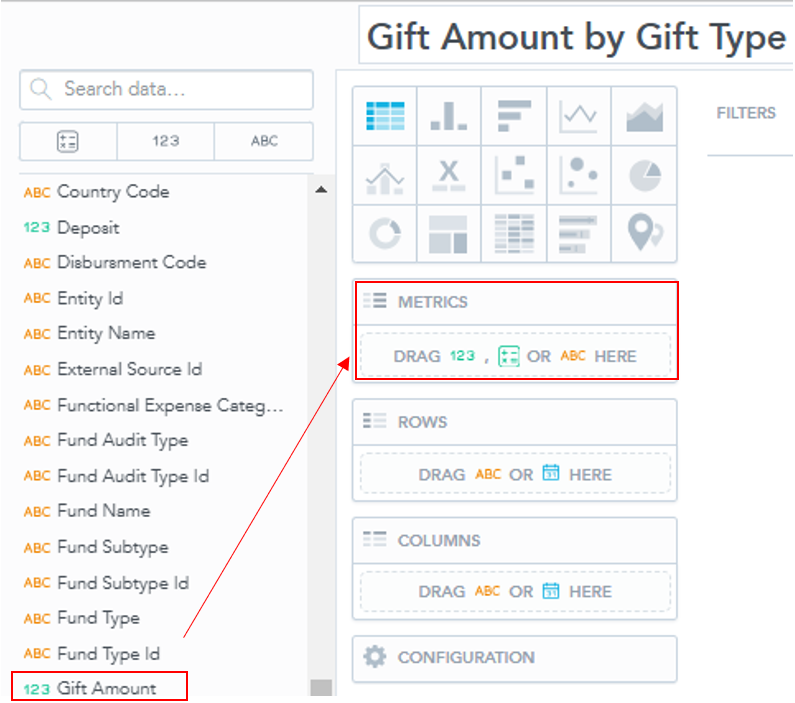
2. Drag a variable from the left into the "Metrics" box.
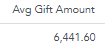
3. This action should display one sum total in the window.
4. Drag and drop variables from the list on the left into the "Rows" and "Columns" boxes to create your table.
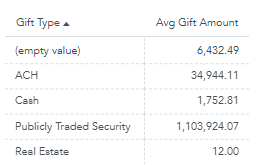
- Ex. To sort the average Gift Amount by Gift Type, drop the "Gift Type" variable into the "Rows" (or "Columns", based on your visual preference) box.
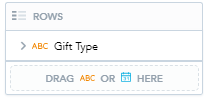
- This will create the following table:
Was this article helpful?