Reversing a Non-Check Disbursement
A disbursement request (made using payment type ACH/Wire or Check if the check has not been printed) can be reversed using a Cash Receipt transaction form.
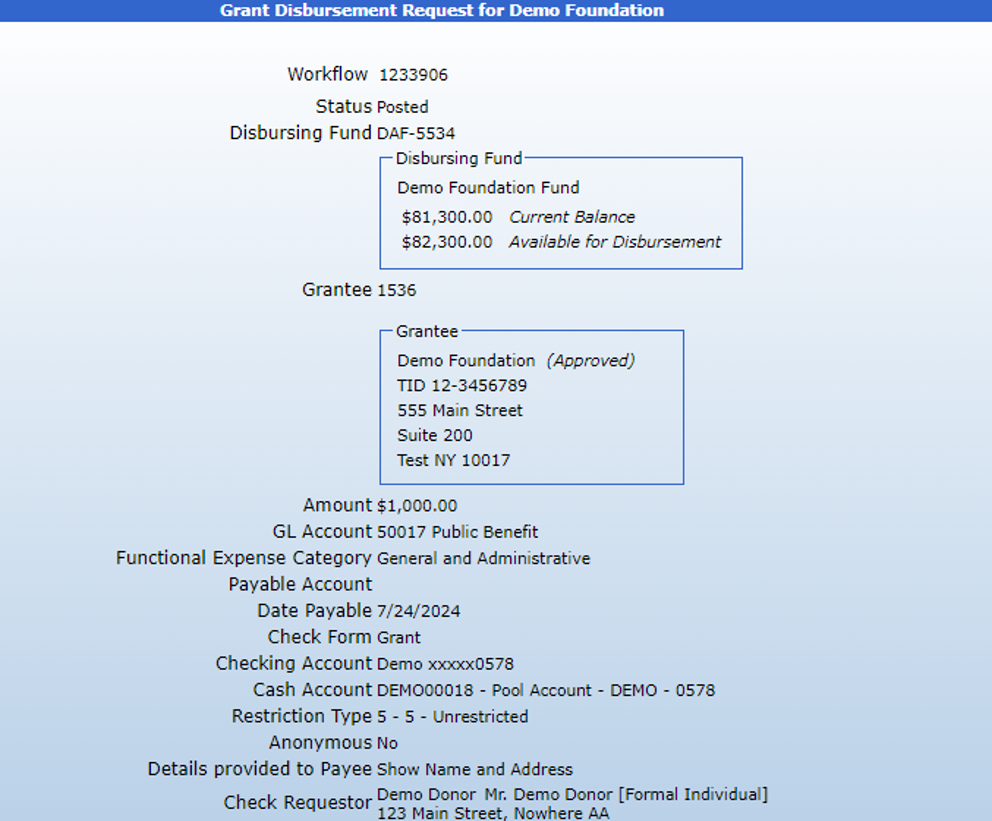
Disbursement request to be reversed:
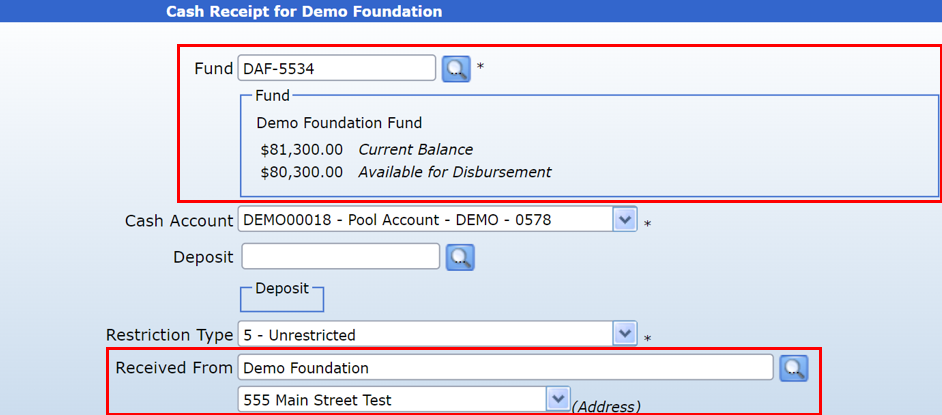
On the Cash Receipt form, enter the Disbursing fund from the grant into the “Fund” field. Then, enter the grant Payee into the “Received From” field or type N/A.
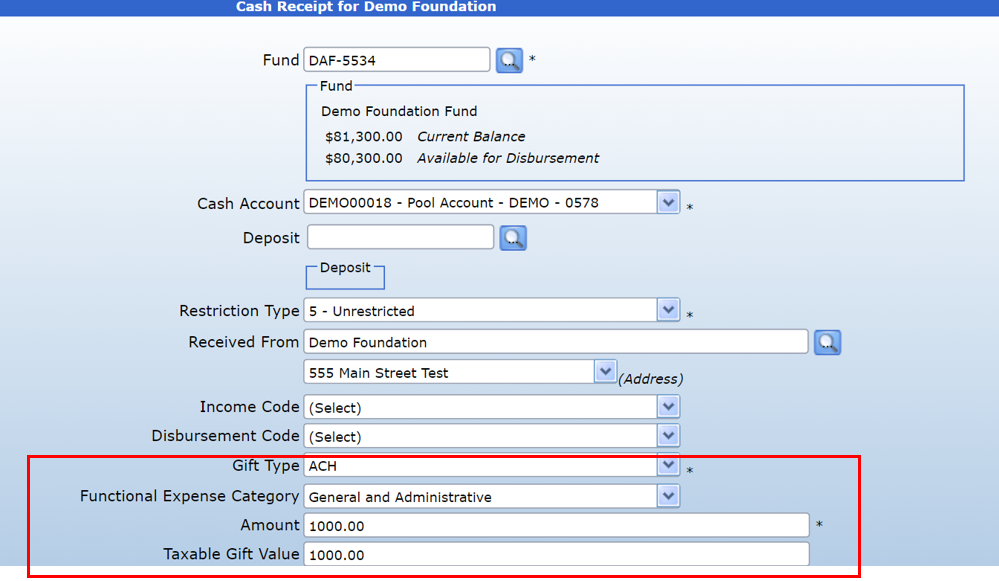
Enter the Gift type, the same Functional Expense Category, and the same Amount as the grant disbursement.
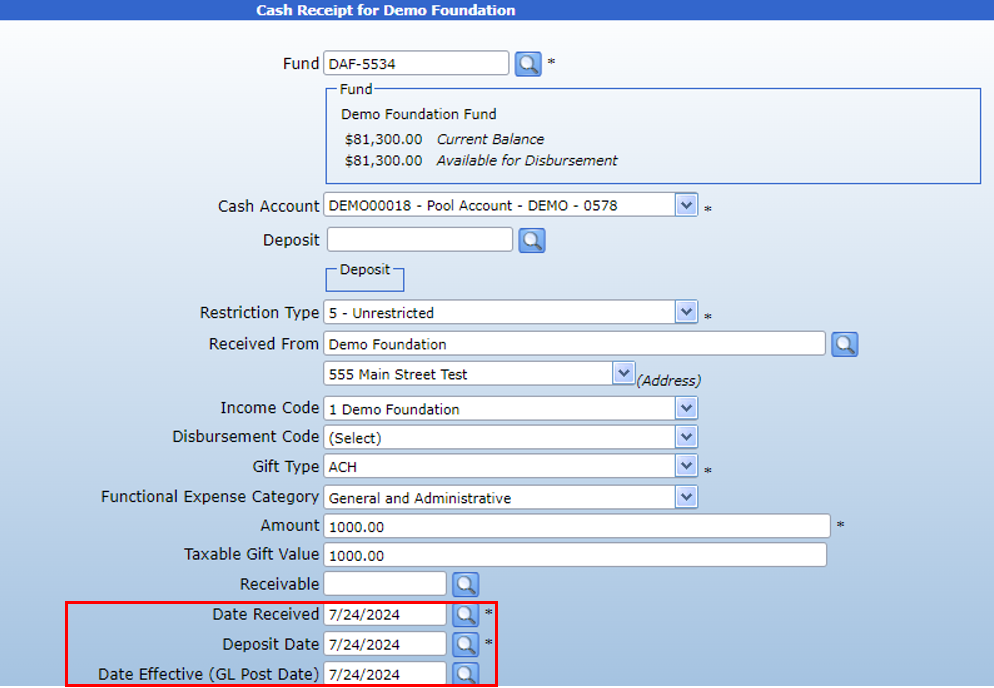
The Date Received and Deposit Date should be the same as the Date Payable on the grant disbursement report.
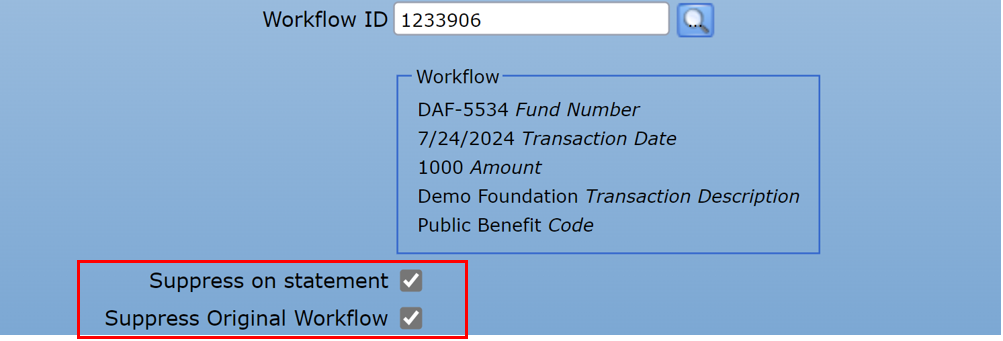
Use the Workflow ID search to attach the grant disbursement transaction. Clicking the search icon will bring you to a list of transactions made by the fund. Click to highlight the desired transaction and click Select to attach it to the form.

To suppress both the original grant disbursement and the cash receipt reversal on the donor’s statement and Fund Summary, select “Suppress on statement” and “Suppress original workflow”.
Enter comments as necessary and Submit. This will forward the transaction for approval. Once it has been fully approved, both transactions should be hidden on statements and the Fund Summary.