Reversing a Check Disbursement (Void Check)
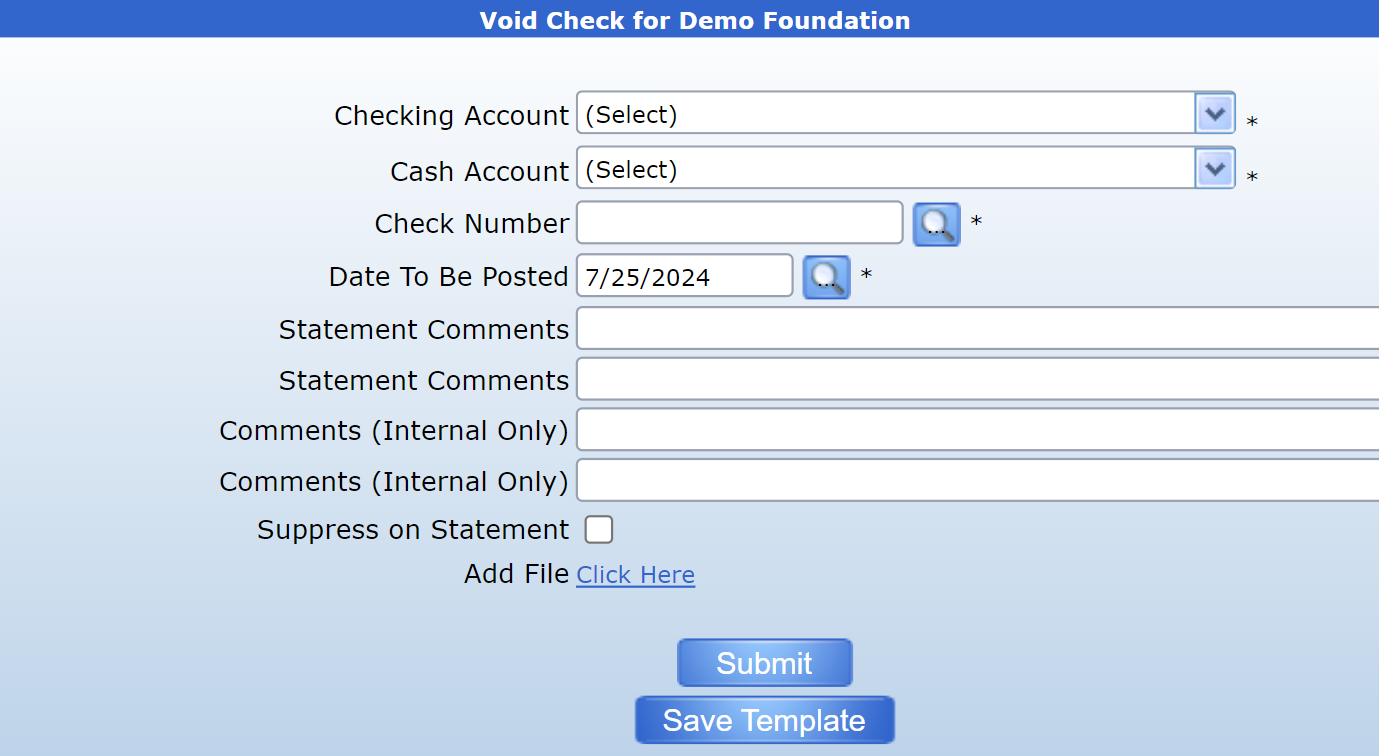
The void check form is used to reverse a grant disbursement once the check has already been printed.
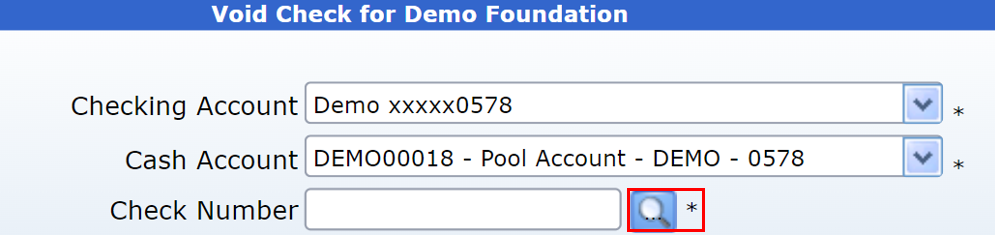
First, use the dropdown menu to select the Checking Account the check originated from. This will autopopulate the Cash Account.
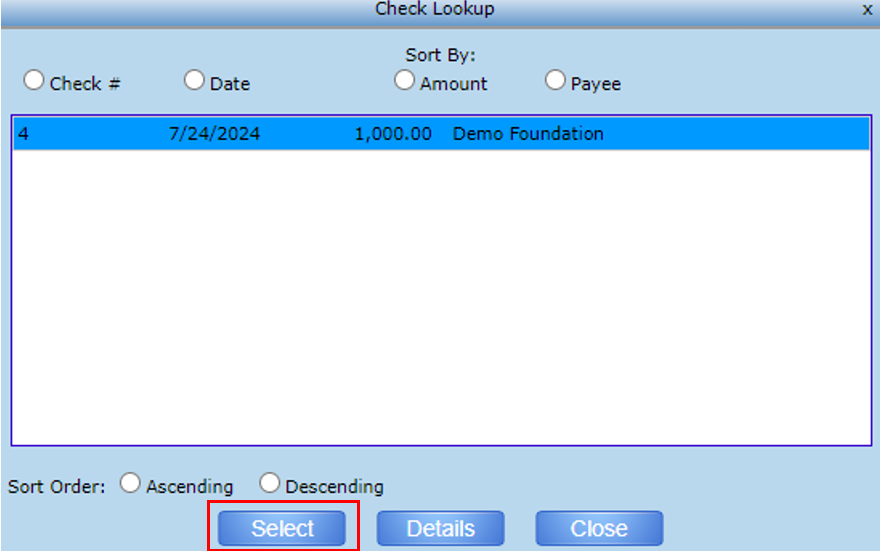
Then, click the search icon next to the Check number field. This will bring up a list of posted checks for the selected checking account.
Find the check to be voided and click “Select”.
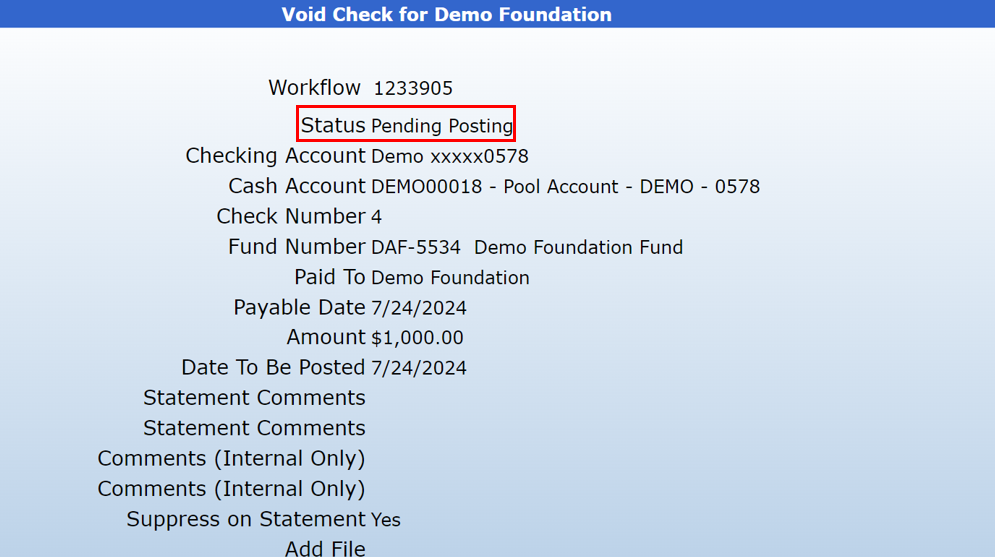
The form will then display the check information, including the fund number, check amount, and date payable.
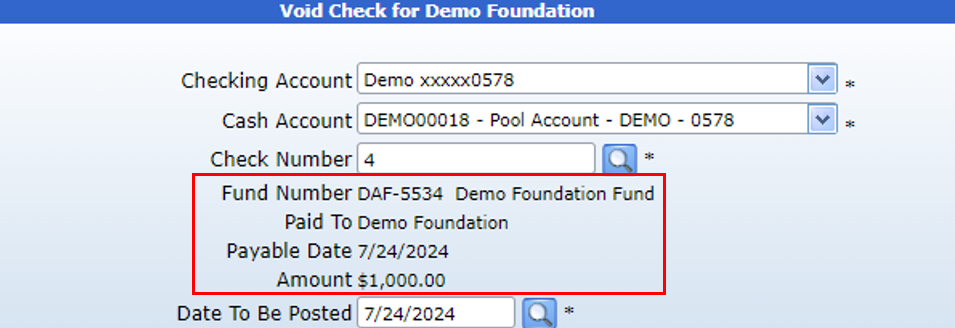
Enter the date to be posted. This field will default to today’s date, but can be changed as necessary.
Clicking “Suppress on Statement” will hide both the posted disbursement and the voided check on the check requestor’s statement.
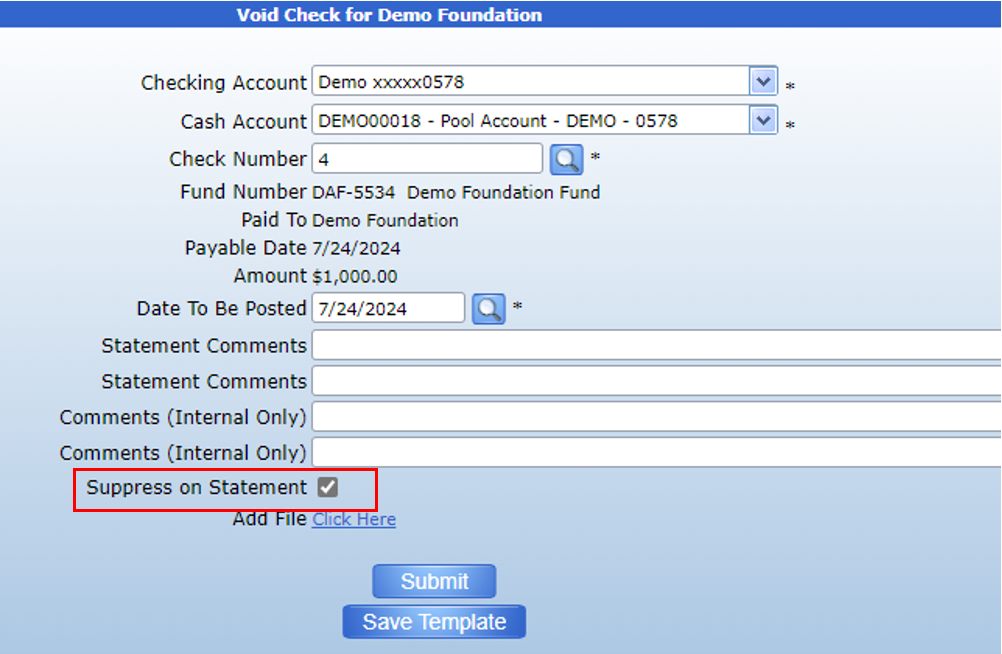
Click submit to forward the transaction for approval. The check will be voided once the transaction has been fully approved. Then, the voided check can be found using the Void Check workflow report.