Processing a Cash Receipt
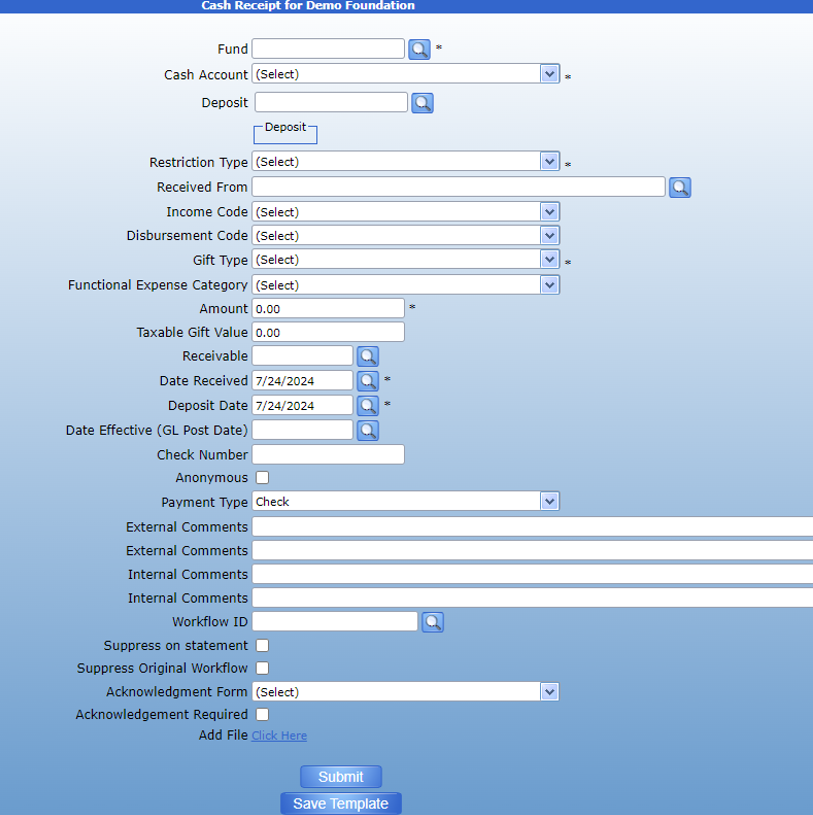
The cash receipt form is used to book donations made to a fund by Check, Wire, or ACH. It is often used in addition to a Deposit form. See Deposit for instructions on how to use the Deposit form.
First use the search icon next to the Fund field to select the fund where the money will be held.
Then, if you are using the cash receipt to allocate a portion of a deposit, click the deposit search to attach the deposit to the transaction.
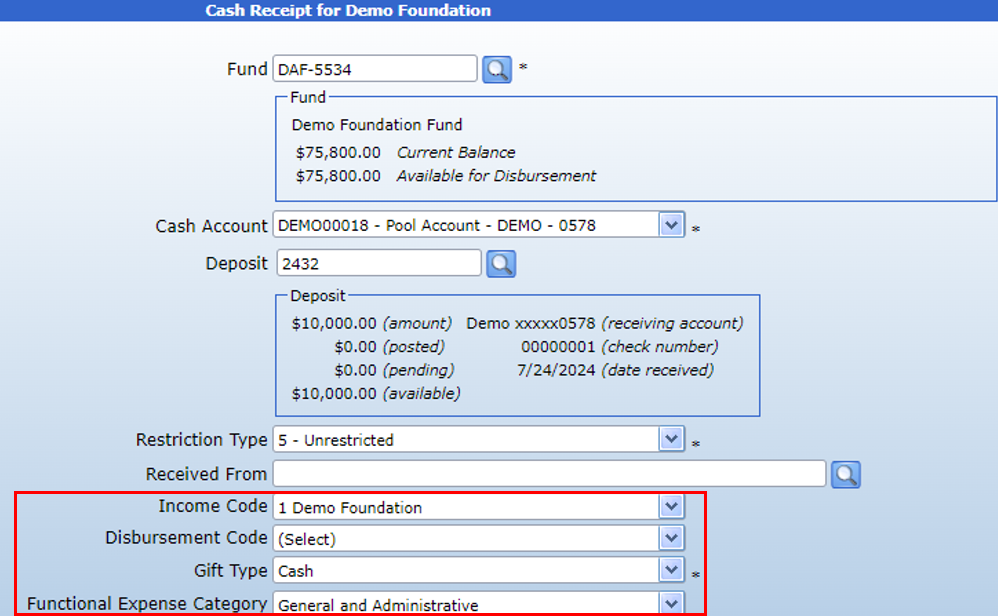
The transaction form will display the deposit number, total balance, and remaining balance.
Then, use the Received From search to attach the Interested Party who made the donation. This is required to create an Acknowledgement letter for the donation.
Enter an Income code and Gift Type.
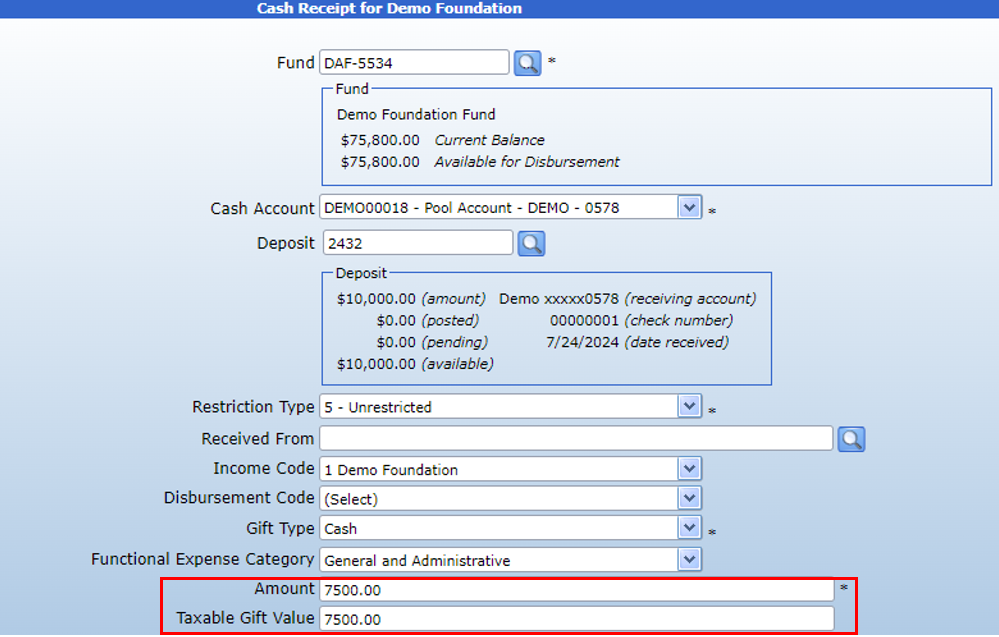
Then, enter the Amount donated. Please note that if you have attached a deposit to the transaction form, the amount entered must be equal to or less than the remaining balance of the deposit.
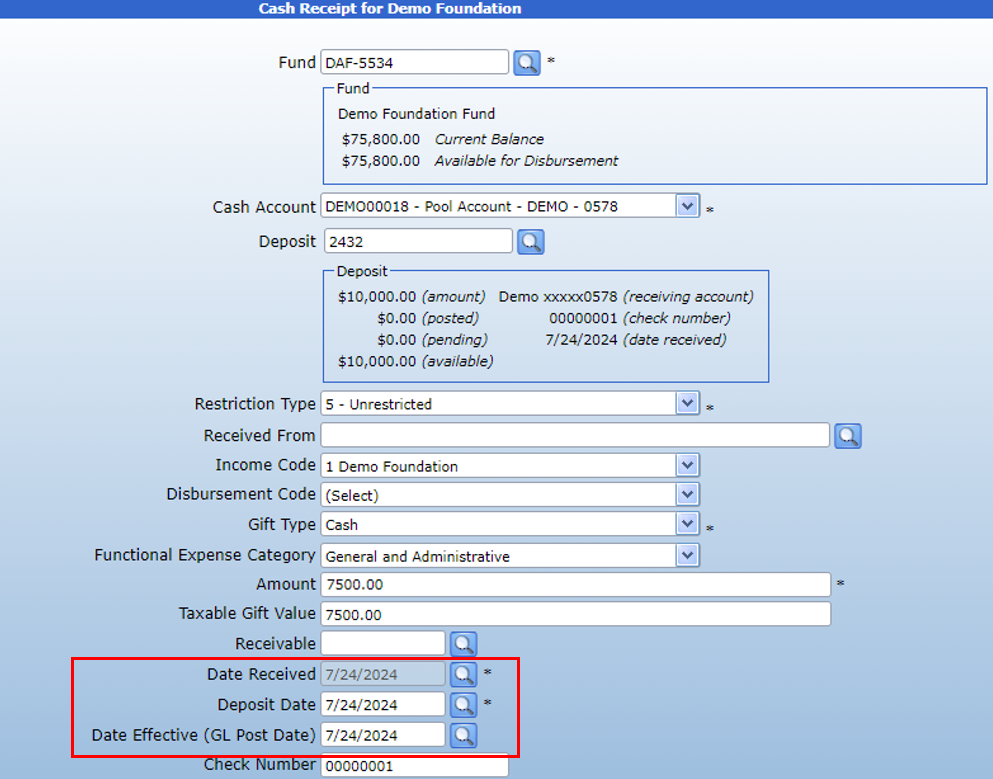
The Date Received and Date Effective will automatically populate with the date of the deposit. The Date Deposited will populate with today’s date but can be changed if necessary. If the date is prior to today’s date, please keep it in mind when searching for pending acknowledgements, as the acknowledgement may be outside of the default date range.
If using a deposit, the payment type and details will be automatically populated. If not, enter the Payment type using the dropdown and enter either the Check number or the Bank details for the donation.
If the donation requires an acknowledgement, enter the desired form and select “Acknowledgement Required.”

Otherwise, enter comments as necessary and submit.
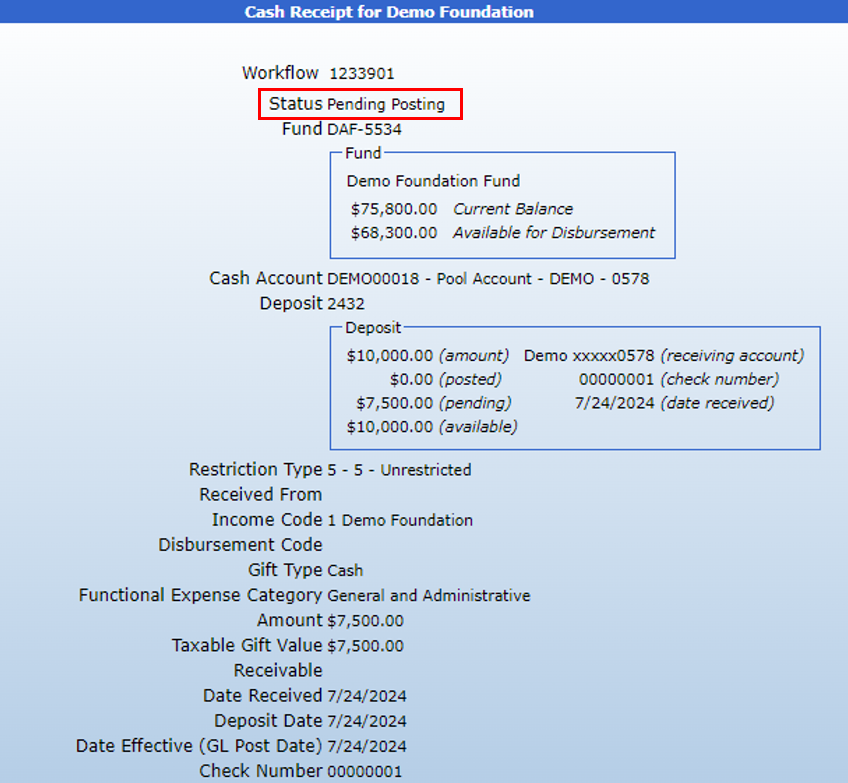
This transaction will now appear in the inbox of any user with approval permissions. To create an acknowledgement letter, ensure the transaction has been fully posted and then follow the instructions on this page.