

Manage Articles
- 28 Mar 2024
- 1 Minute to read
- Print
- DarkLight
Manage Articles
- Updated on 28 Mar 2024
- 1 Minute to read
- Print
- DarkLight
Article summary
Did you find this summary helpful?
Thank you for your feedback!
Articles
Articles can be any page you would like to add to your Donor profile. On the Utilities and Administration tabs, you can manage your existing articles, as well as create new articles.
Articles, DonorSphere’s terminology for pages, can be created within FoundationHub to provide a deeper user experience. Any number of articles (or pages) can be created and cross referenced to create an immersive, content-rich experience for the Donor. Articles can be added to the Main Menu so they are accessible and can also be linked to each other to create a hierarchy.
Please refer to section 1.2. Editing Content for a Guide on what each icon’s function is.
Manage Articles
To manage existing articles, click on the “Manage Articles” tab and a list of articles will appear.
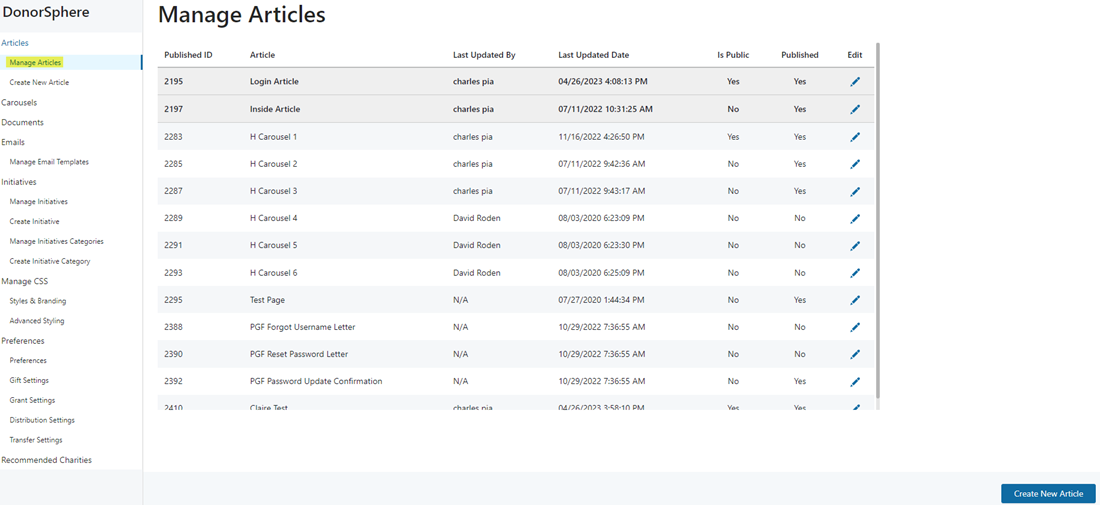
To edit an article, click on the pen icon next to the article you wish to edit. A window like the one shown below should appear. You can then edit any text in the box. When you are finished, click the save button at the bottom and your changes should appear.
Was this article helpful?