Generating a Receipt Letter (Acknowledgement)
Once a Cash Receipt is posted, you can generate an Acknowledgment Letter for the receipt.
Keep in mind, the Cash Receipt needs to be populated correctly for the Acknowledgment procedure to work properly.
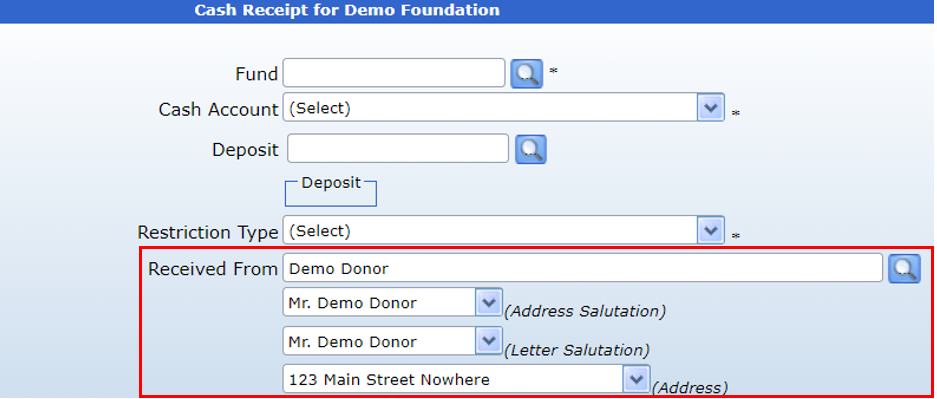
1. The “Received From” field needs to be populated with an Interested Party from the System. If “free-text” is entered into the field, the System will not be able to recognize the Interested Party’s salutations, addresses, etc.
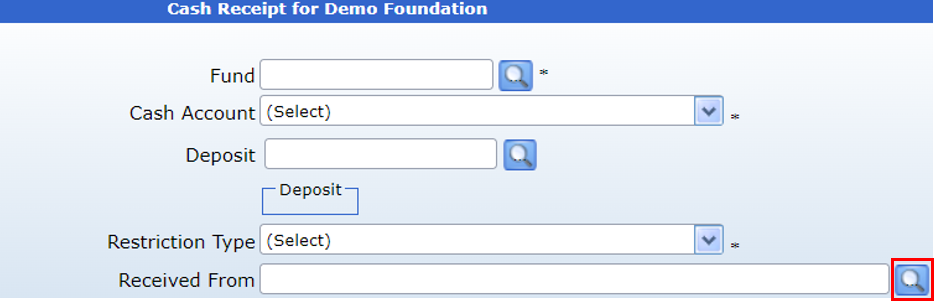
Use the search icon next to the "Received From" field to pull up the Contacts search box.
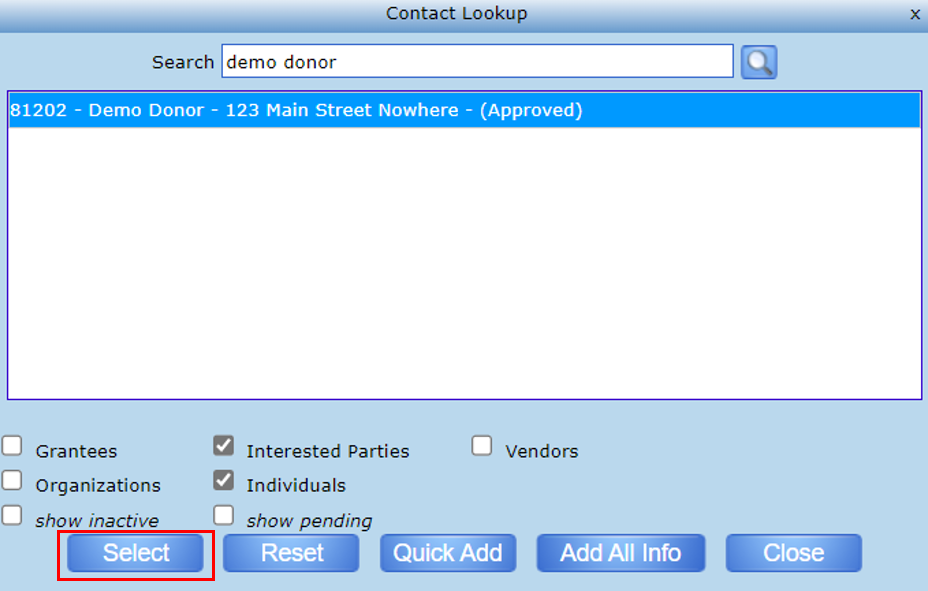
Then, search for the desired contact and Select to correctly populate the Contact onto the form.
To create an Acknowledgement, the transaction form should look like the below image.
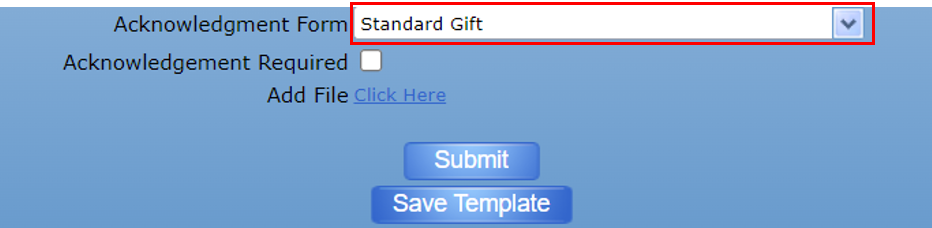
2. The desired Acknowledgment Form needs to be selected:
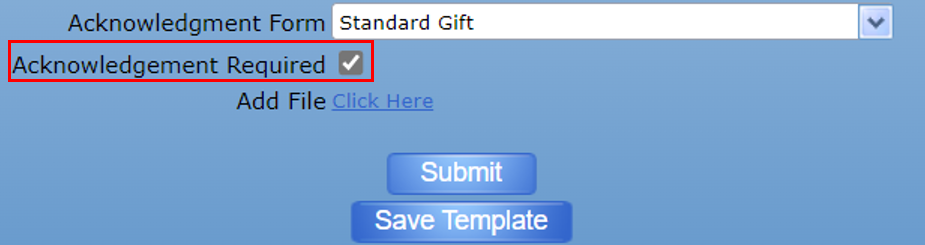
3. Lastly, the “Acknowledgement Required” flag needs to be marked as True (checked), which is done by default:
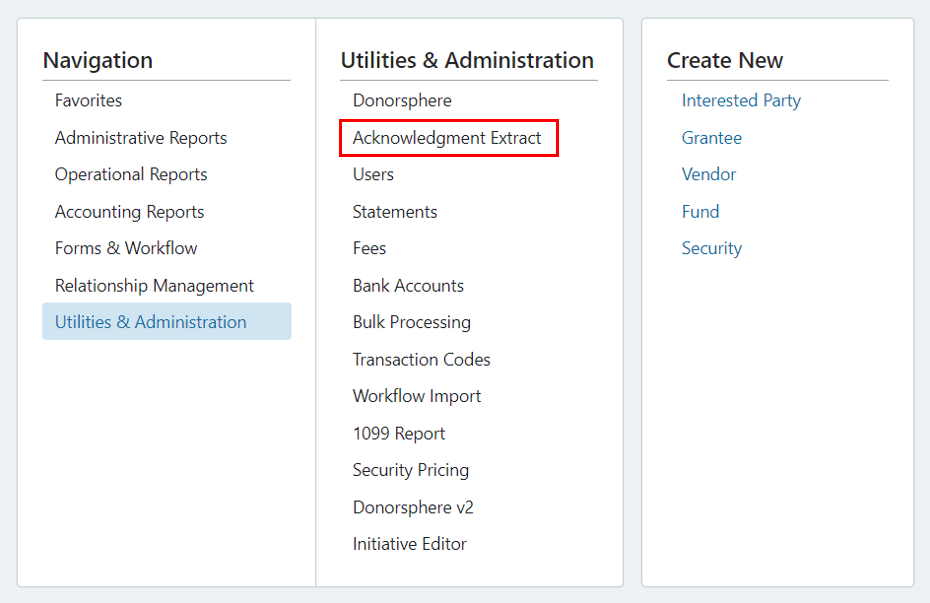
If each of these requirements is met, and the receipt is posted, you can go to Utilities and select Acknowledgment Extract:
Run the Acknowledgment Extract Report to review a listing of all the acknowledgments available within the parameters you selected. To reduce the number of results returned, you can select the specific
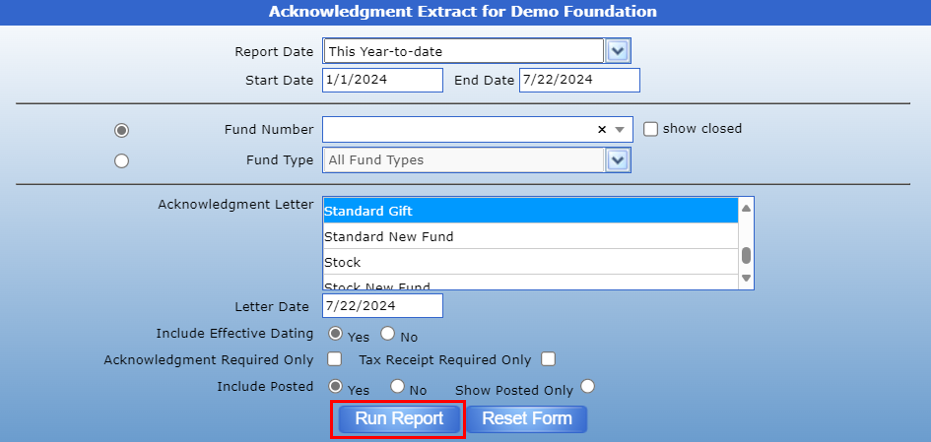
Check the box for the acknowledgment letter(s) you would like to generate and click the Post button:

You will receive a pop up letting you know the Batch ID – click “OK” to continue:

Click on the PDF icon to view the System generated letter:

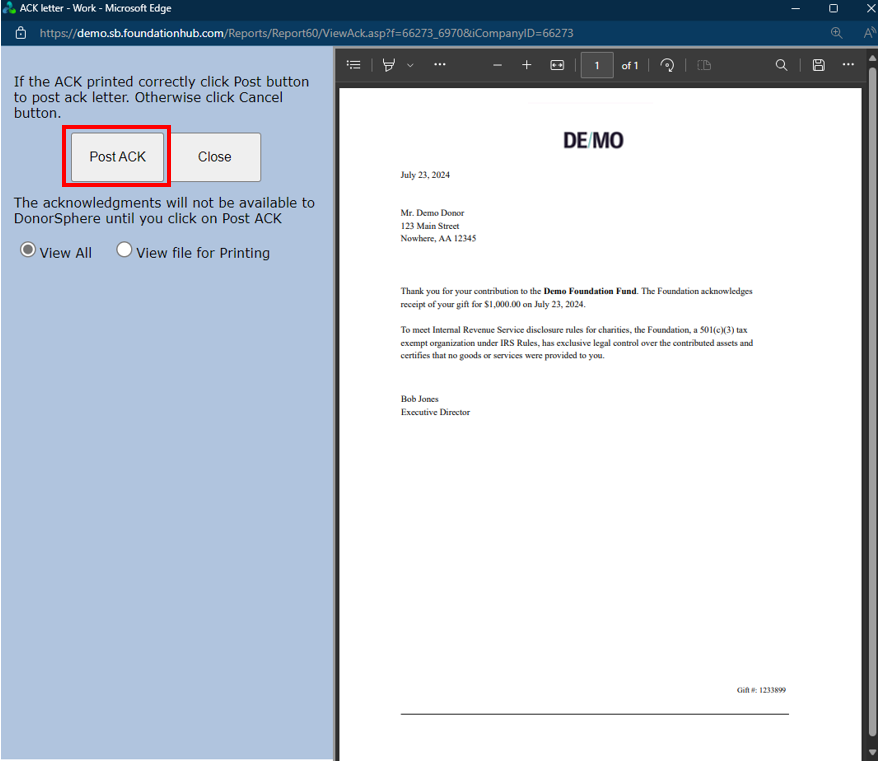
The following pop-up will appear. Click "Post ACK" to post the letter to the contact's DonorSphere profile.