

Linking a Liquidity Vehicle (Cash Account) to a Bank Account
- 19 Jul 2024
- 1 Minute to read
- Print
- DarkLight
Linking a Liquidity Vehicle (Cash Account) to a Bank Account
- Updated on 19 Jul 2024
- 1 Minute to read
- Print
- DarkLight
Article summary
Did you find this summary helpful?
Thank you for your feedback!
Linking a Liquidity Vehicle (Cash Account) to a Bank Account
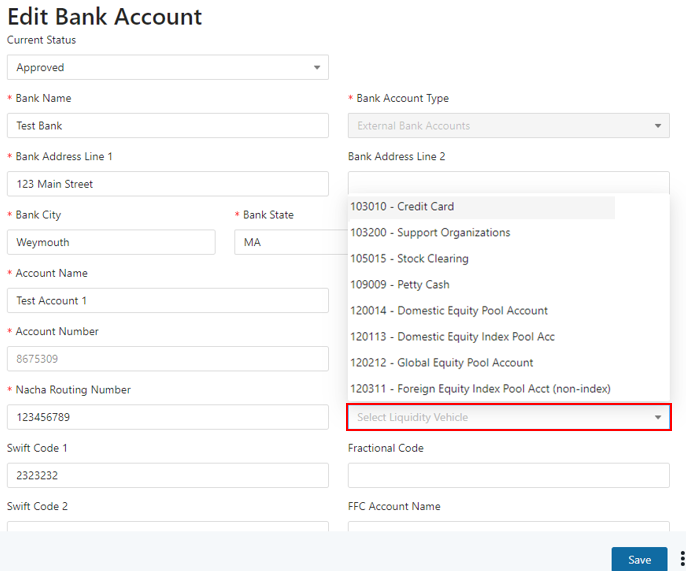
The Liquidity Vehicle is the Cash Account on many of the transaction forms. Once a Cash Account is linked to a Bank Account, it will prepopulate on the transaction form when the Bank Account is selected. To link the two elements, follow the steps below:
- Go to the Bank Account setup screen.
- Select the required Cash Account from the “Liquidity Vehicle” drop down on the form. Note: A Cash Account must first be established as a CUSIP in order to appear in the dropdown shown below (to create a CUSIP please reference section 3 above):
Was this article helpful?