

Fees
- 26 Jun 2023
- 1 Minute to read
- Print
- DarkLight
Fees
- Updated on 26 Jun 2023
- 1 Minute to read
- Print
- DarkLight
Article summary
Did you find this summary helpful?
Thank you for your feedback!
Fees
The fee job only runs for specific time frames (i.e., Quarterly) and cannot run be intra-period.
To run a fee job the User will go to Utilities > Fees:
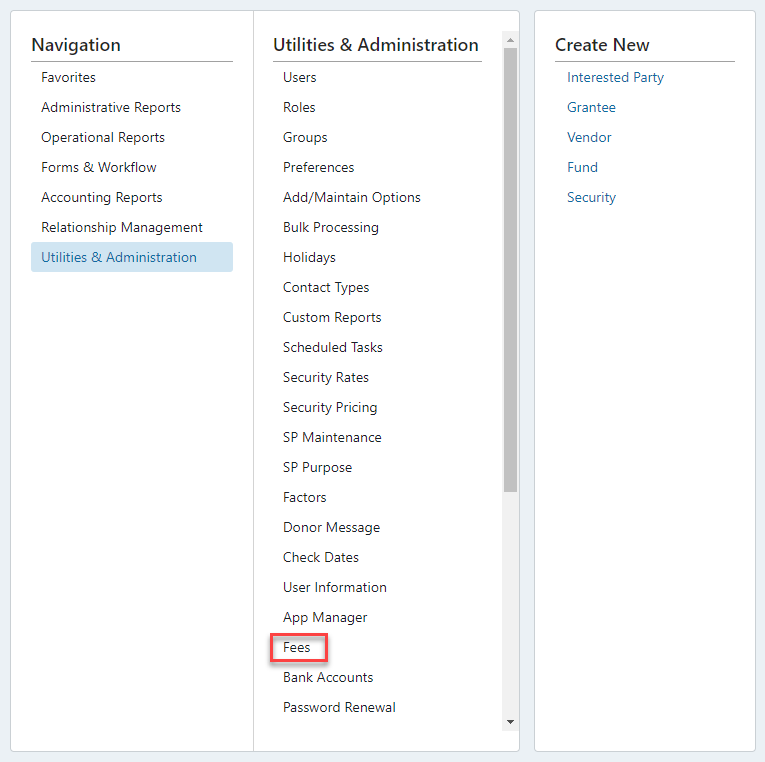
Select “Process”, the fee can be run for All Funds, specific Fund Types (i.e., DAF) or a single Fund (i.e. DAF-12345):
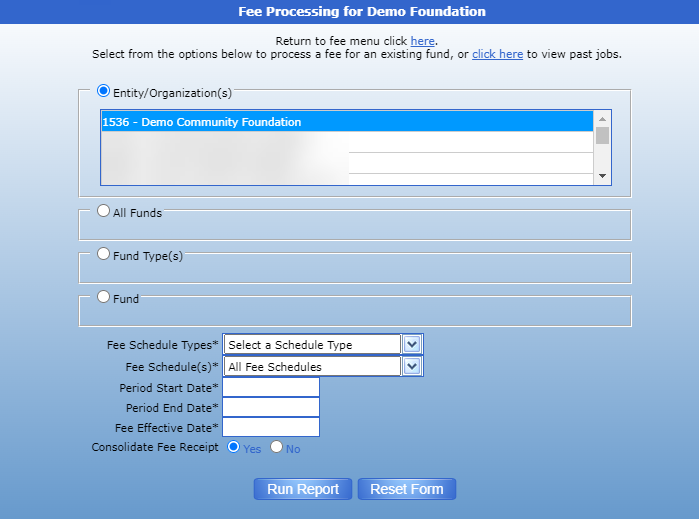
The User will need to select:
- The Entity for which fees should be run – if nothing is selected then fees will be run for all Entities.
- Which Fund(s) the fees will impact (all, specific Fund type or specific Fund).
- The type of fee schedule that will be run:

4. The fee schedule being run:
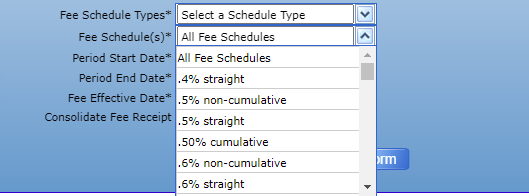
5. The date range the fee is running (i.e., 4th Quarter Fee would be 10/1/2023 – 12/31/2023).
6. The date when the fee will impact the underlying Funds (i.e., when the fee is taken).
7. Hit “Run Report”
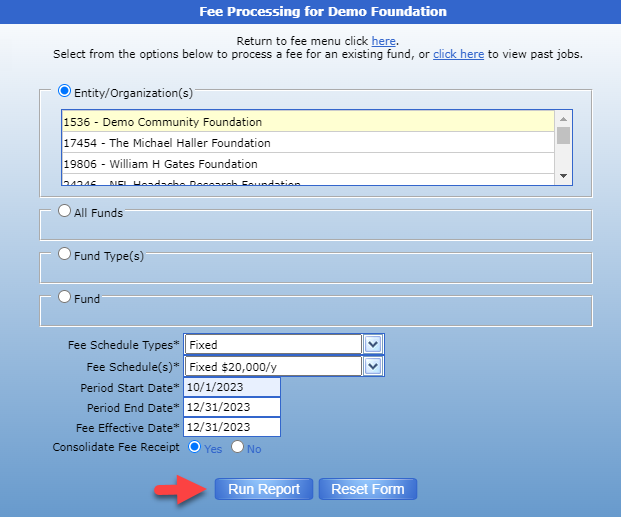

Once the fee job runs, click “here” and the report will appear for the User to review the transactions that were calculated.

Once the data is reviewed, the User will select the box on the right side to select all of the fee transactions to post and at the bottom of the screen can choose to either:

Please note, the entire fee job should be either posted or canceled to avoid causing confusion with which accounts have had fees taken and which still need to be processed.
Was this article helpful?