Creating a Deposit
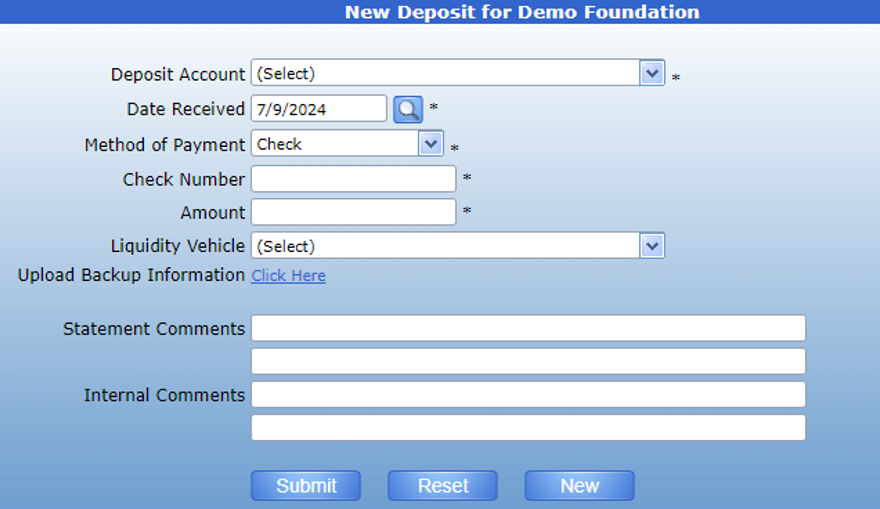
The deposit form is used to record large cash deposits meant for allocation to multiple funds. This ensures that the amount deposited is equivalent to the amount recorded in each individual fund.
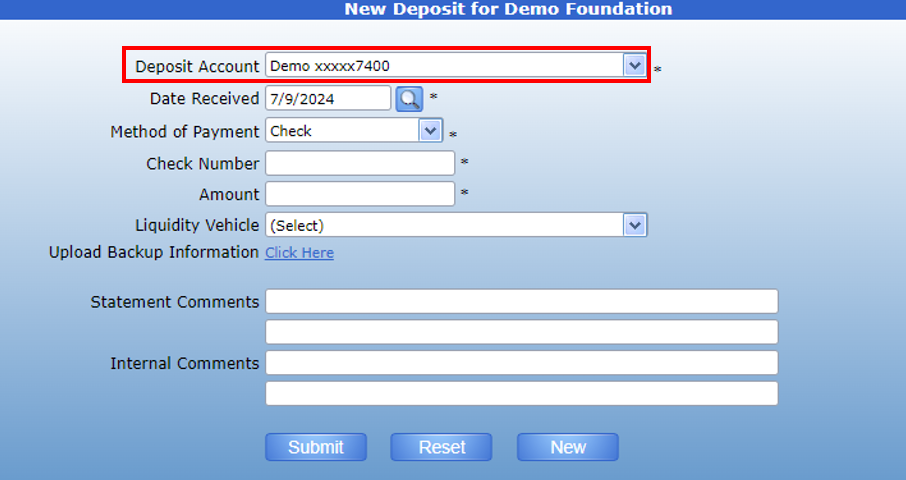
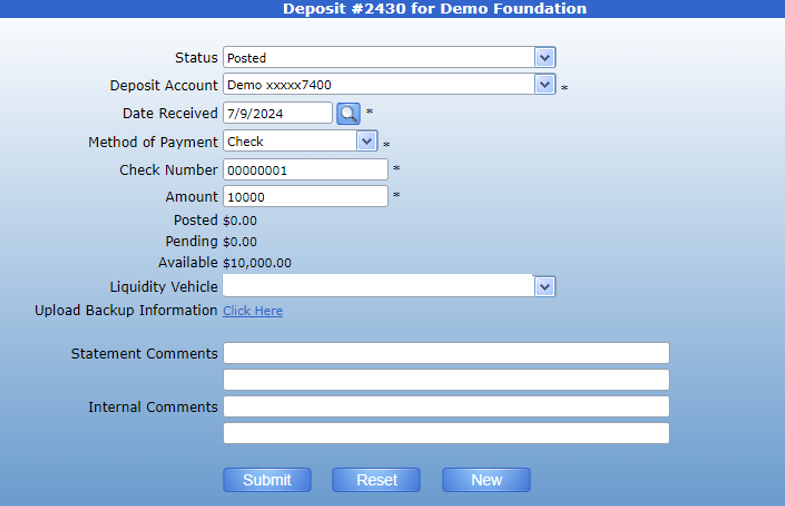
To create the deposit, first select the bank account where the cash will be deposited.
The date field will default to today’s date, but can be changed as necessary using the search icon. Then, select the Method of payment. This field will default to “Check”, but the dropdown will list all of the methods of payment your foundation will accept.
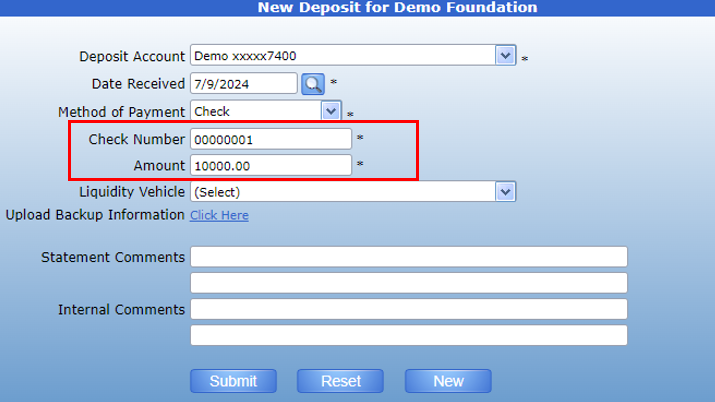
Enter the check number and amount of the deposit.
Then, enter comments as necessary and submit. This deposit can then be allocated to funds using the Cash Receipt form.
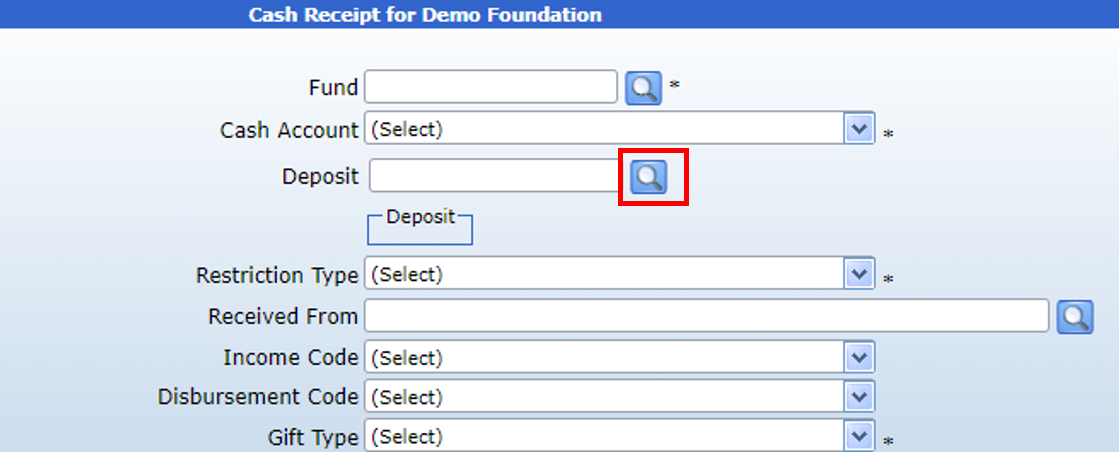
On the Cash Receipt form, use the Search icon next to the deposit field to find the deposit.
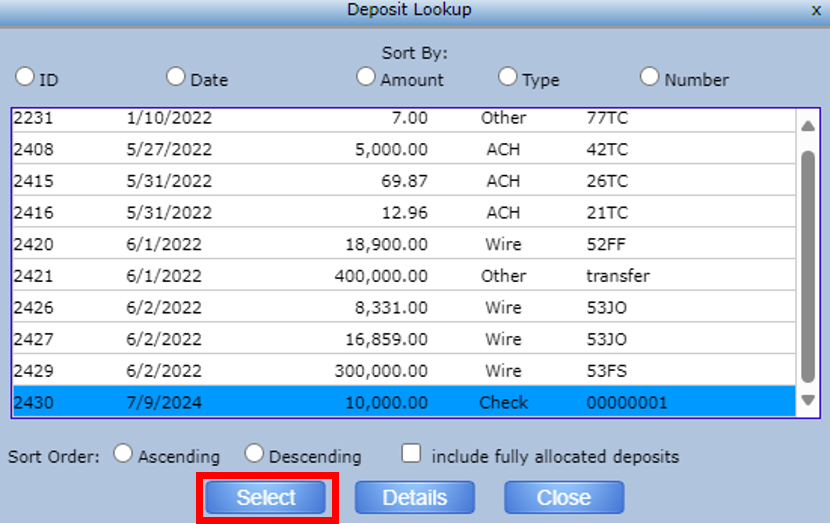
Clicking this icon will pull up a list of deposits. Choose the desired deposit and click “Select”.
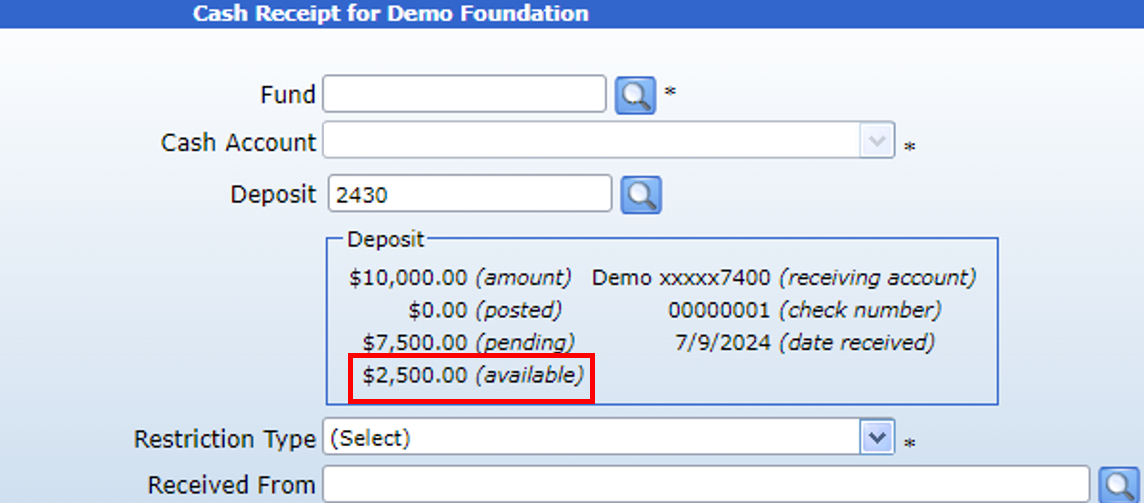
The form will then display the transaction information, including the amount and available balance. Please note that once a deposit is attached to a Cash Receipt, the amount entered cannot be greater than the available balance of the deposit.
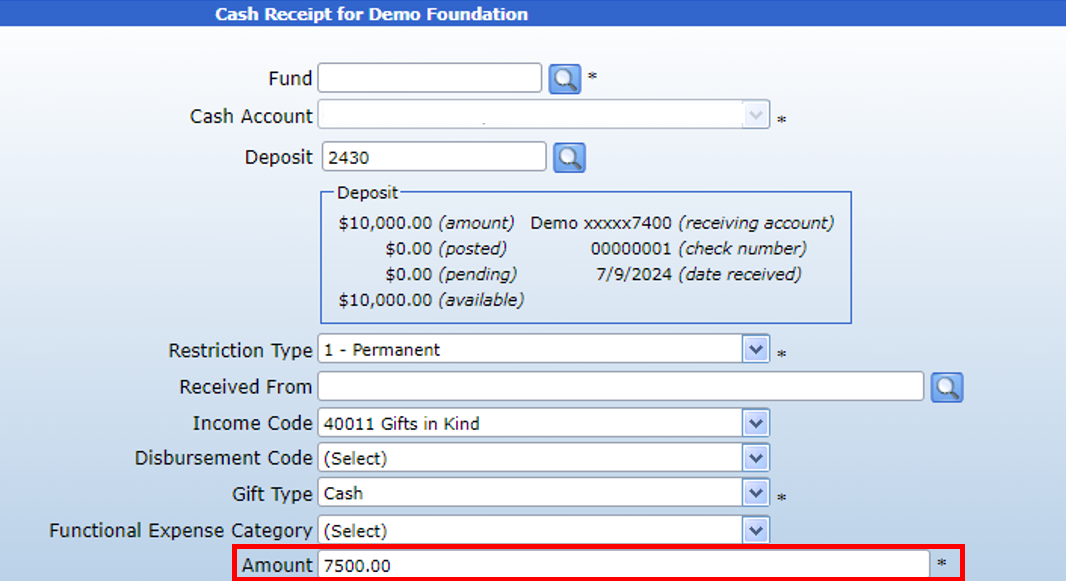
Once this cash receipt is submitted, the deposit will have a remaining balance of $2,500.00 to attach to another fund.
Therefore, this deposit can be attached to a second fund using another Cash Receipt form. Using the deposit search, you can find the original deposit. The form will then display the total balance remaining (i.e. the value not attributed to any other funds).