

4b. Giving Button Reports in DonorSphere
- 18 Apr 2024
- 1 Minute to read
- Print
- DarkLight
4b. Giving Button Reports in DonorSphere
- Updated on 18 Apr 2024
- 1 Minute to read
- Print
- DarkLight
Article summary
Did you find this summary helpful?
Thank you for your feedback!
The 'My Contributions’ Report found on a Donor’s Profile page in DonorSphere allows a Donor to see all their Giving Buttons in one place.
For a Donor to have access to this report, it must be enabled by a Client Services Representative.
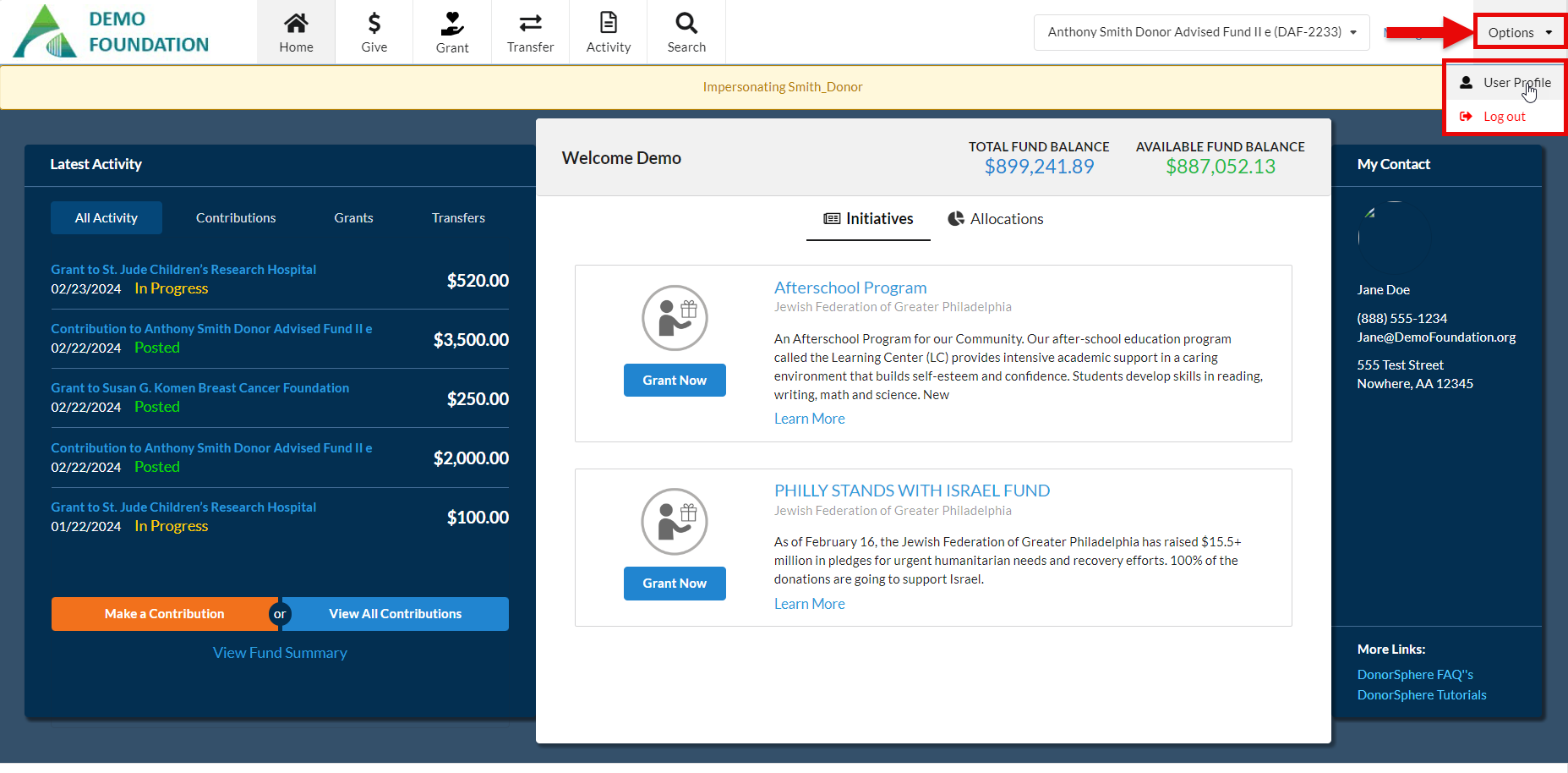
To view the report of a donor’s contribution history through Giving Buttons, click “Options” > “User Profile”.
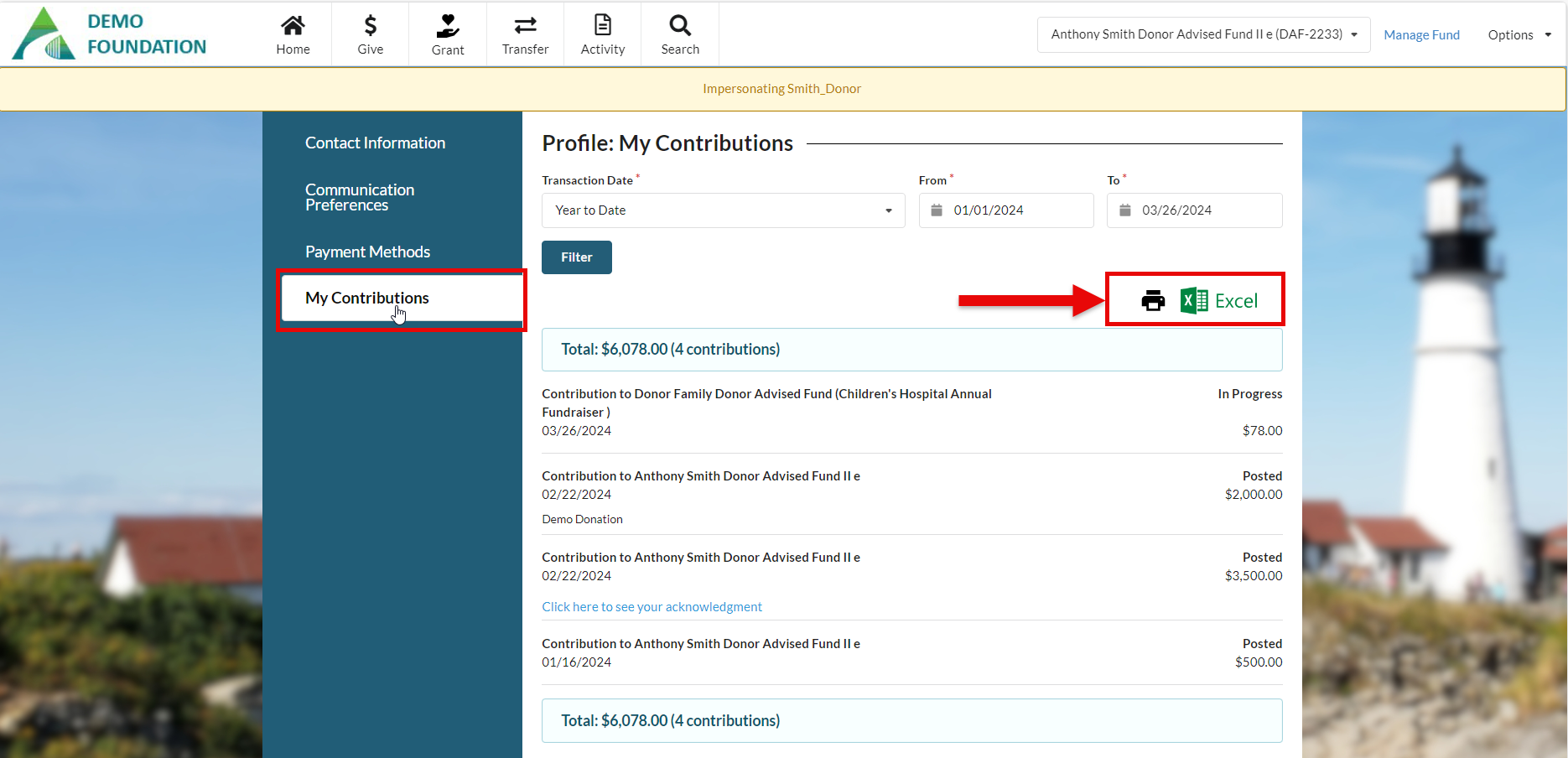
Select the “My Contributions” tab to view reports for specified time periods. The report can be printed or exported to Excel.
Was this article helpful?